ClosedCaption49
When you watch a program that is being broadcast with closed
captions, you can accesson-screen boxes containing the pro-
gram's dialogue (for example,what a character is saying),dialogue
in a foreign language,or information (such as a channel guide,
schedule,or announcements). Follow the steps below to select
closed captions.
Not allTV programs and commercials are broadcast with closed
captions.Similarly,aft types of closed captions (second language,
.$
half-screentext, etc.) are not always broadcast. If closed caption-
ingis not broadcast,you cannot receive it.This does not indicate
a problem with the TV/VCR. Refer to your area'sTV program list-
ingsfor the shows offered with closed captions. |
!
I
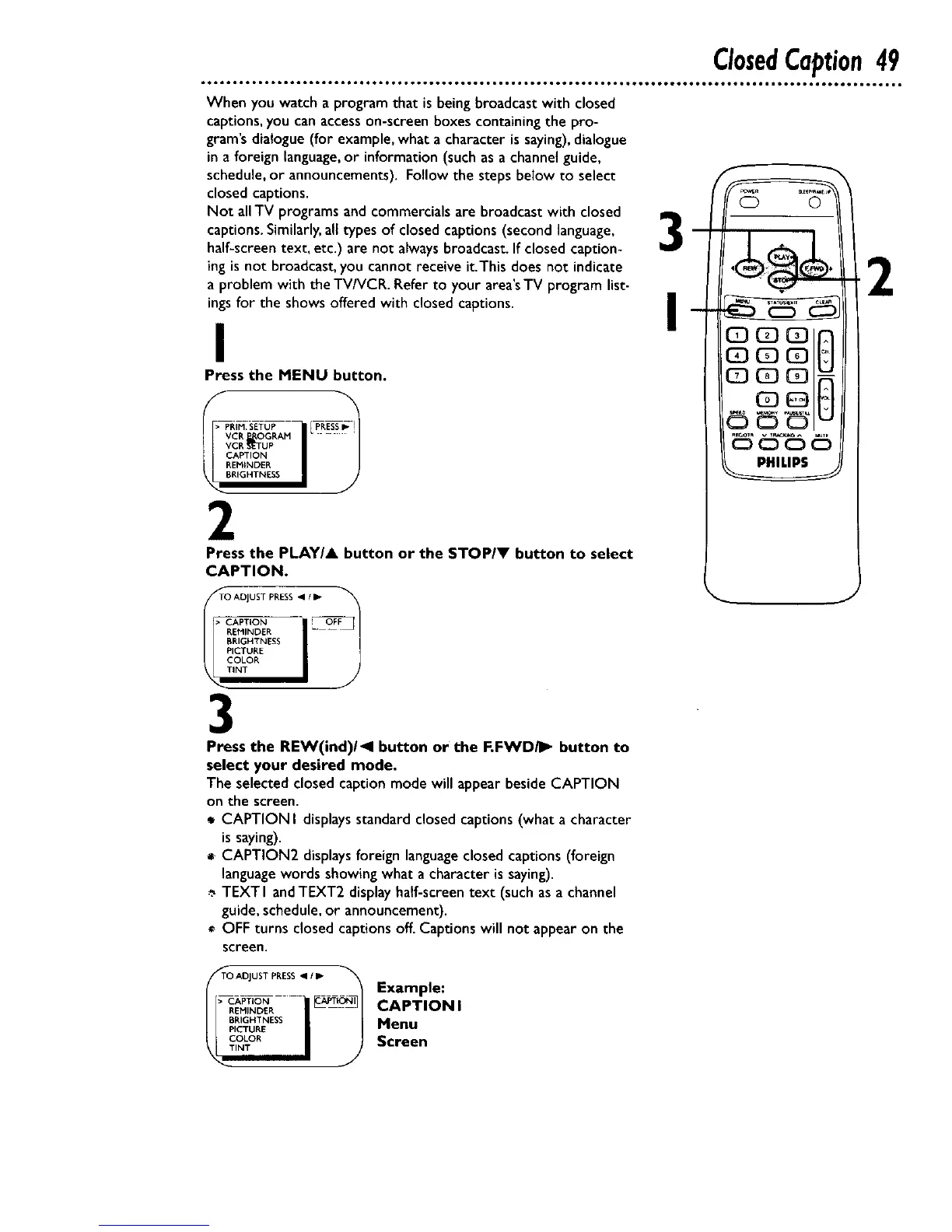
Press the MENU button.
_PRIM SETUP PRESSI_
vcR_OGRAM_I
i )
CAPTION
REi_INDER
BP.IGHTNESS
Press the PLAY/A button or the STOPIV button to select
CAPTION.
TO ADJUST PRESS _1 / IP
• CAPTION --- _OFF
BRIGHTNESS
PICTURE
COLOR
3
Press the REW(ind)/_l button or the F.FWDiI_ button to
select your desired mode.
The selectedclosedcaptionmode will appearbesideCAPTION
on the screen.
CAPTION I displaysstandardclosedcaptions(what a character
issaying).
CAPTION2 displaysforeign languageclosedcaptions(foreign
languagewordsshowingwhat a character is saying).
TEXT I andTE×T2 displayhalf-screentext (suchasa channel
guide,schedule,or announcement).
OFF turns closed captions off. Captions will not appear on the
screen.
f
Q ©
2
J
_>TO ADJUST PRESS _1_
CAPTION _1
REMINDER
PICTURE
COLOR
TINT
Example:
CAPTION I
Menu
Screen










 To Next Page