46 BlueBackground
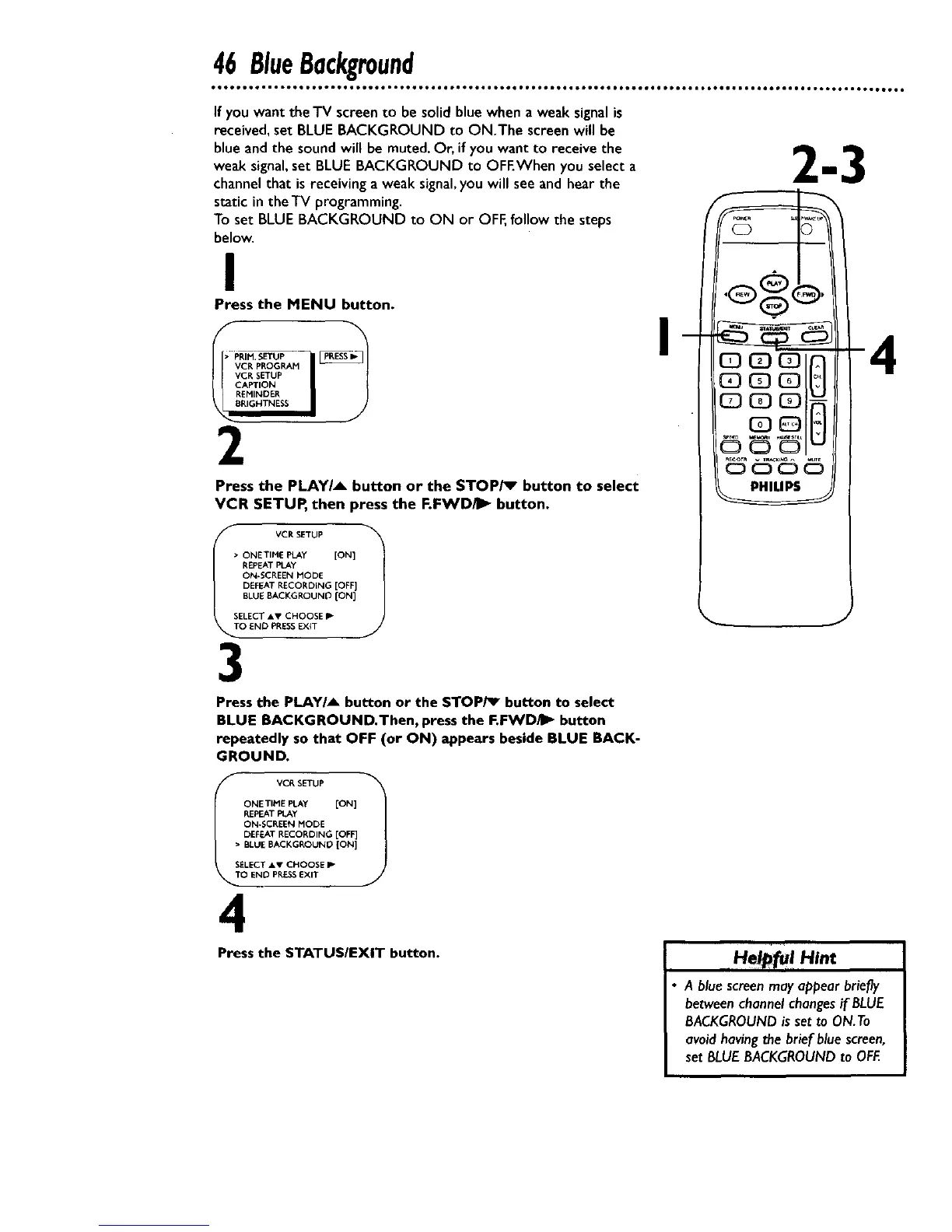
If you want the TV screento be solidblue when a weak signalis
received, set BLUE BACKGROUND to ON.The screen will be
blue and the sound will be muted. Or, if you want to receive the
weak signal,set BLUE BACKGROUND to OFEWhen you select a
channel that is receiving a weak signal,you will see and hear the
static in theTV programming.
To set BLUE BACKGROUND to ON or OFF,follow the steps
below.
n ENU button.
i
2
Press the PLAYIA button or the STOP/_ button to select
VCR SETUP, then press the RFWDI_" button.
• ONETIME PLAY [ON]
REPEAT PLAY
ON*SCREEN MODE
DEFEAT RECORDING [OFF]
BLUE BACKGROUNO ION]
SELECT AV CHOOSE P-
O END PRESSEXiT
3
4
Pressthe PLAY/_ button or the STOPi_ button to select
BLUE BACKGROUND.Then, pressthe F.FWD/I_ button
repeatedly so that OFF (or ON) appears beside BLUE BACK-
GROUND.
ONE TIME PLAY [ON]
REPEAT PLAy
ON÷SCREEN MODE
DEFEAT RECORDING [OFF]
• BLUE BACKGROUNO [ON]
EELECT AV CHOOSE P
O END PRESSEXIT
4
Press the STATUS/EXIT button.
Helpf.IHint
A bluescreenmay appearbriefly
betweenchannelchangesif BLUE
BACKGROUNDis set to ON.To
avoidhavingthe brief bluescreen,
set BLUEBACKGROUNDto OFF.










 To Next Page