LanguageSelection9
I
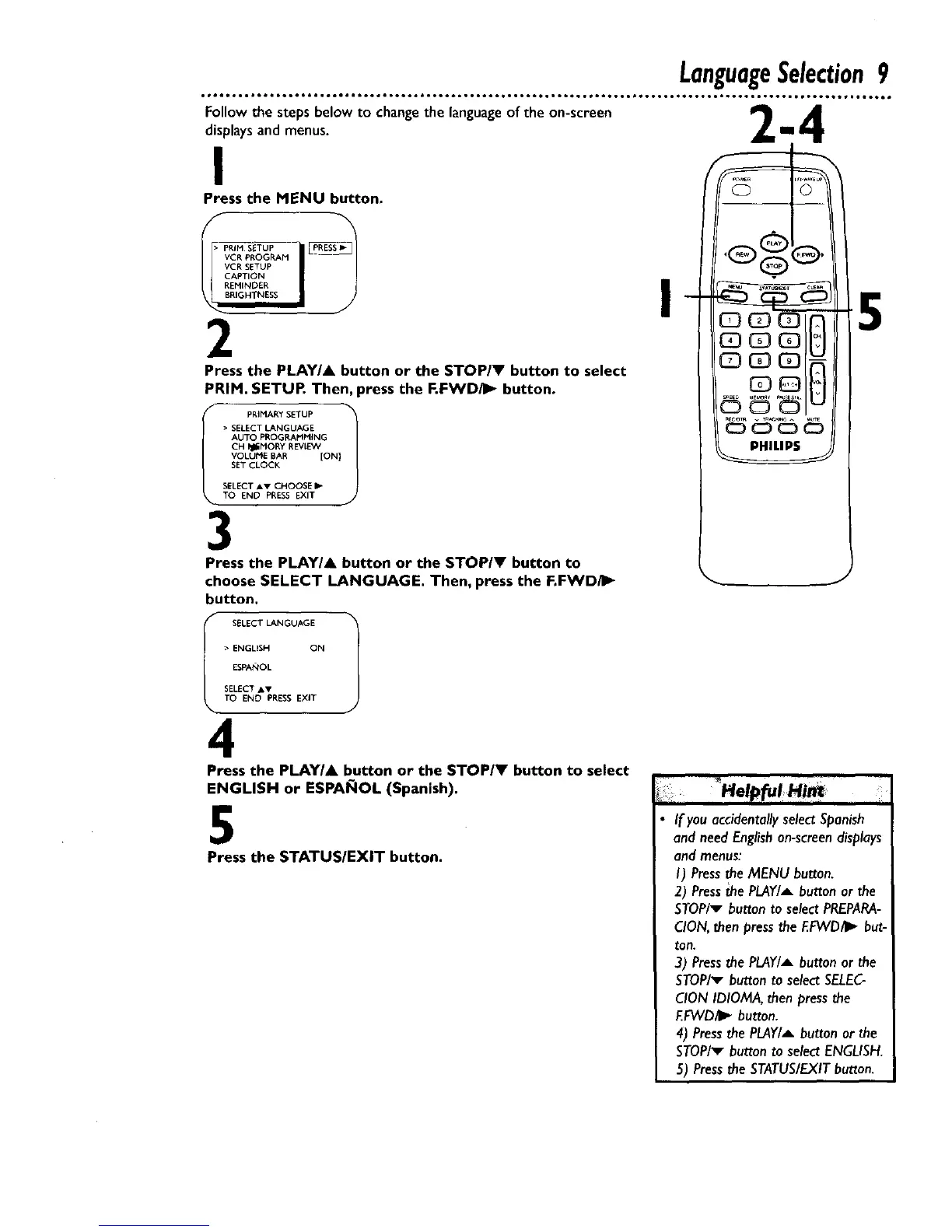
Press the MENU button.
VCR PROGRAM
VCR SETUP
CAPTION
REMINDER
BRIGHTNESS
2
Press the PLAY/A button or the STOP/Y button to select
PRIM. SETUP. Then, press the P.FWD/I_ button.
i ) PRIMARY SETUP _]
SELECT LANGUAGE
AUTO PROGRAMMING
CH _I_MORY REVIE'_€
VOLUME BAR [ON}
SET CLOCK
SELECT Av CHOOSE _-
TO END PRESS EXIT J
3
Press the PLAY/& button or the STOP/V button to
choose SELECT LANGUAGE. Then, press the F.FWD/I_
button.
• ENGUSH ON
ESPANOL
SELECT JsV
TO END PRESS EXIT
4
Press the PLAY/A button or the STOP/V button to select
ENGLISH or ESPAI_IOL (Spanish).
5
Press the STATUS/EXIT button.
I
PHILIPS
5
If you accidentally select Spanish
and need English an-screen displays
and menus:
I) Press the MENU button.
2) Press the PLAY/A button or the
STOP/v button to select PREPARA-
CION, then press the RFVVD/I_ but-
ton.
3) Press the PLAY/A button or the
STOP/_ button to select SELEC-
CION IDIOMA, then press the
F.FVVD41_button.
4) Press the PLAY/_ button or the
STOP/_ button to select ENGLISH.
5) Press the STATUS/EXIT button.










 To Next Page