Although the TV/VCR may automaticallymemorize the channels
you receive when you turn it on for the first time, you mayset up
channels again by following the stepsbelow.
I
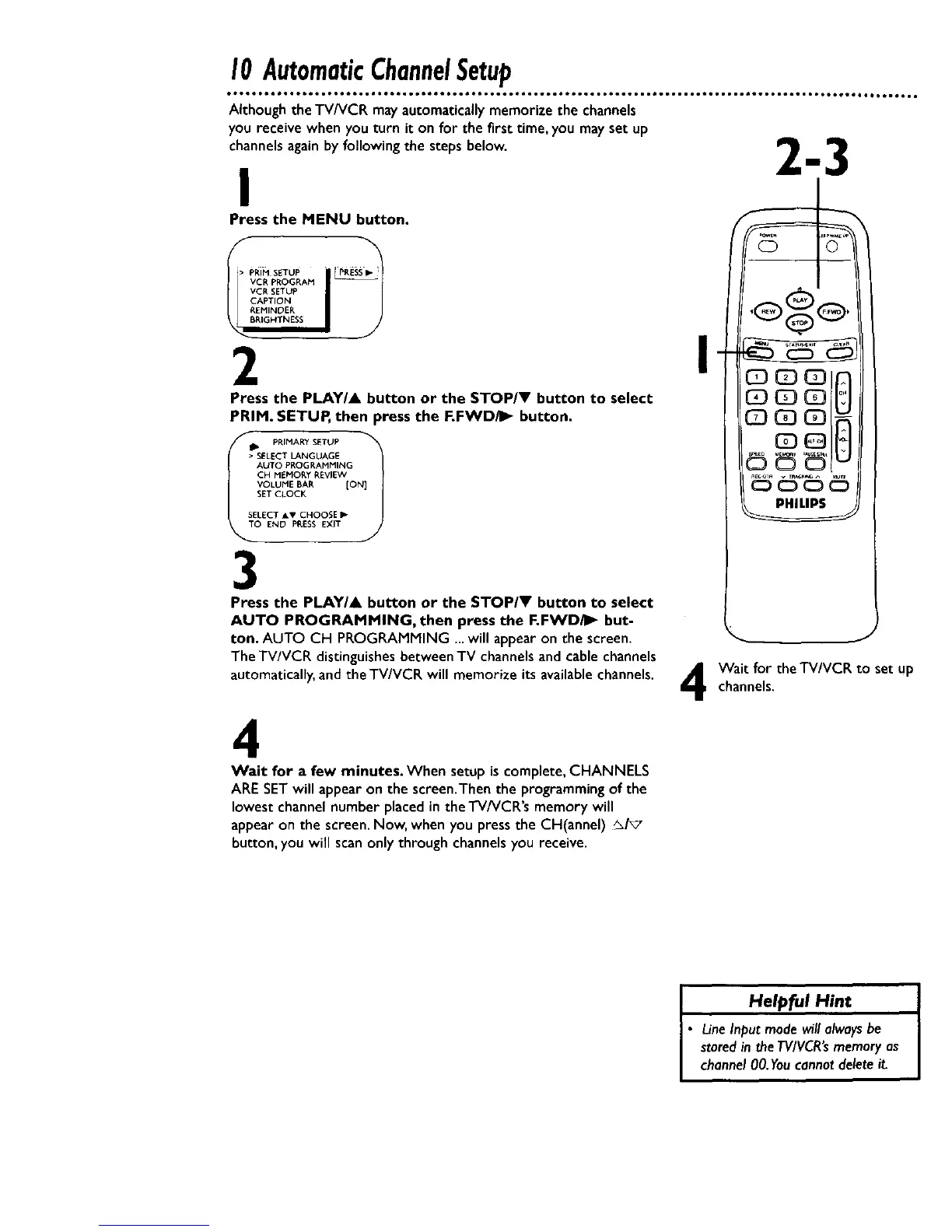
Press the MENU button.
• PRiMSETUP PP-ESS_-
VCR SETUP
CAPTION
L_REMINeER
2
Press the PLAY/A
PRIM. SETUP, then
IO END PP,ESS EXIT i
PRINARY SETUP
• SELECT LANGUAGE
AUTO PROGRAMMING
CH MEMORY REVIEW
VOLUME BAR [ON]
SET CLOCK
SELECT AT CHOOSE I_
3
utton or the STOP/V button to select
_ress the F.FWD/I_ button.
Press the PLAY/& button or the STOP/V button to select
AUTO PROGRAMMING, then press the F.FWD/I_ but-
ton. AUTO CH PROGRAMMING ...will appearon the screen.
The TV/VCR distinguishes between TV channels and cable channels
automatically, and theTV/VCR will memorize its availablechannels.
,QQQ( ,
CD
c ooj
Wait for theTV/VCR to set UP
channels.
4
Wait for a few minutes. When setup is complete, CHANNELS
ARESETwill appear on the screen.Then the programming of the
lowest channel number placedin the TV/VCR's memory will
appear on the screen. Now, when you press the CH(annel) _/_
button, you will scanonly through channels you receive.
I Helpful Hint
• LineInput modewill alwaysbe
storedin theTV/VCR'smemoryas
channel00.Youcannotdelete it.










 To Next Page