48 WakeUpTimer
TheWake UpTimer turns on the TV/VCR automatically at a speci-
fied time within the next 24 hours.You mayset theTV/VCR to turn
on at a'lV channel(the channelat which the'I'V/VCR was set last)
or with VCR playback.Toset the Wake Up Timer, follow the steps
below. Beforeyou begin:
Makesure the clock is set.If the clock has never been set, CLOCK
MUST BESETwill appearon the screen after you selectWAKE
UP at step 2.Then the SETCLOCK menu will appear.
• Makesure a tape is in theTV/VCR ifyou want the TV/VCR to
start tape playbackat the specifiedtime.
Makesure no timer recordingsare set for the time at which you
want theTV/VCR power to come on.
I
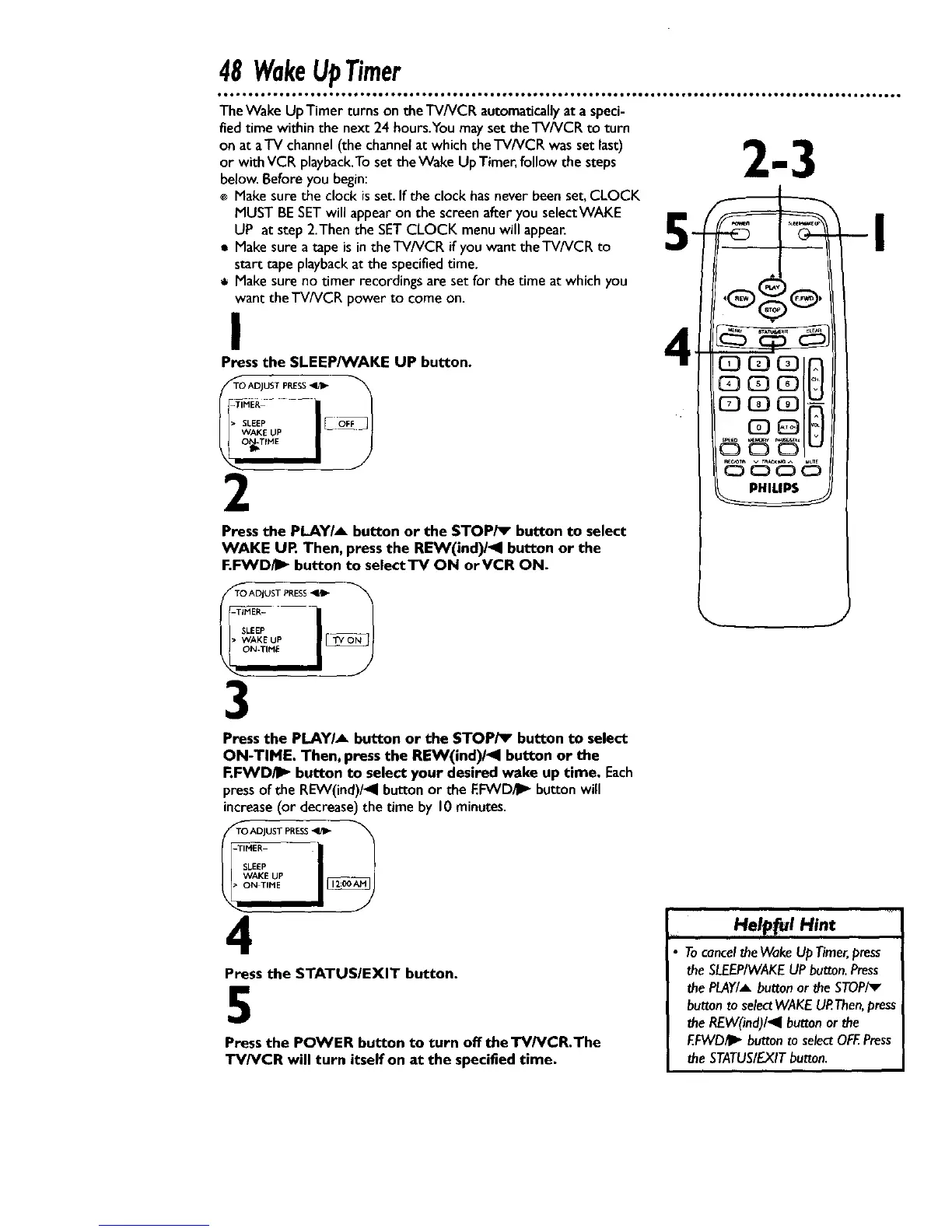
Press the SLEEP/VVAKE UP button.
LEEP JC
I--)
_TIME
2
Press the PLAYIA button or the STOPi_ button to select
WAKE UP, Then, press the REW(ind)/1 button or the
F.FWD/I_ button to selectTV ON orVCR ON.
TO ADJUST PRESS
-TIM_-
SLEEP ___
3
_ -I
J
Pressthe P,LAYIA button or the STOP/_ button to select
ON-TIME. Then, press the REW(ind)/41 button or the
F.FWDiI_ button to select your desired wake up time. Each
pressof the REW(ind)/4 buttonor the EFWD_ buttonwill
increase(or decrease)the time by 10 minutes.
TO ADJUST PRESS
-TIMER
SLEEP
WAKE UP
4
Press the STATUSIEXIT button.
5
Press the POWER button to turn olT the TV/VCR.The
TV/VCR will turn itself on at the specified time.
Help_l Hint
,i, i
• TocanceltheWakeUp Timer,press
theSLEEP/WAKEUPbutton.Press
thePLAY/Abuttonor the STOPiv
buttonto selectWAKEUP.Then,press
theREW(ind)/_l buttonor the
EFWD/I_ button toselectOFF.Press
the STATUS/EXITbutton.










 To Next Page