8 TurningOntheTV/VCR
Before you turn on the TV/VCR, make sure batteries are in the
remote control and theTV/VCR is hooked up correctly.
The instructions on this pagework only when you turn on the
TV/VCR for the first time.
I
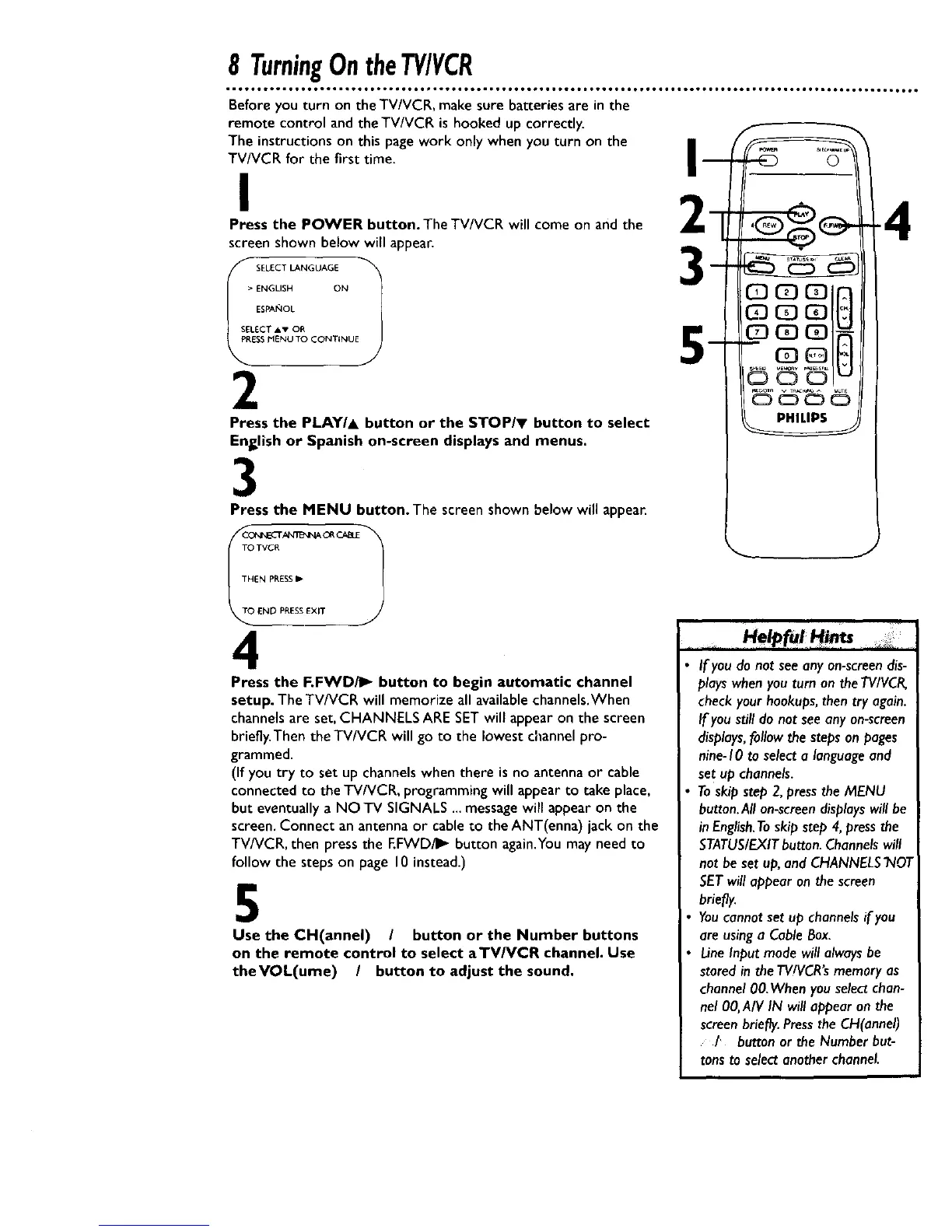
Press the POWER button. The TV/VCR will come on and the
screen shown below will appeal:
S_LECT LANGUAGE 1
> ENGLISH ON
ESPAF4OL
SELECT Av OR
PIENU TO CONTINUE
J
2
Press the PLAY/& button or the STOP/v button to select
English or Spanish on-screen displays and menus.
Press the MENU button. The screen shown below will appear.
TO TVCR
THEN PRESSIP
END PRESSEXIT
4
Press the F.FWD/I_ button to begin automatic channel
setup. The TV/VCR will memorize all availablechannels.When
channels are set,CHANNELS ARESETwill appearon the screen
briefly.Then the TV/VCR will go to the lowestchannel pro-
grammed.
(If you try to set up channels when there is no antenna or cable
connected to the TV/VCR, programming will appear to take place,
but eventually a NO TV SIGNALS ...messagewill appear on the
screen.Connect an antenna or cable to the ANT(enna) jack on the
TV/VCR, then press the F.FWD/I_ button again.Youmay need to
follow the steps on page 10 instead.)
5
Use the CH(annel) / button or the Number buttons
on the remote control to select aTV/VCR channel. Use
theVOL(ume) / button to adjust the sound,
_ J
If you do not seeany on-screendis-
playswhenyou turn on theTVIVCR,
checkyourhookups,then try again.
If youstill do not see any on-screen
displays,follow thesteps on pages
nine-10 ta selecta languageand
set up channels.
Toskip step 2,pressthe MENU
button.Allon-screendisplayswill be
in English.Toskip step 4,pressthe
STATUS/EXITbutton.Channelswill
not be set up,and CHANNELS"NOT
SETwill appearon thescreen
briefly.
Youcannotset up channelsif you
are usinga CableBox.
LineInput mode willalwaysbe
storedin theTVIVCR'smemoryas
channel00.When you selectchan-
nel 00,A/V IN will appear on the
screenbriefly.PresszheCH(annel)
/ batten or the Numberbut-
tonsto selectanotherchannel










 To Next Page