TimerRecording(cont'd)35
I
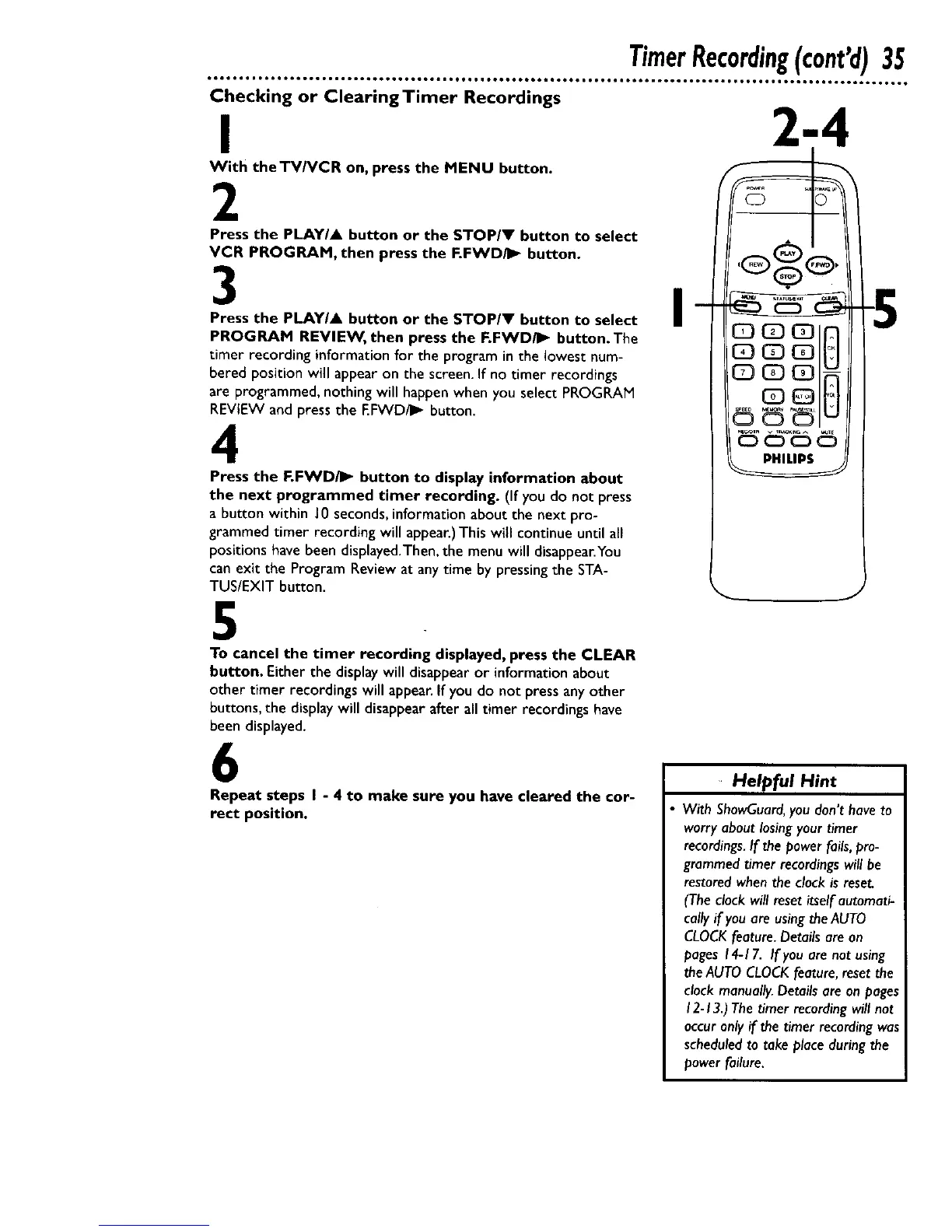
With the TV/VCR on, press the MENU button.
2
Press the PLAYIA button or the STOPIV button to select
VCR PROGRAM, then press the F.FWD/I_ button.
3
Press the PLAY/A button or the STOP/V button to select
PROGRAM REVIEW, then press the F.FWD/I_ button. The
timer recording informationfor the programin the lowestnum-
bered position will appear on the screen. If no timer recordings
are programmed, nothing will happen when you select PROGRAM
REVIEW and press the EFWD/I_ button.
4
Press the F.FWD/I_ button to display information about
the next programmed timer recording. (If you do not press
a button within J0 seconds,informationabout the next pro-
grammed timer recording will appear.)This will continue until all
positionshavebeen displayed.Then,the menu will disappear.You
can exit the Program Review at any time by pressingthe STA-
TUS/EXIT button.
I
5
To cancel the timer recording displayed, press the CLEAR
button. Either the displaywill disappearor informationabout
other timer recordings will appear.If you do not press anyother
buttons, the displaywill disappear after all timer recordings have
been displayed.
6
Repeat steps I - 4 to make sure you have cleared the cor-
rect position.
Helpful Hint
With ShowGuard, you don't have to
worry about losing your timer
recordings. If the power fails, pro-
grammed timer recordings will be
restored when the clock is reset,
(The clock will nesetitself automati-
cally if you are using the AUTO
CLOCK feature. Details are on
pages 14-17. If you are not using
the AUTO CLOCK feature, reset the
clock manually. Details are on pages
12-13.) The timer recording will not
occur only if the timer recording was
scheduled to take place during the
power failure.










 To Next Page