User Manual Philips MultiOne
© Philips Lighting B.V. 2014 Page 38 / 81
12.3.12 Constant Light Output
Product group
HID, LED
The HID version of Constant Light Output (CLO) has two check boxes. Select the
Enable check box to use the device’s built-in Constant Light Output profile. Select the
Reset check box to reset this feature, including resetting the lamp operating hours
parameters. This is useful when replacing the HID lamp.
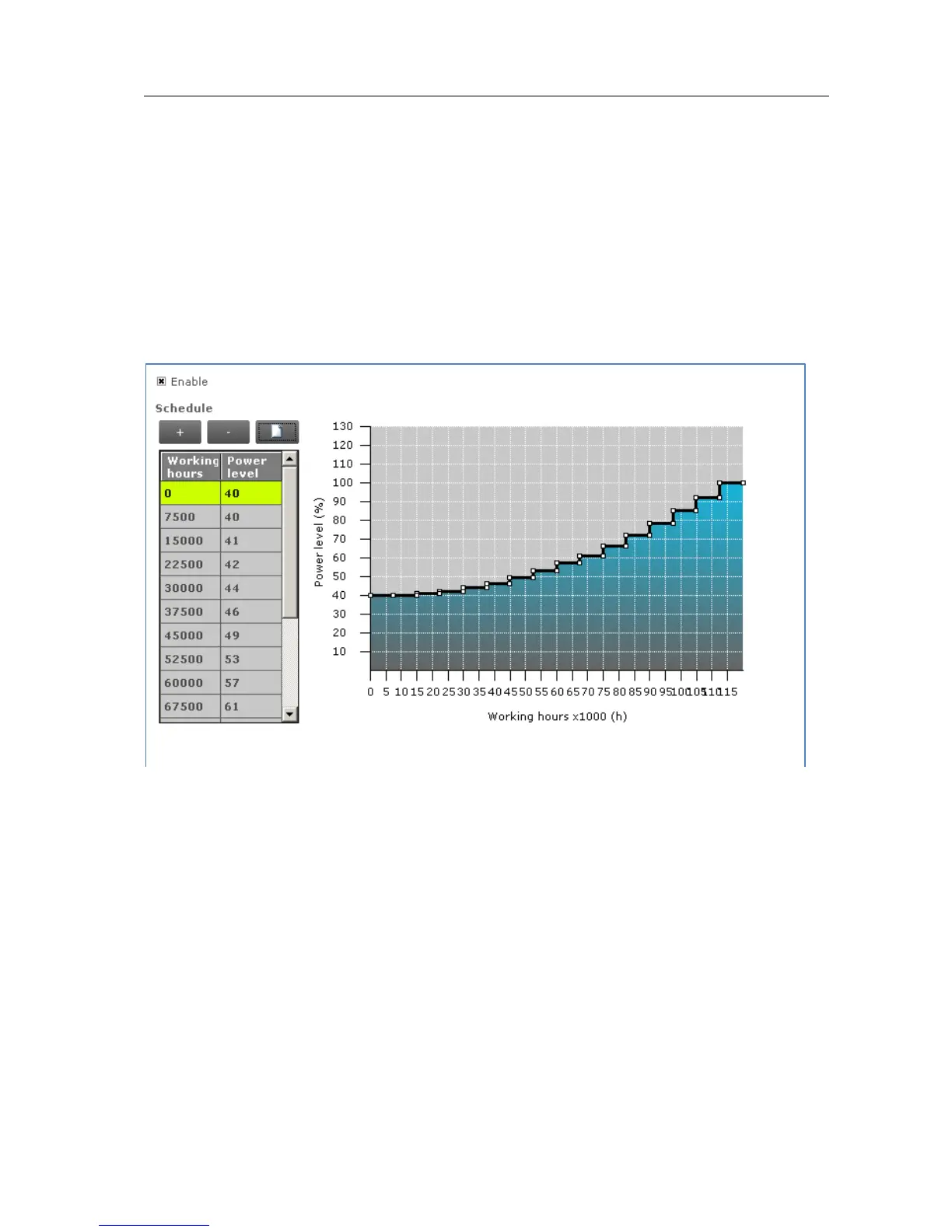
The Constant Light Output feature for LED devices will show the following window:
Description
The lumen output of a LED module usually decreases over its lifetime. To
compensate, a schedule can be created that gradually increases the lamp’s power
level over time.
Usage
Select the Enable check box to use this feature. Click the New button to create a
default schedule or click the Plus button to individually add scenes. When creating a
new schedule, in the dialog window that pops up you can either select an empty
schedule, a default schedule or a custom schedule.



 To Next Page