User Manual Philips MultiOne
© Philips Lighting B.V. 2014 Page 72 / 81
12.21 Troubleshooting
Problem: After starting MultiOne, no devices are displayed.
Solution: Click the Scan network button on the Network panel to start discovering
the devices in the network. If the devices connected have already a DALI short
address this will not be changed. Devices without a short address will be
programmed with a short address. When the Commission button is clicked, the short
addresses of all connected devices will be renewed, whether they already had a short
address or not.
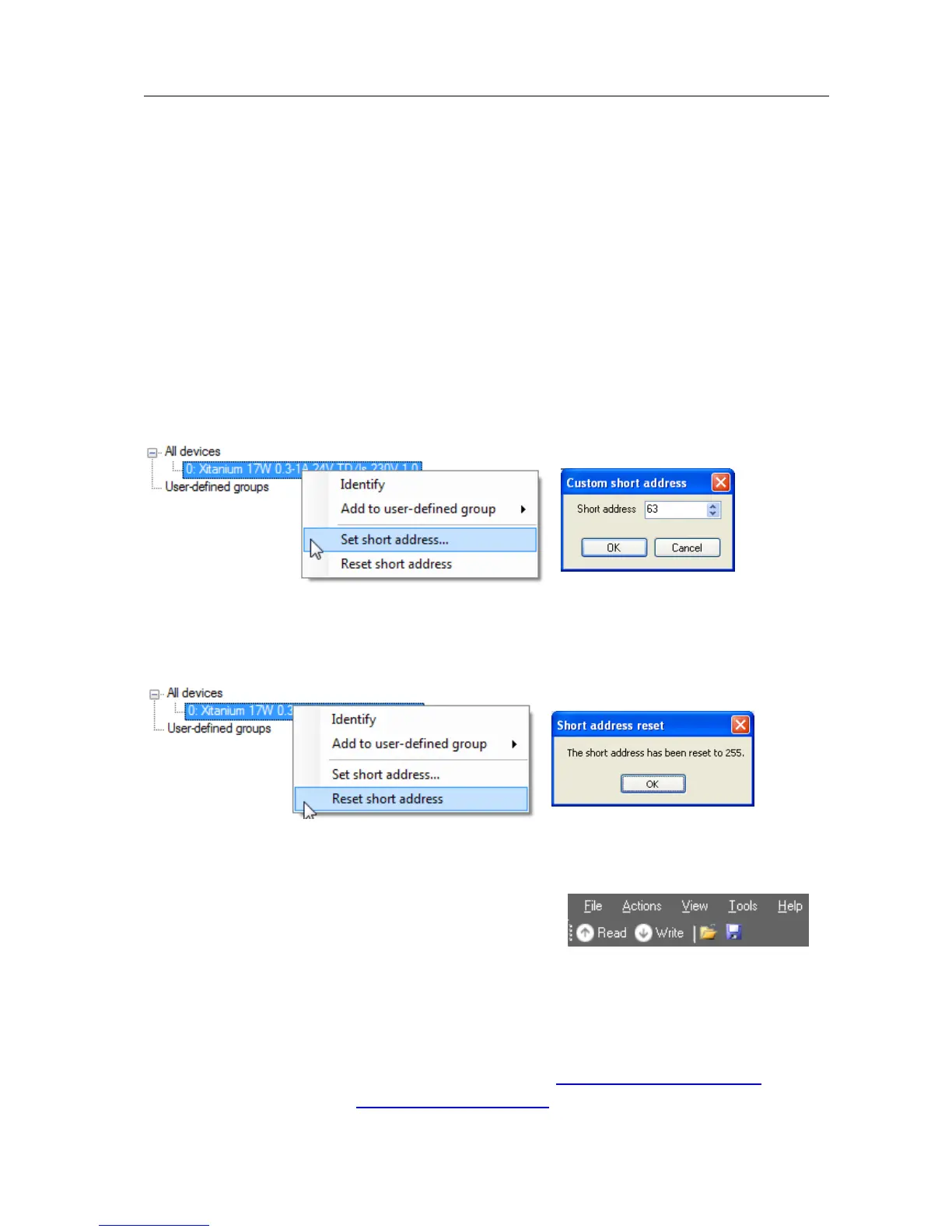
Problem: I would like to assign a specific short address to a device.
Solution: First scan the network for devices. Right-click the device you would like to
give a short address and select Set short address. A dialog window will appear in
which you can enter the desired short address. Click OK to program the short address
into the device.
Problem: I would like to remove the short address of a device.
Solution: First scan the network for devices. Right-click the device whose short
address you would like to remove and select Reset short address. You will be
informed that the short address was reset.
Problem: I would like to configure the special features of the connected device.
Solution: After scanning the network for devices, a device has to be selected by
clicking it in the Network. Select the Device
features tab. The related features will appear. To
update the view to the actual status of the features,
click Read on the toolbar. If you now change any of the features, and want this to be
stored into the device, click Write on the toolbar.
Problem: I would like to know more technical details of a device.
Solution: Please refer to the Philips website for more detailed information
For LED driver, both indoor and outdoor, visit: www.philips.com/Xitanium
For HID drivers visit: www.philips.com/Xtreme



 To Next Page