User Manual Philips MultiOne
© Philips Lighting B.V. 2014 Page 40 / 81
12.3.13 Corridor Mode
Product group
FLUO, LED
Description
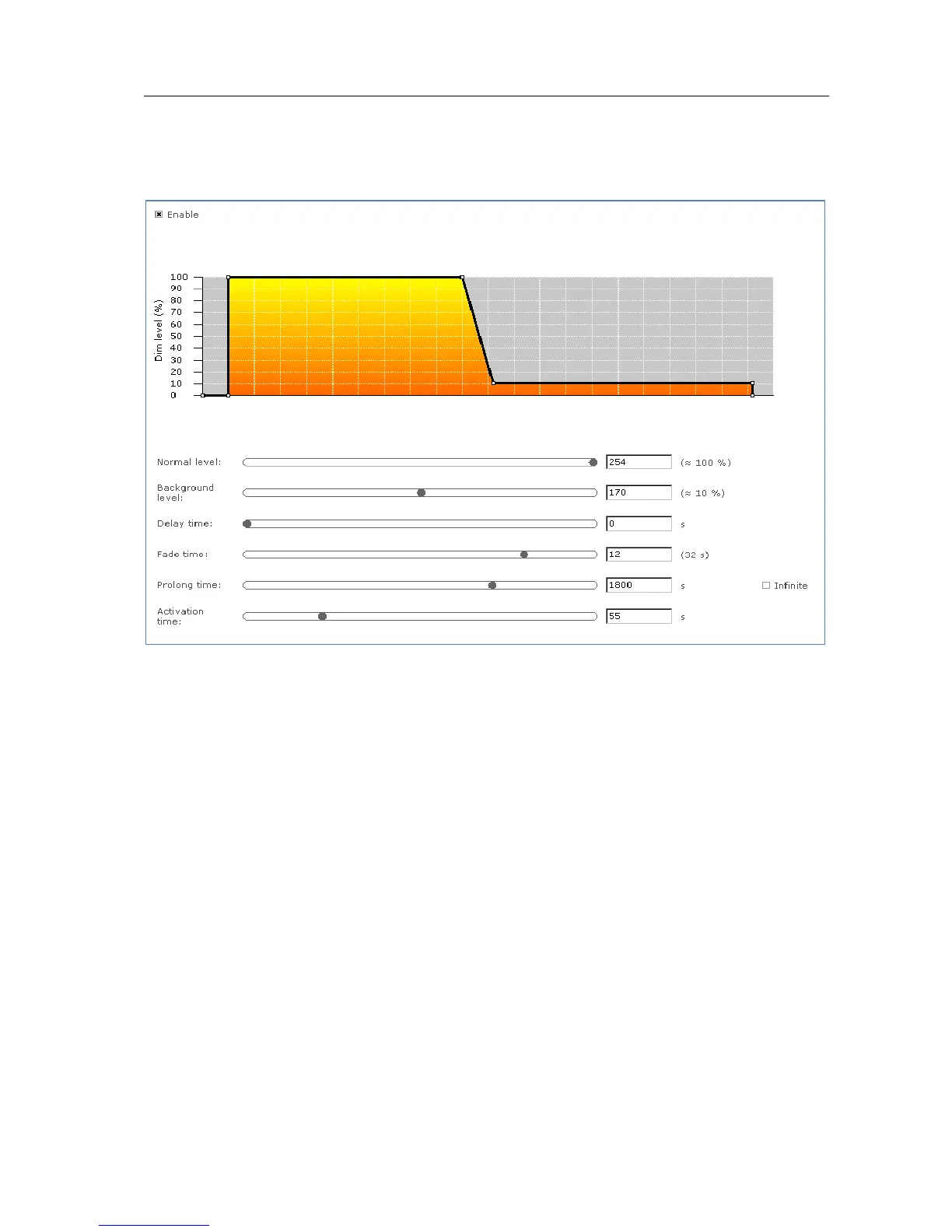
Corridor Mode feature depends on Touch and Dim feature. The Corridor Mode
feature adjusts the light to a defined level when a presence sensor detects a person.
Corridor Mode can only be activated when the device is in Touch and Dim mode.
Usage
Select the Enable check box to use this feature. This feature has the following
parameters:
Normal level: Light level to be set when presence sensor detects activity
Background level: Low light level to be set when no presence is detected
after the fade time
Delay time: The time from the moment the sensor has switched off and the
moment the device will start to fade to background level
Fade time: The time used to fade from normal level to background level
Prolong time: When reaching background level, the time after which the
device will be switched off
Activation time: The time during which a mains signal must be detected,
before the device will switch to Corridor Mode



 To Next Page