User Manual Philips MultiOne
© Philips Lighting B.V. 2014 Page 57 / 81
13. Replace device
14. Etc.
Note: Remember that applications can be affected by the removal of the short
address.
12.9 Offline feature configuration preparation
When a device or network is not present, it is still possible to prepare a feature
configuration. This might be useful when you would like to prepare a feature
configuration file that can be read at a later time, and written to the device when it is
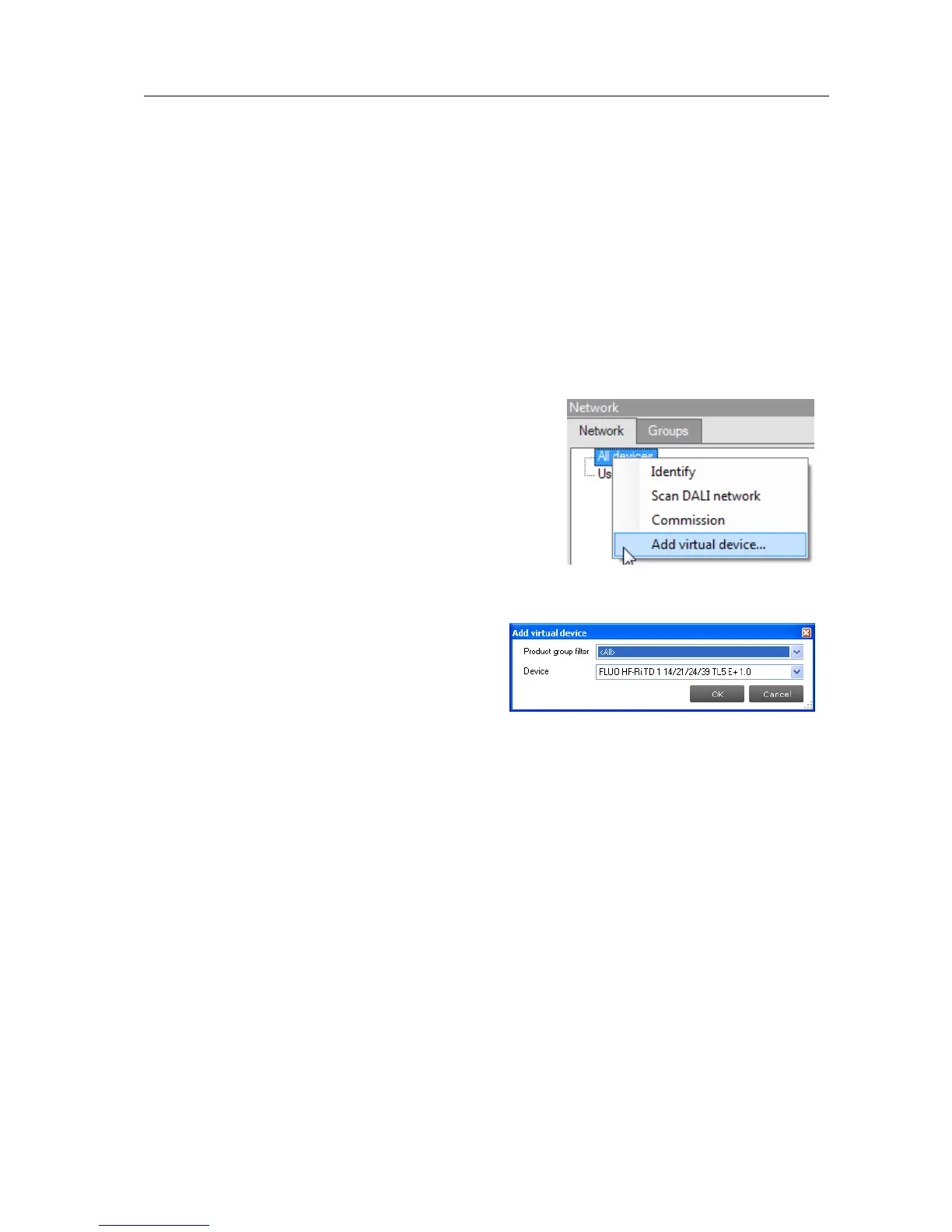
connected. To make a configuration you need to add one or more virtual devices.
To add a virtual device, right-click All devices in the
Network and choose Add virtual device.
Alternatively choose Actions Add virtual device.
A dialog window pops up that lists all devices
supported by MultiOne. Make a selection and click
OK. An item called Virtual devices appears in the
Network. Expand it by clicking the + sign to see the
list of virtual devices. Note that virtual devices do
not have a short address and MultiOne will show Broadcast on the location of the
short address. Virtual devices can only be
addressed using broadcast commands.
Select a virtual device and select the Device
features tab. The device features are shown
as if the device was physically connected. Configure the features as desired, and then
save the feature configuration to a file. You have now made a feature configuration
file without being connected a device.
12.10 Accessing diagnostics
Some devices from the product groups HID, LED and CONTROL support diagnostics.
To access these diagnostics, select a device in the Network and select the
Diagnostics tab. Upon clicking Read on the toolbar, the device’s diagnostics
information will be read and displayed. Diagnostics for a HID device might look as
follows:



 To Next Page