User Manual Philips MultiOne
© Philips Lighting B.V. 2014 Page 51 / 81
12.3.25 Module Temperature Protection
Product group
LED
Description
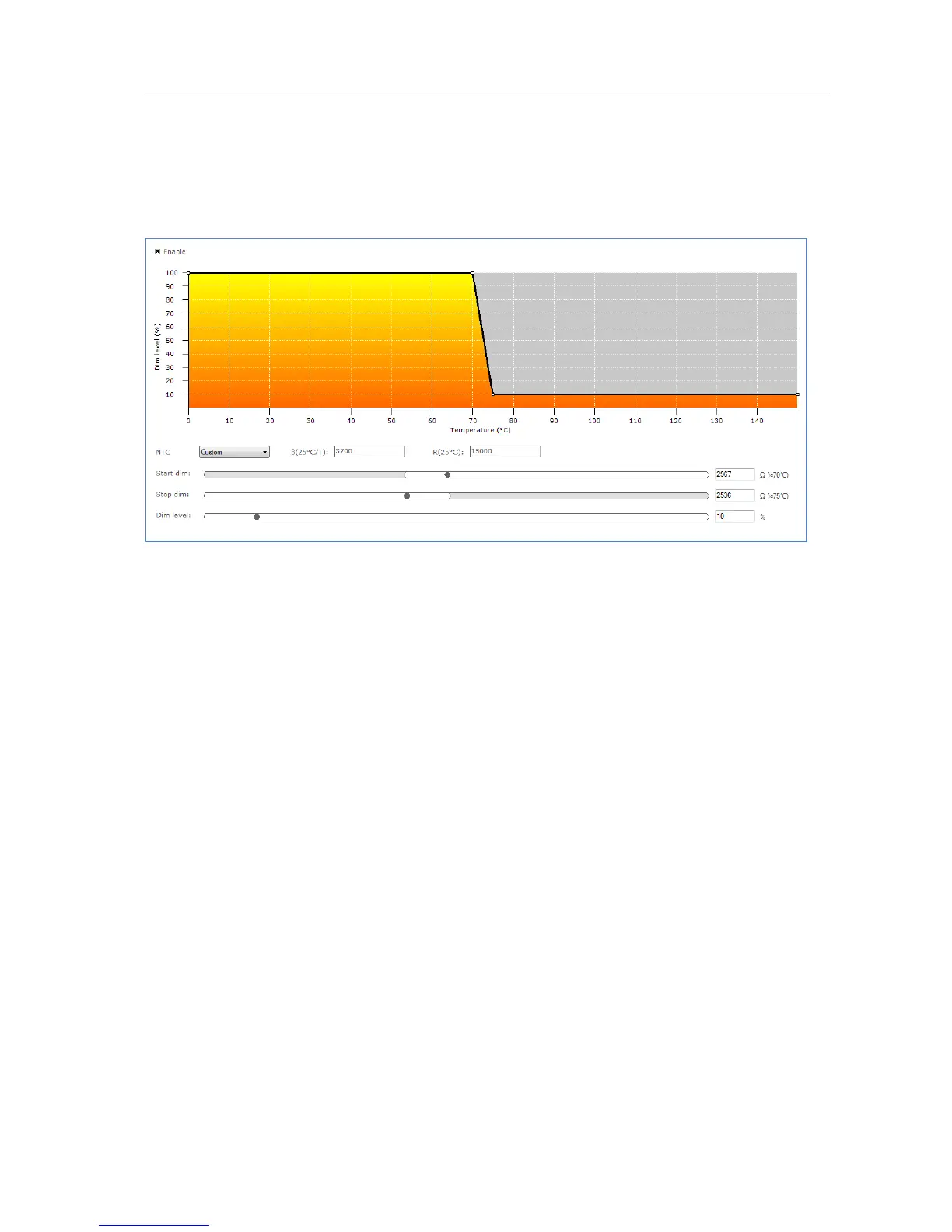
Use this feature to regulate lamp power when the LED module gets too hot. At a
certain temperature the lamp starts to dim in order to control temperature. At a
critical temperature level the lamp will switch off completely.
Usage
Select the Enable check box to use this feature. Drag the points or the lines in the
resulting graph to adjust the configuration. Alternatively, use the sliders to changes
values directly. Based on the device model, the feature is shown in either temperature
(degrees Celsius) or resistance values (in Ohm).
NOTE: For a detailed technical description of the characteristics of the device model,
like constraints and limitations, please refer to Device-specific technical description.



 To Next Page