User Manual Philips MultiOne
© Philips Lighting B.V. 2014 Page 62 / 81
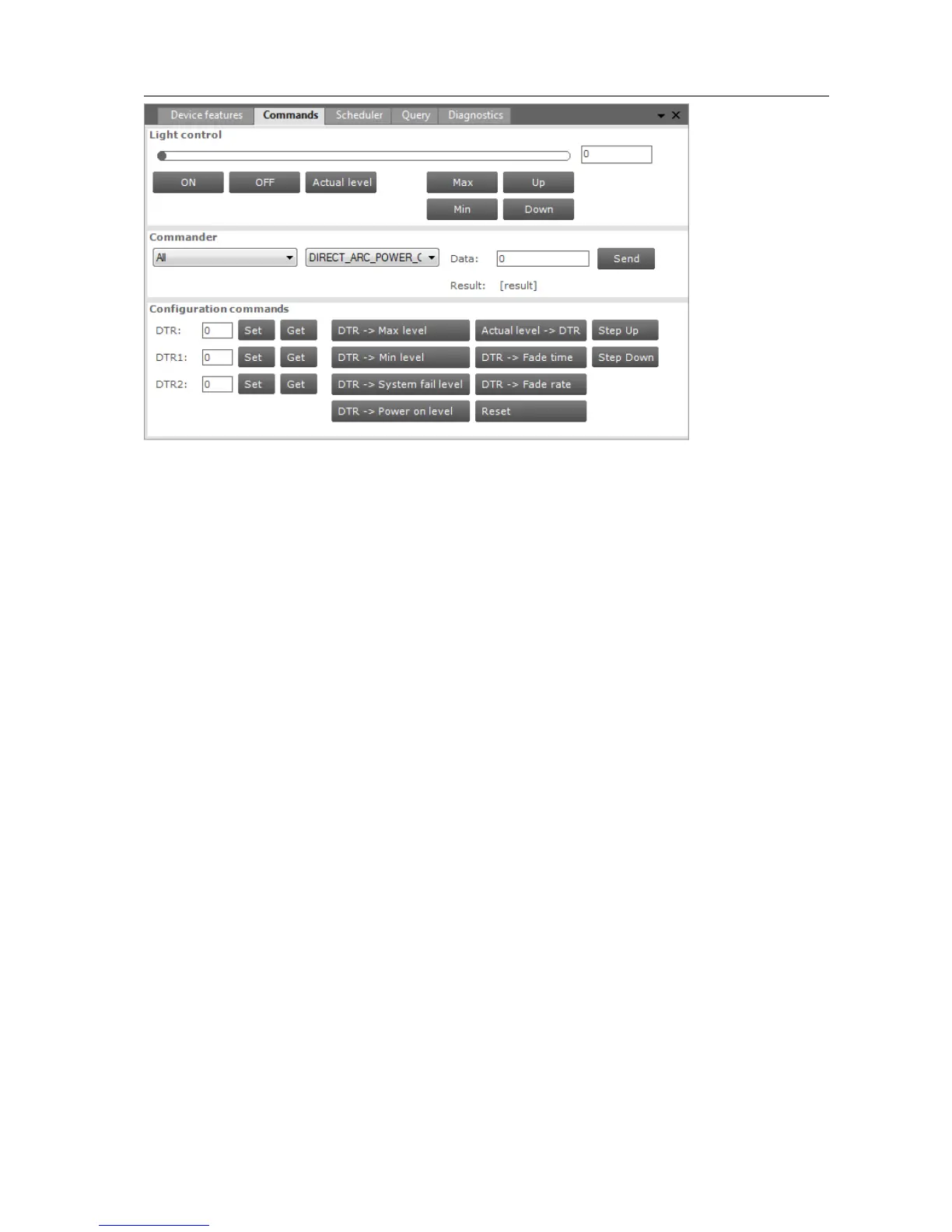
The Commands tab has the following panes:
Light control
Commander
Configuration commands
Light control
This pane offers a number of buttons to immediately influence the behavior of the
device. These controls are useful when quick feedback in terms of light is desired.
Commander
To send a DALI command as a broadcast command, first select All devices in the
Network, then select the DALI command in the Commander pane and finally click
the Send button. To send a DALI command to a specific address or group, select the
corresponding device or group in the Network.
Configuration commands
To manually set or get the so-called DTR (Data Transfer Register) values of the device,
use the buttons in the left part of this pane.
To use the actual DTR value of the device with a number of DALI commands, use the
buttons in the right part of this pane. Besides a number of DALI commands using the
DTR value, also Reset, Step Up and Step Down are direct available.
12.12 Querying devices
To automatically execute a number of standard DALI query commands select the
Query tab.



 To Next Page