User Manual Philips MultiOne
© Philips Lighting B.V. 2014 Page 64 / 81
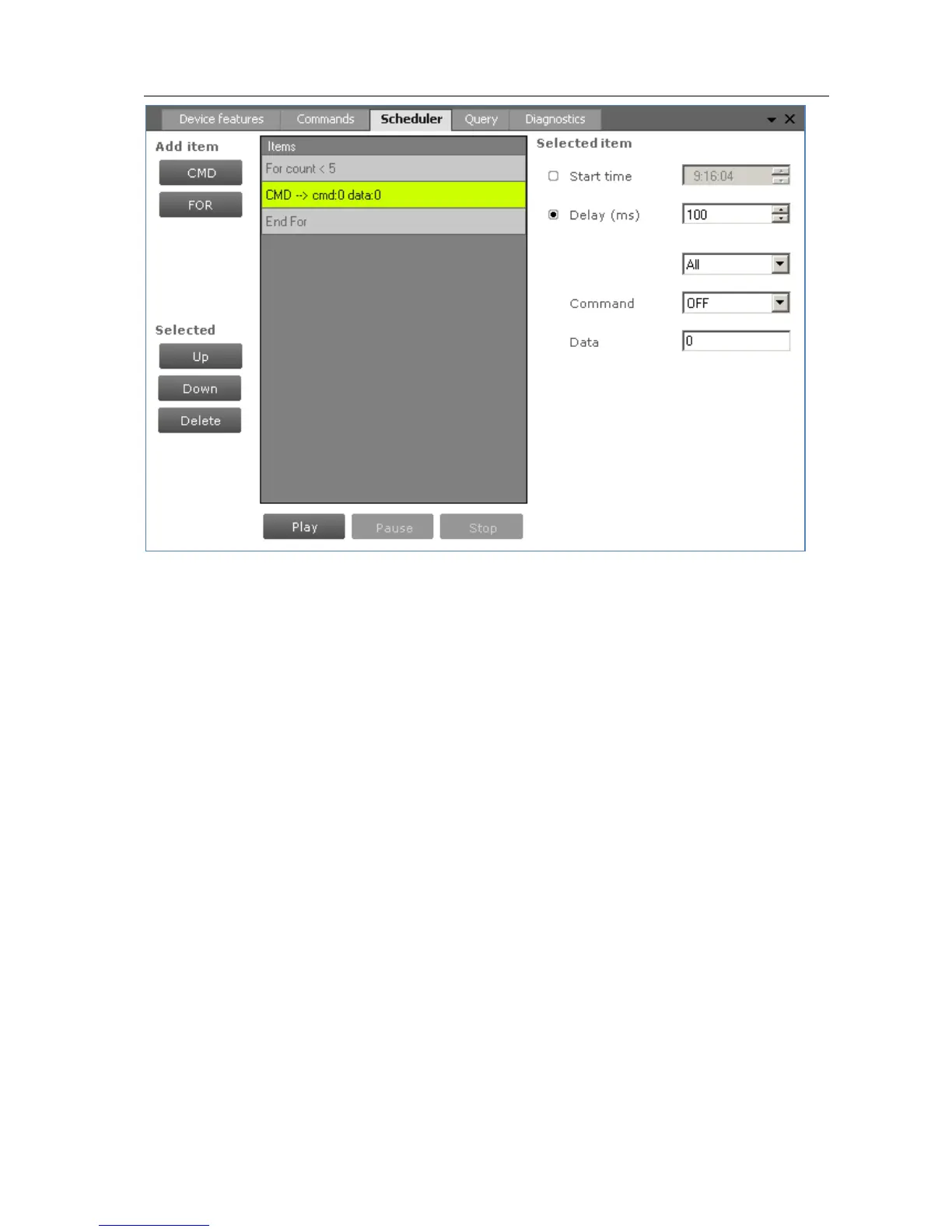
The Scheduler tab has the following panes:
Add item
o A CMD button to insert DALI commands
o A FOR button to insert a loop, consisting of a FOR and an END FOR
Selected, containing buttons to work with (Up, Down, Delete) the currently
selected item in the schedule
Items, representing the schedule
Selected item, the settings of the currently selected item
Schedule playback buttons (Play, Pause, Stop)
To add a command to the schedule, click the CMD button. The command is added to
the schedule and it is automatically highlighted. On the Selected item pane, choose
the desired DALI command and settings. By selecting the Start time check box and
providing a time, this command will be sent at an exact moment in time.
Alternatively, commands can be sent relative to each other. Select the Delay check
box and provide a value in milliseconds to do so. Then, select which DALI command
will be sent by using the two drop down boxes; the first selects the command group
and the second selects the actual command. If a command parameter is required,
enter it into the Data field.



 To Next Page