You can listen to the radio by using the naviga-
tion system. This section describes operations
for radio (FM).
% Touch [FM] on the “AV Source” menu to
display the “FM” screen.
= For details concerning operations, refer to
Screen switching overview on page 18.
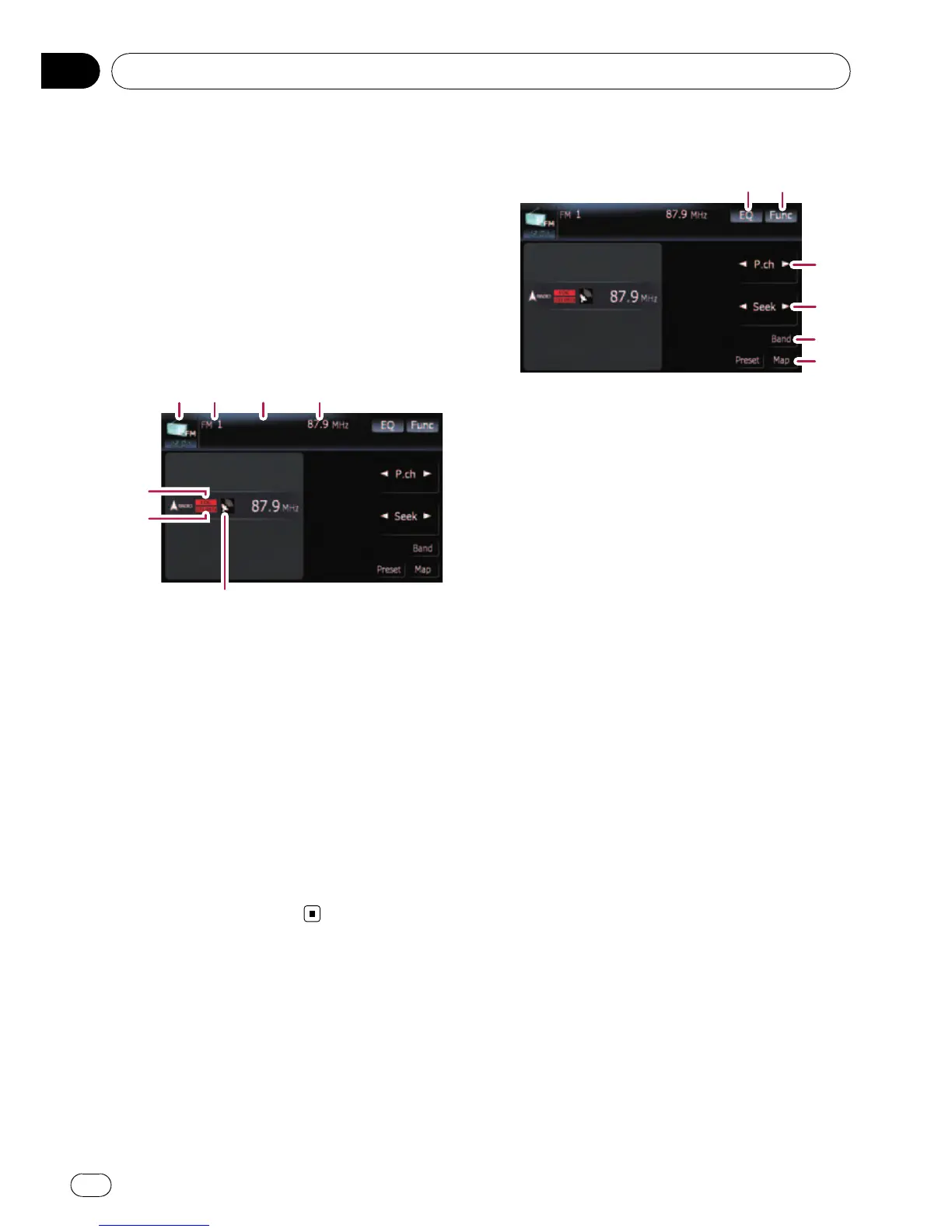
Reading the screen
7
43
2
1
6
5
1 Source icon
Shows which source has been selected.
2 Band indicator
Shows which band the radio is tuned to: FM1
to FM3.
3 Preset number indicator
Shows what preset item has been selected.
4 Frequency indicator
5 LOCAL indicator
Shows when local seek tuning is on.
6 STEREO indicator
Shows that the frequency selected is being
broadcast in stereo.
7 Signal level indicator
Using the touch panel keys
12
3
5
4
1 Recalls equalizer curves
= For details, refer to Recalling equalizer
curves on page 140.
2 Displaying the “Function” menu
= For details, refer to Using the
“Function” menu on the next page.
3 Select a preset channel
[c]or[d] can be used to switch preset chan-
nels.
4 Perform manual tuning
To perform manual tuning, touch [c]or[d]
briefly. The frequencies move up or down one
step at a time.
Perform seek tuning
To perform seek tuning, keep touching [c]or
[d] for about one second and release. The
tuner will scan the frequencies until a broad-
cast strong enough for good reception is
found.
p You can cancel seek tuning by touching
either [c]or[d] briefly.
p If you keep touching [c]or[d], you can
skip broadcasting frequencies. Seek
tuning will start as soon as you release
the keys.
p Moving MULTI-CONTROL left or right
enables you to perform the equivalent
operations.
5 Select an FM band
Touch [Band] repeatedly until the desired FM
band is displayed, FM1, FM2 or FM3.
p This function is convenient for preparing
different preset lists for each band.
6 Displaying the map screen
Using the radio (FM)
En
100
Chapter
18



 To Next Page
 Loading...




