You can play a DivX using the built-in drive of
the navigation system. This section describes
that operations.
p AVIC-F700BT and AVIC-F7010BT cannot
play DivX files.
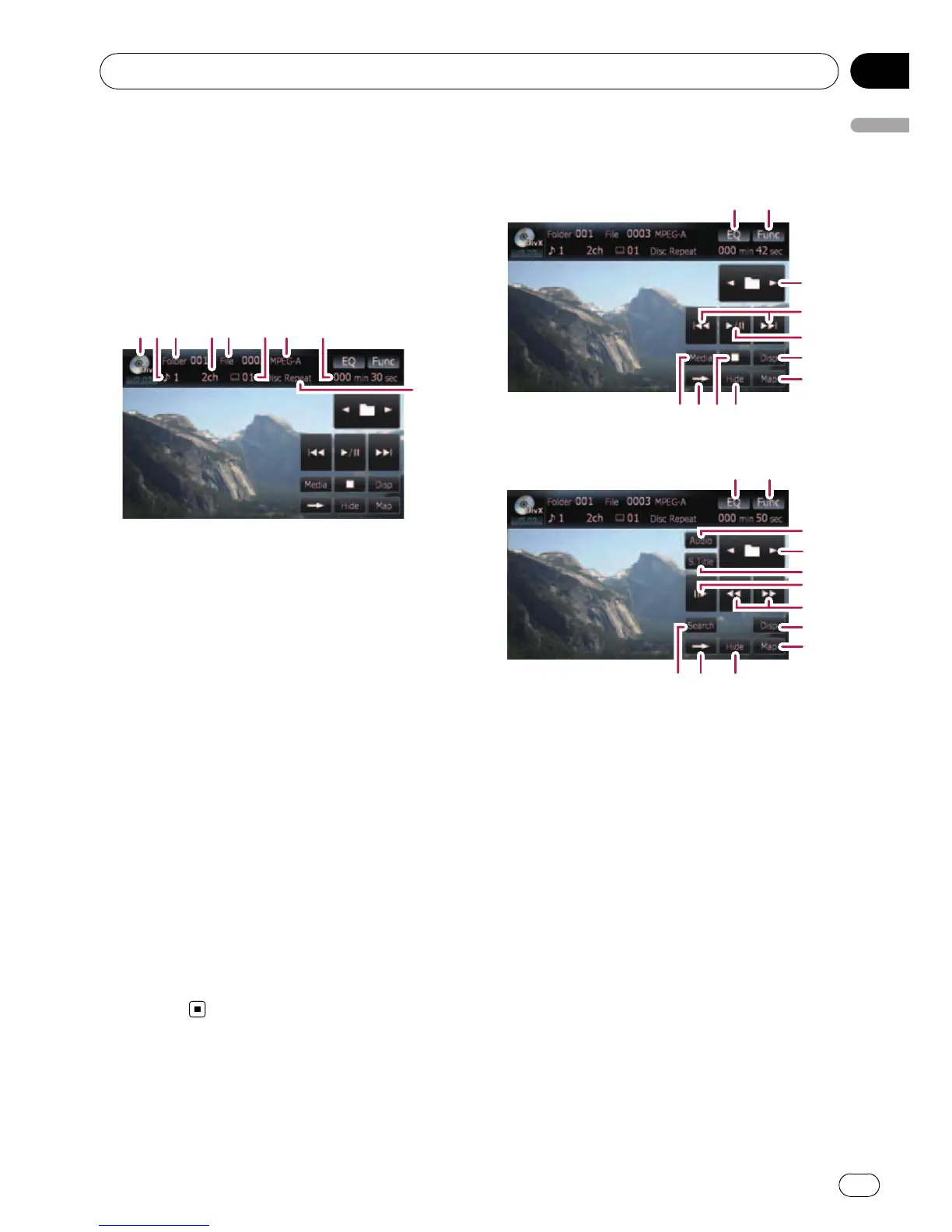
Reading the screen
9
1
3
4
5
6
8 2
7
1 Source icon
Shows which source has been selected.
2 Audio track indicator
Shows the audio track number currently se-
lected.
3 Folder number indicator
Shows the folder number currently playing.
4 Audio channel indicator
Shows the current audio channel type, such
as “Mch” (Multi-channel).
5 File number indicator
Shows the file number currently playing.
6 Subtitle number indicator
Shows the subtitle number currently selected.
7 Digital sound format indicator
Shows the digital sound format (surround
sound format) currently selected.
8 Play time indicator
Shows the elapsed playing time of the current
title.
9 Repeat range indicator
Shows which repeat range has been
selected.
Using the touch panel keys
Playback screen (page1)
12
89 ab
3
4
5
6
7
Playback screen (page2)
21
c
3
d
e
f
6
7
b9g
p With some discs, the icon 9 may be dis-
played, meaning that the operation is not
valid.
1 Recalls equalizer curves
= For details, refer to Recalling equalizer
curves on page 140.
2 Displaying the “Function” menu
= For details, refer to Using the
“Function” menu on page 81.
3 Select the previous or next folder
Touch [c]or[d] to select the desired folder.
4 Skip forward or backward
Touching [p] skips to the start of the next
file. Touching [o] once skips to the start of
the current file. Touching again will skip to the
previous file.
p Moving MULTI-CONTROL left or right
enables you to perform the equivalent
operations.
5 Playback and Pause
Playing a DivX
En
79
Chapter
13
Playing a DivX



 To Next Page
 Loading...




