Switching between the
detailed information display
and the preset list display
You can switch the left side of the basic screen
according to your preference.
% Touch [Preset] (or [Detail]).
Each touch of [Preset] (or [Detail]) changes
the detailed information display or preset list
display.
Storing and recalling broadcast
frequencies
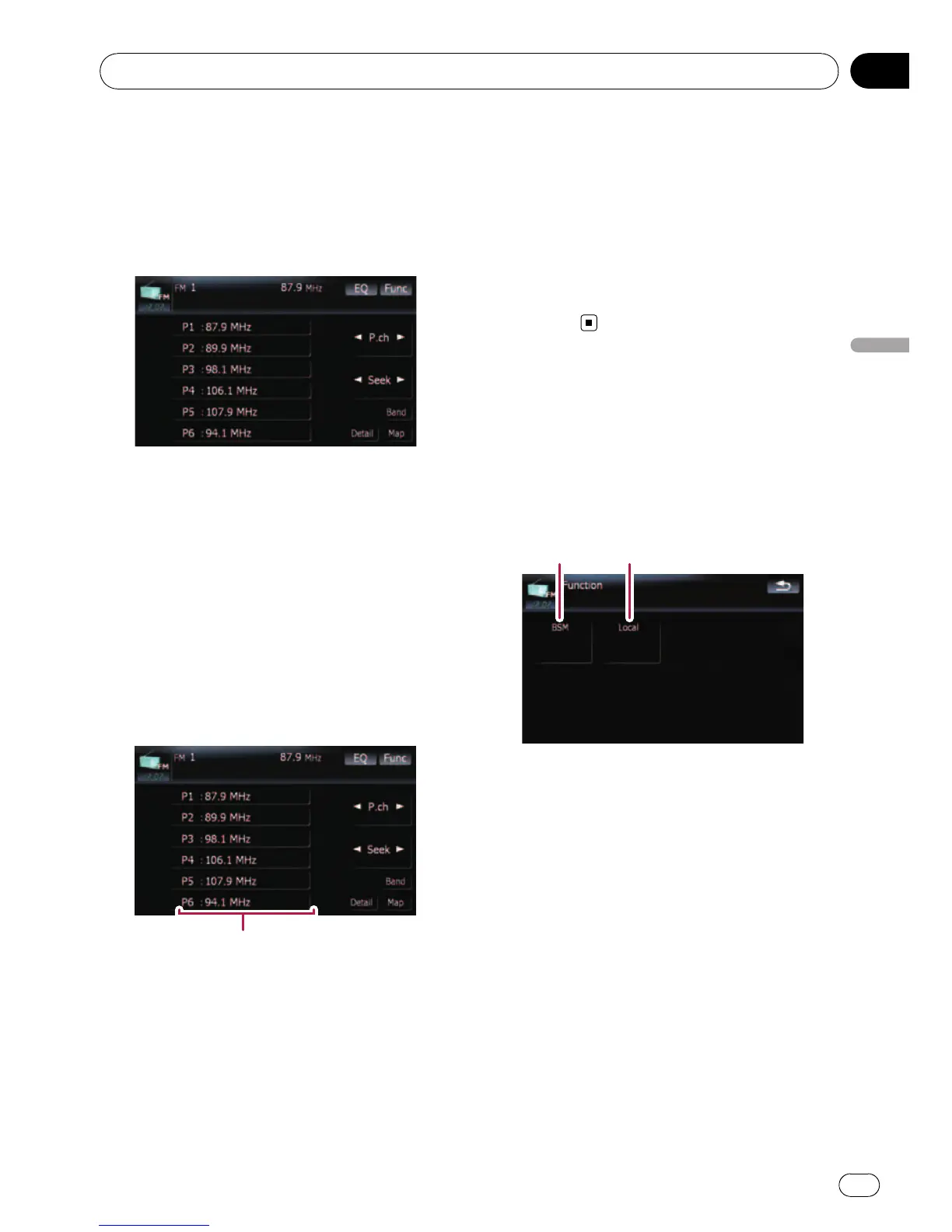
With a touch of any of the preset tuning keys
([P1]to[P6]), you can easily store up to six
broadcast frequencies for later recall (also
with the touch of a key).
Preset tuning keys
1 When you find a frequency that you
want to store in memory, keep touching a
preset tuning key [P1] to [P6] until the pre-
set number (e.g., P.ch 1) stops flashing.
The selected radio station has been stored in
memory.
p Up to 18 FM stations, 6 for each of the three
FM bands, and 6 AM stations can be stored
in memory.
2 The next time you touch the same pre-
set tuning key [P1] to [P6], the radio station
frequencies are recalled from memory.
p You can also use [c] and [d] to recall radio
stations assigned to preset tuning keys [P1]
to [P6].
Using the “Function” menu
1 Touch [FM] on the “AV Source” menu to
display the “FM” screen.
= For details concerning operations, refer to
Screen switching overview on page 18.
2 Touch [Func].
12
1 Storing the strongest broadcast fre-
quencies
= For details, refer to this page.
2 Tuning in strong signals
= For details, refer to the next page.
Storing the strongest broadcast
frequencies
“BSM” (best stations memory) lets you auto-
matically store the six strongest broadcast fre-
quencies under the preset tuning keys [P1]to
[P6] and, once stored there, you can tune in to
these frequencies with the touch of a key.
1 Touch [BSM].
Using the radio (FM)
En
101
Chapter
18
Using the radio (FM)



 To Next Page
 Loading...




