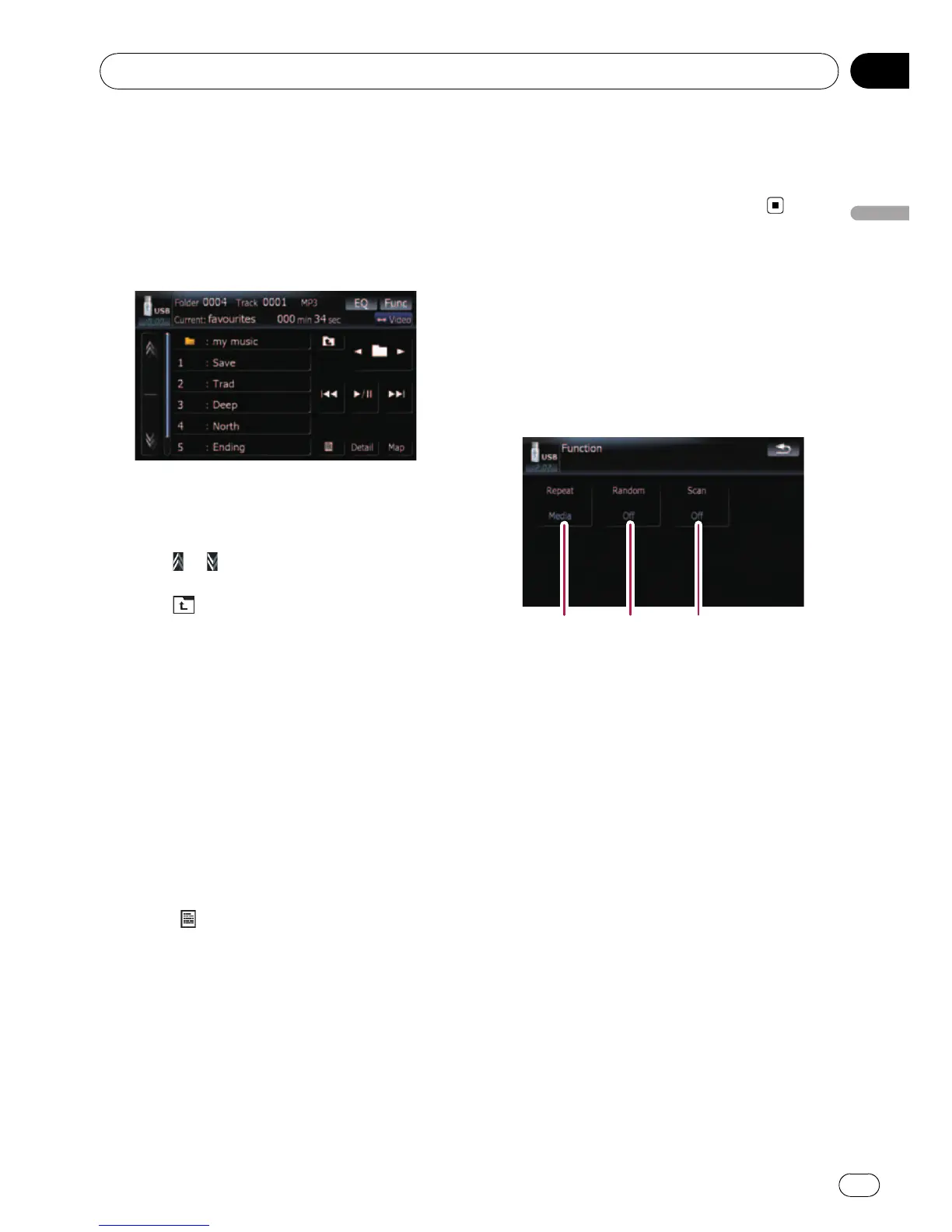
Selecting a track from the list
The list lets you see the list of track titles or
folder names on a external storage device
(USB, SD). If you touch a folder on the list, you
can view its contents. If you touch a track on
the list, you can play the selected track.
1 Touch [List].
2 Touch the folder that you want to view.
Touching
or switches the selection to the
next or previous page in the list.
Touching
shows a content of the parent
folder.
p If the selected folder does not contain any
track that can be played, the track list is not
displayed.
3 Touch the track you want to play.
p To cancel the list screen, touch [Detail].
Browsing embedded text
information
Text information recorded on an compressed
audio file can be displayed.
% Touch
.
The next piece of information is displayed.
! Album Title : (album title)
! Track Title : (track title)
! Folder Title : (folder title)
! File Name : (file name)
! Artist Name : (artist name)
p If the information has not been recorded on
files, nothing may be displayed.
p For WAV files, only the information marked
with (*) can be displayed.
p If the characters recorded on the com-
pressed audio file are not compatible with
this navigation system, those characters
may turn into garbled characters.
Using the “Function” menu
1 Touch [USB] or [SD] on the “AV Source”
menu to display the “USB” or “SD” screen.
= For details concerning operations, refer to
Screen switching overview on page 18.
2 Touch [Func].
12 3
1 Repeating play
Each touch of [Repeat] changes the set-
tings as follows:
! Media — Repeat all compressed audio
files in the selected external storage de-
vice (USB, SD)
! Track — Repeat just the current track
! Folder — Repeat the current folder
p If you skip the file forward or backward
when the repeat play range in “Track”,
the repeat play range changes to
“Folder”.
2 Play tracks in a random order
Random play lets you playback tracks in
random order within the current repeat
range.
Touching [Random] switches between “On”
and “Off”.
p If you turn [Random]to“On” while the
repeat play range is set to “Track”, the
repeat play range changes to “Folder”
automatically.
3 Scan folders and tracks
Playing the music file (USB, SD)
En
89
Chapter
15
Playing the music file (USB, SD)



 To Next Page
 Loading...




