You can play a normal music CD using the
built-in drive of the navigation system. This
section describes these operations.
1 Insert the disc you want to play into
disc-loading slot.
Playback starts from the first track of the CD.
2 Touch [DISC] on the “AV Source” menu
to display the “CD” screen.
= For details concerning operations, refer to
Screen switching overview on page 18.
3 Use the touch panel keys on the screen
to control the disc.
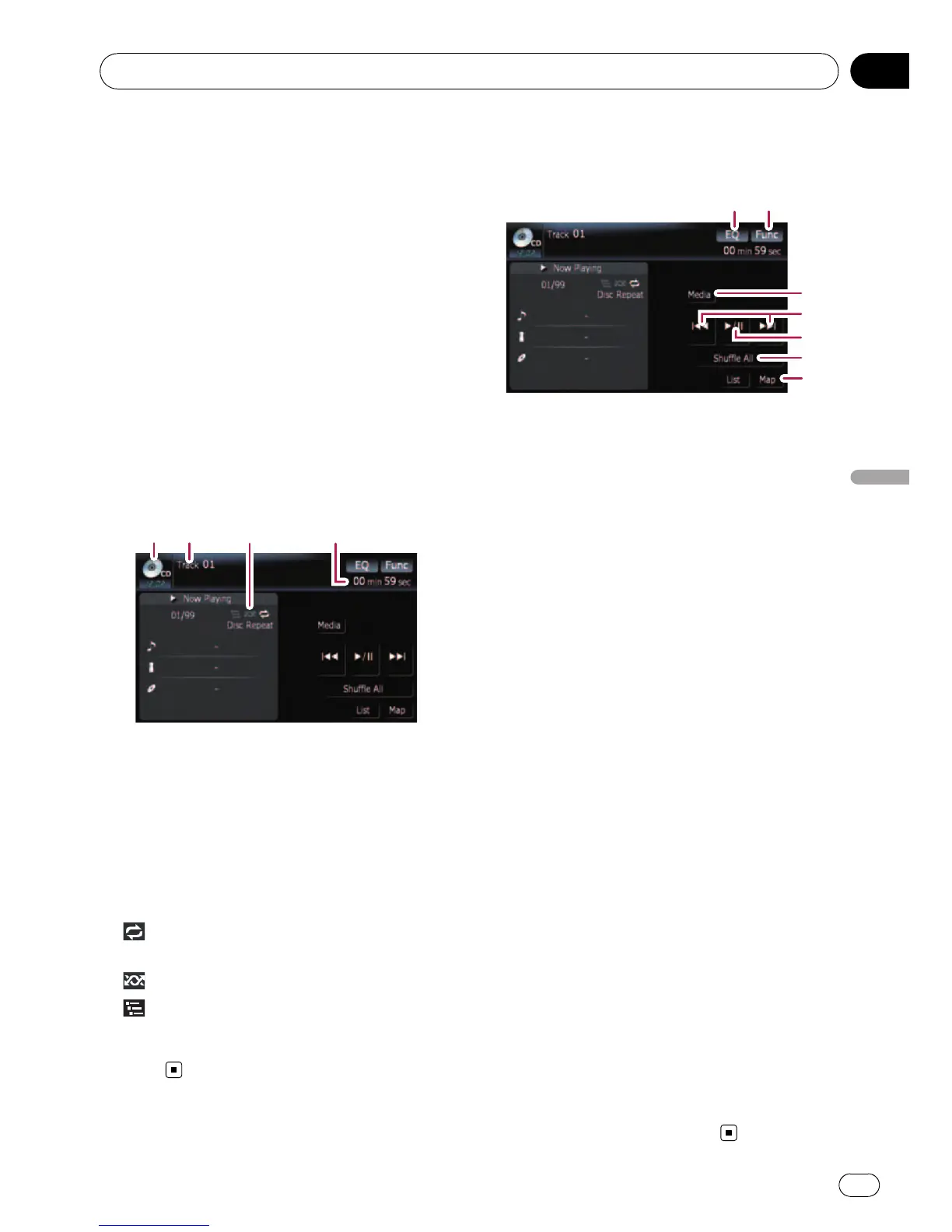
Reading the screen
1 2
34
1 Source icon
Shows which source has been selected.
2 Track number indicator
Shows the number of the track currently play-
ing.
3 Repeat/Random/Scan indicator
The marks shown below indicate the current
playback status.
and repeat range: Displays the current
repeat range
: Random
: Scan
4 Play time indicator
Shows the elapsed playing time of the current
track.
Using the touch panel keys
Touch panel keys
12
3
4
5
6
7
1 Recalls equalizer curves
= For details, refer to Recalling equalizer
curves on page 140.
2 Displaying the “Function” menu
= For details, refer to Using the
“Function” menu on the next page.
3 Switching the playing part
= For details, refer to Switching the play-
ing part on page 67.
4 Skipping the track forward or backward
Touching [p] skips to the start of the next
track. Touching [o] once skips to the start
of the current track. Touching it again will skip
to the previous track.
Fast rewind or forward
Keep touching [o]or[p] to perform fast
rewind or forward.
p Fast rewind is canceled when it reaches
the beginning of the first track on the
disc.
p Moving MULTI-CONTROL left or right
enables you to perform the equivalent
operations.
5 Playback and Pause
Touching [f] switches between “playback”
and “pause”.
6 Shuffle All
All of the songs in the disc can be played at
random by touching only one key.
p [Shuffle All] is not available for AVIC-
F700BT and AVIC-F7010BT.
p To cancel the random play, switch [Ran-
dom]to[Off] on the “Function” menu.
7 Displaying the map screen
Playing the audio CD
En
65
Chapter
09
Playing the audio CD



 To Next Page
 Loading...




