Item Description
1 LCD Display:Showsthecurrentstatusofyourmachineandpromptsyouthrough5.8allsetup
operationsinatwo-lineLCD.
2 Lock Key:Preventsunauthorizeduseofyourmachineifthelockfeatureissetupandthemachineis
in"sleepmode";enteringyourfour-digitpasswordunlocks(awakens)themachine
3 Class:Allowsyoutoselectclassandcalculatepostagebasedontheserviceselectedifyouhavethe
optionalinternalratingsystemfeature.
4 Funds:Allowsyoutocheckandaddpostagefundstoyourmachine.
5 Menu:Allowsyoutoaccesssystemsettingssothatyoucancustomizeyourmachinetoaccommodate
thewayyourunyourmail.
6 Clear/Back:Allowsyoutoclearorcancelanentryorreturntothepreviousscreen/menulevel.
7 Alphanumeric Keypad:Allowsyoutotypeinnumbersandlettersforaccountnames,postagevalues,
andotherinformation.
8 Review Keys:AllowsyoutoscrollthroughchoicesintheLCDdisplayorreviewthecurrentsettings.
9 Enter /YesorNo:Allowsyoutoconfirmanoperationoranswer“Yes”or"No"toaprompt.
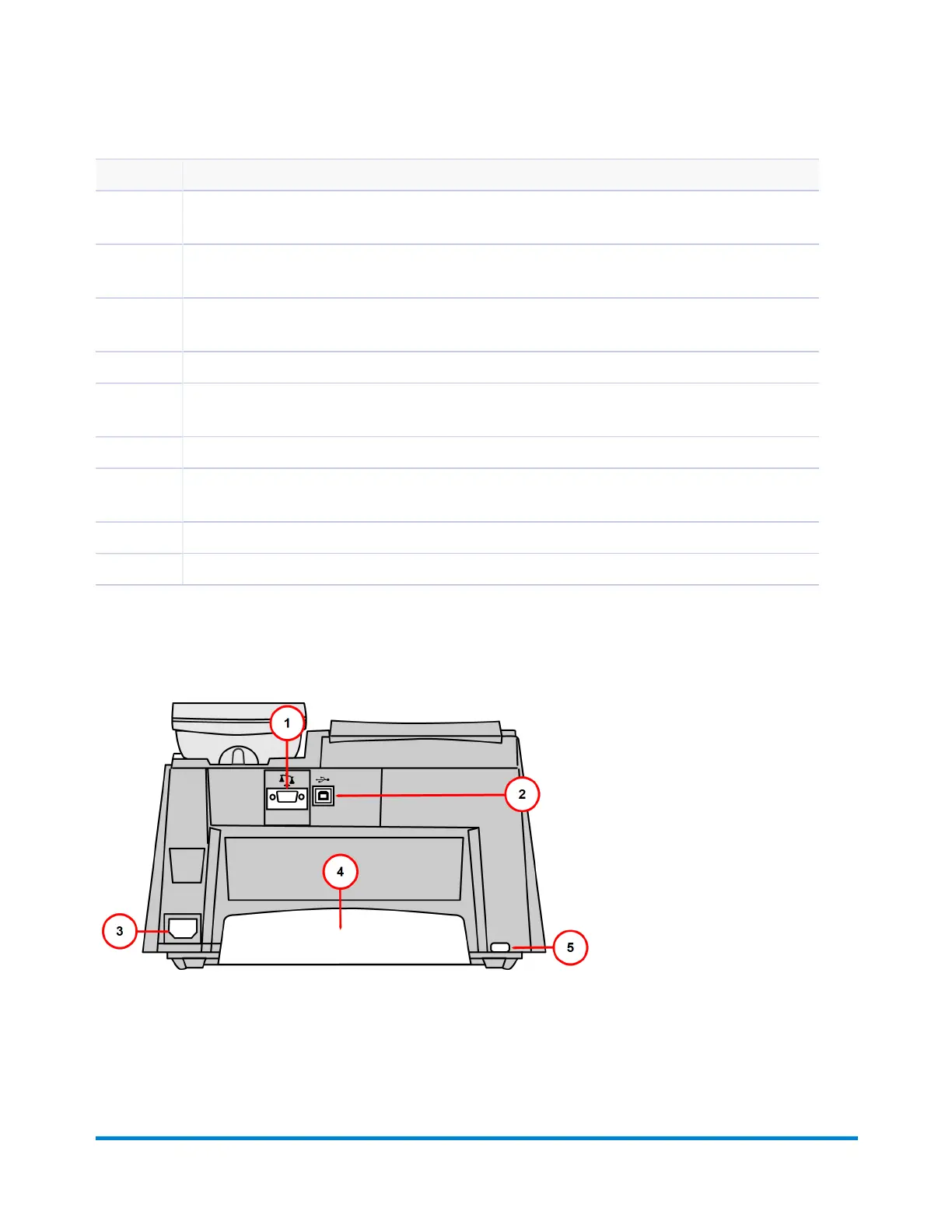
Connections on the Back of the Machine
Getting Started
Pitney Bowes Operator Guide January 2024 9



 To Next Page