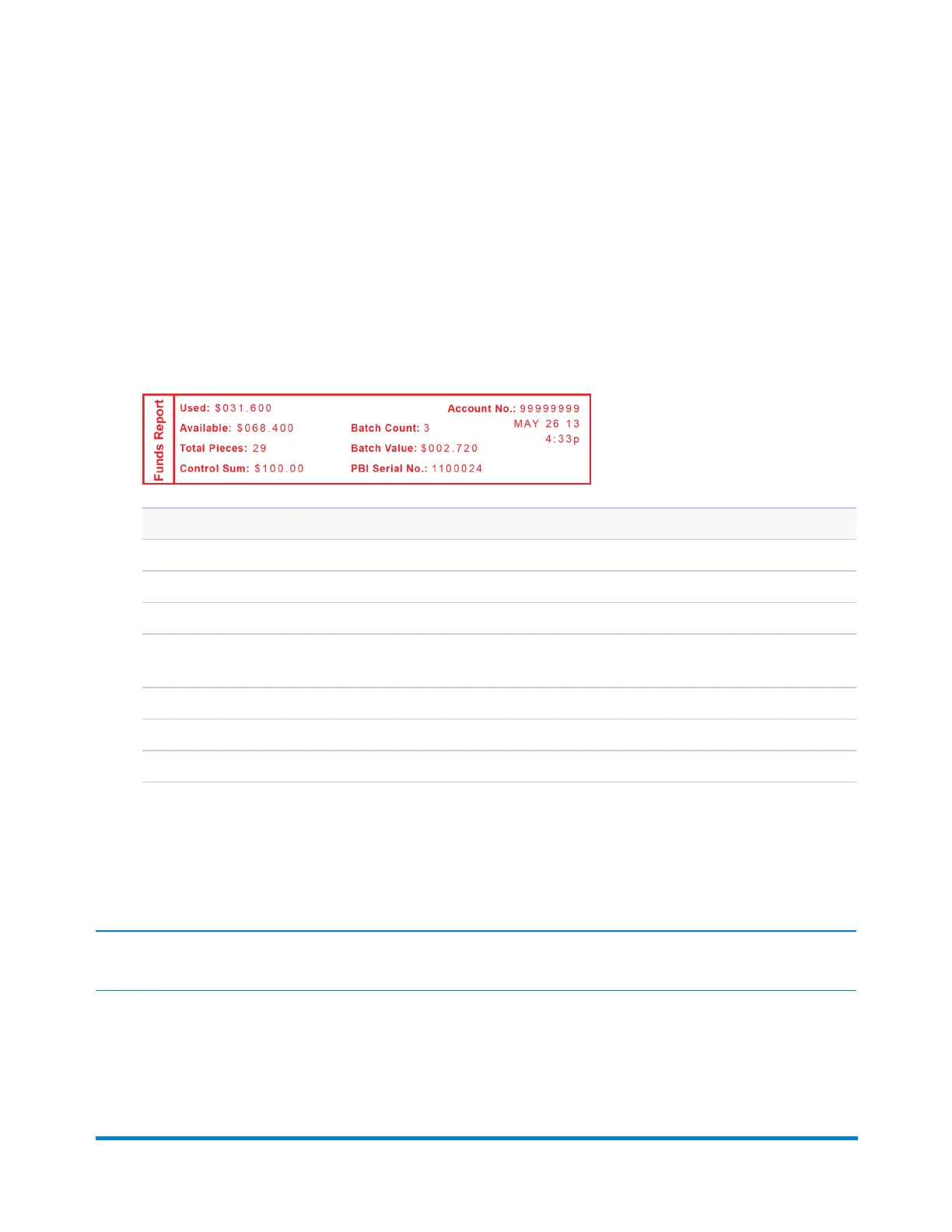
Printing the Batch Count
1. PressMenu.
2. UsetheReviewkeystoscrollto"Selectareport?"andpressEnter/yes.
3. UsetheReviewkeystoscrollto"Printfundsreport?”andpressEnter/yes.Whenprompted,
insertanenvelopeortapestripintothemaildeck.Thebatchcountandbatchvalueareprinted
(seesamplebelow).
4. Whenpromptedtostayinreports,pressNotoreturntothemainscreen.
Funds Report Description
Used:Thetotalofallpostageeverusedinthemeter.
Available:Theamountofpostageremaininginthemeter.
Total Pieces:Thetotalnumberofmailpiecesrunthroughthemachinethathadpostageapplied.
Control Sum:ThetotalofallpostagerefillsforthemeterandequalstheamountUsedplusAvailable.Thisisapostal
requirementthatverifiesanaccurateaccountingofthepostageinyourmeter.
Batch Count:Thenumberofmailpiecesthathadpostageappliedsincethelasttimethebatchcountwascleared.
Batch Value:Theamountofpostageappliedsincethelasttimethebatchvaluewascleared.
PBP Serial No:Theserialnumberofthismeter(normallymeternumber).
Clearing the Batch Count
IMPORTANT:Makesureyoureallywanttoclearthebatchcount;onceyoudo,youcan'trestorethedata.
Using the BatchMail Count Feature
Pitney Bowes Operator Guide January 2024 27



 To Next Page