l. Whenprompted,insertanenvelopeortapesheettoprintatestpattern.
l
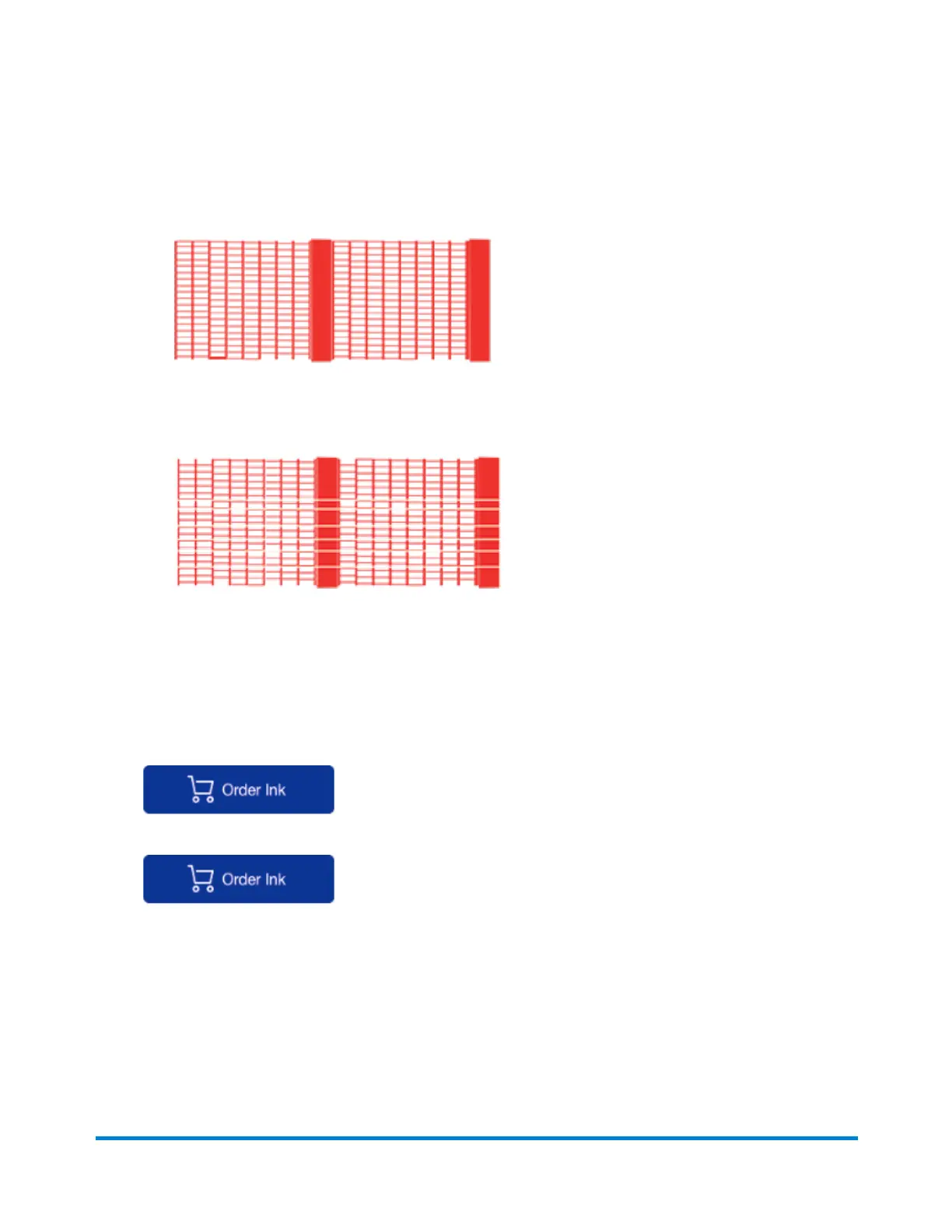
Thetestpatternshouldlooklikethesamplebelow(nomissinglines).Ifitdoes,thenpress
Enter/yes.
GoodTestPrint
l
Ifthetestpatternlookslikethesamplebelow(missinglines),thenpressNoandreferto
Cleaning the Printer Nozzles.
PoorTestPrint
Related articles
l
"Low ink" or "Ink out" message on the mailstation and mailstation2
l
Poor print quality or no printing on the mailstation and mailstation2
l
Ifyouneedink,orderagenuinePitneyBowesreplacementinkcartridge:
mailstation2
mailstation
Printing a Test Pattern
Printingatestpatternletsyouseeiftheprintheadisfunctioningproperlyorifyouhaveenoughinkin
thecartridge.
Maintenance
Pitney Bowes Operator Guide January 2024 79



 To Next Page