3. PressEnter/Yes.
4. PressReview (down)untilClean Printer Nozzles?displays.
5. PressEnter/Yes.ThemessagePreparing ink please wait...displayswhileyourmeter
performsthecleaning.
6. Whenprompted,insertanenvelopeortapesheetintoyourmachine.
7. Whenprompted,removetheenvelope.
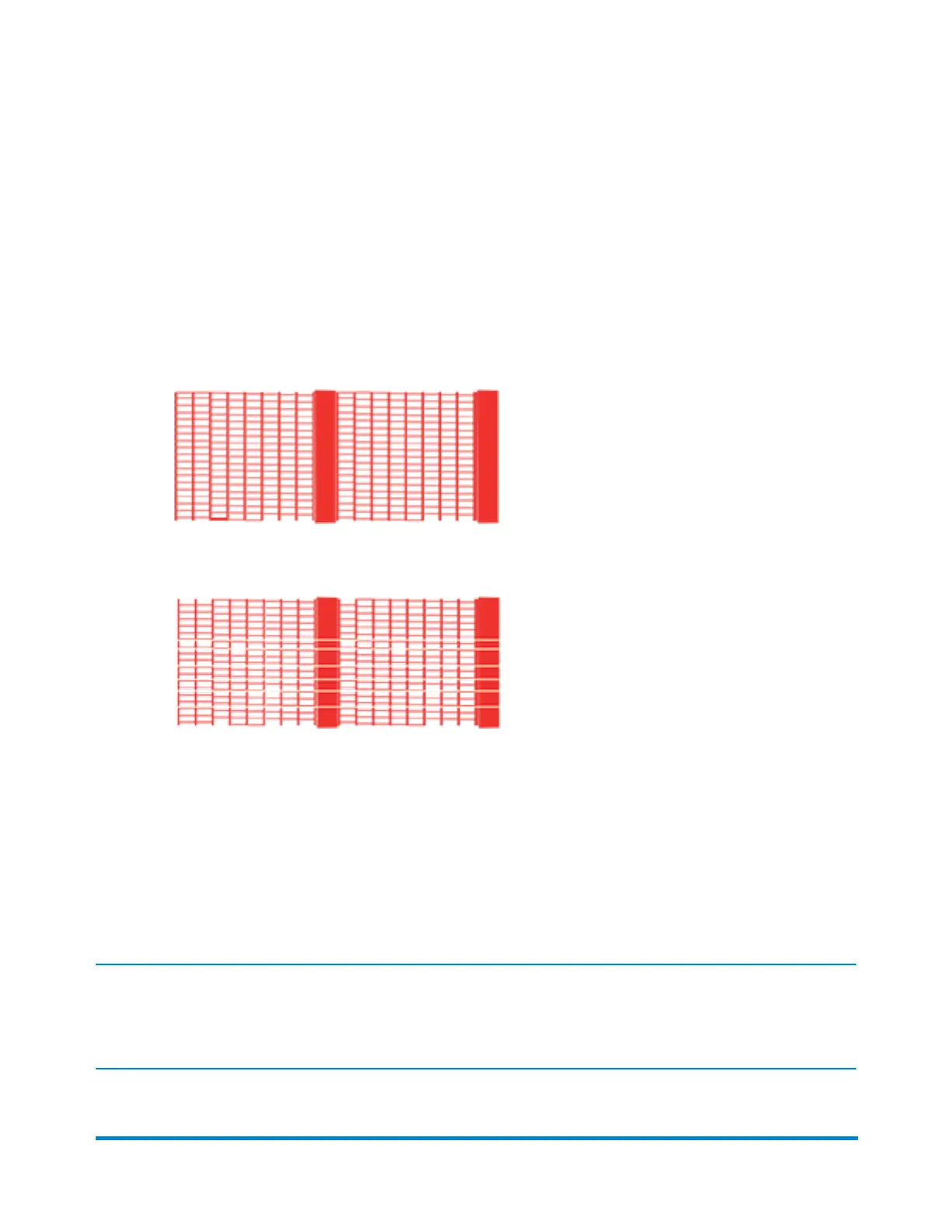
8. AtthepromptIs test pattern OK,selecttheappropriateoption:
l
Ifyourtestpatternisgood,withoutbrokenlinesorsmearedink,pressEnter/Yes.Your
meterreturnstothemainscreen.
l
Ifyourtestpatternispoor,pressNotorunthe Clean Printer Nozzles?maintenance
functionagain.
a. PressClear/Back.
b. ReturntoStep2andrepeattheClean Printer Nozzles?functionupto3times,if
needed,toimprovepoorprintquality.
Related topic
Cleaning or Replacing the Print Head
IMPORTANT:ThisprocedureshouldonlybedoneunderthedirectionorwiththepermissionofaPitney
Bowesrepresentative.Thisprocedurecanalsobeusedtoreseattheprintheadinresponsetoapossibleerror
condition.
Maintenance
Pitney Bowes Operator Guide January 2024 81



 To Next Page