Ifyouarestillexperiencingpoorprintqualityaftercleaning the printer nozzles,youcantrycleaningthe
printhead.Ifthatdoesnotfixtheproblem,replacetheprinthead.
1. PressMenu.
2. UsetheReviewkeystoscrollto"Useinkfunctions?"andpressEnter/yes.
3. UsetheReviewkeystoscrollto"Installnewprinthead?"andpressEnter/yes.
4. Liftthecontrolpanelandlocatetheprinthead.
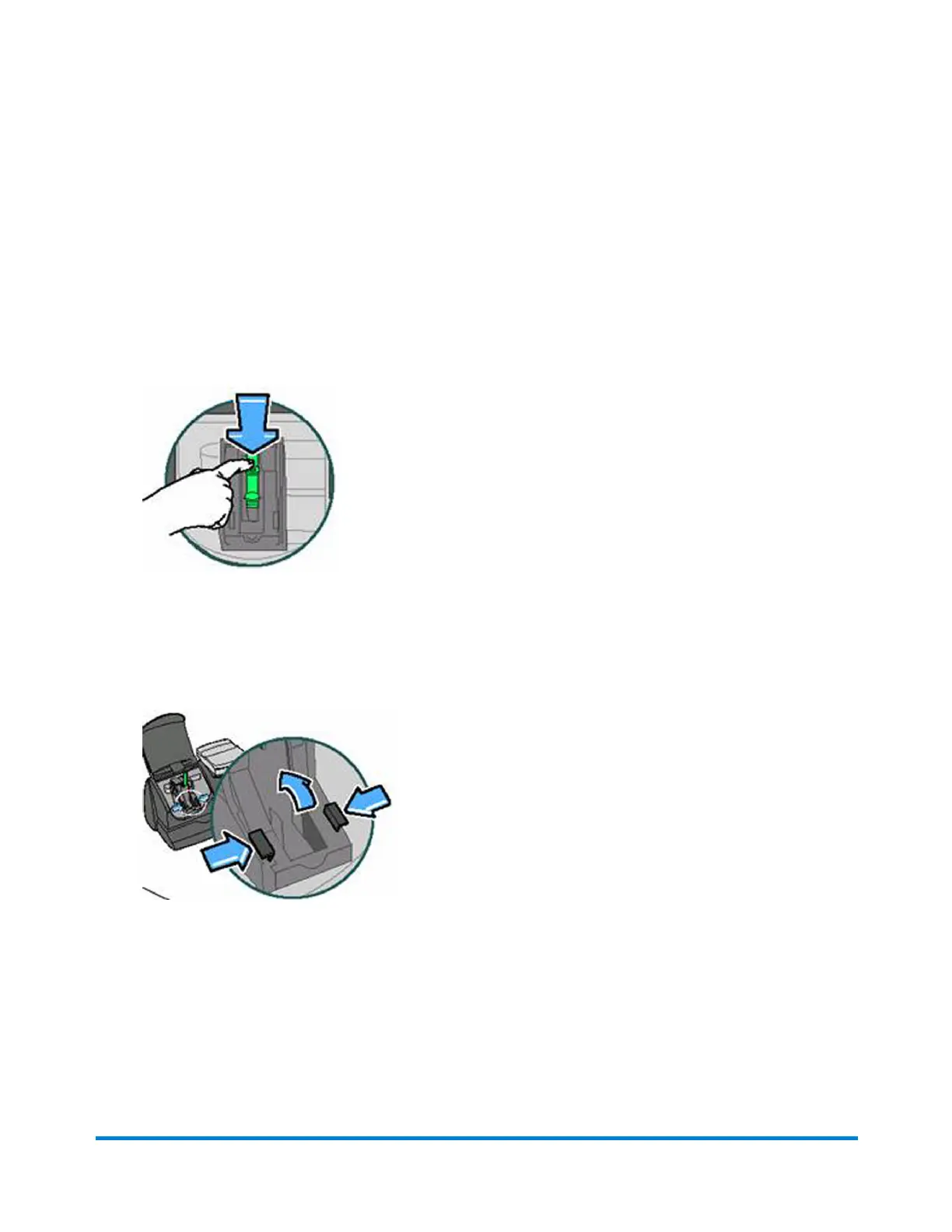
5. Presstheunlocksymboltoopenthecartridgeholderasshownintheimagebelow.
6. Tilttheinkcartridgetowardyouandliftout.Thecartridgemayleakfromthebottom.Placeiton
anapkin.
7. Squeezethelatchesholdingtheprintheadguardinplace.
8. Liftuptheprintheadguardtoexposetheprinthead.
Maintenance
Pitney Bowes Operator Guide January 2024 82



 To Next Page