1. PressMenu.
2. UsetheReviewkeystoscrollto"Useinkfunctions?"andpressEnter/yes.
3. UsetheReviewkeystoscrollto"Printtestpattern?"andpressEnter/yes.
4. Whenprompted,insertanenvelopeortapesheetintothemachine.Afterafewseconds,
removeenvelopewhenprompted.
l
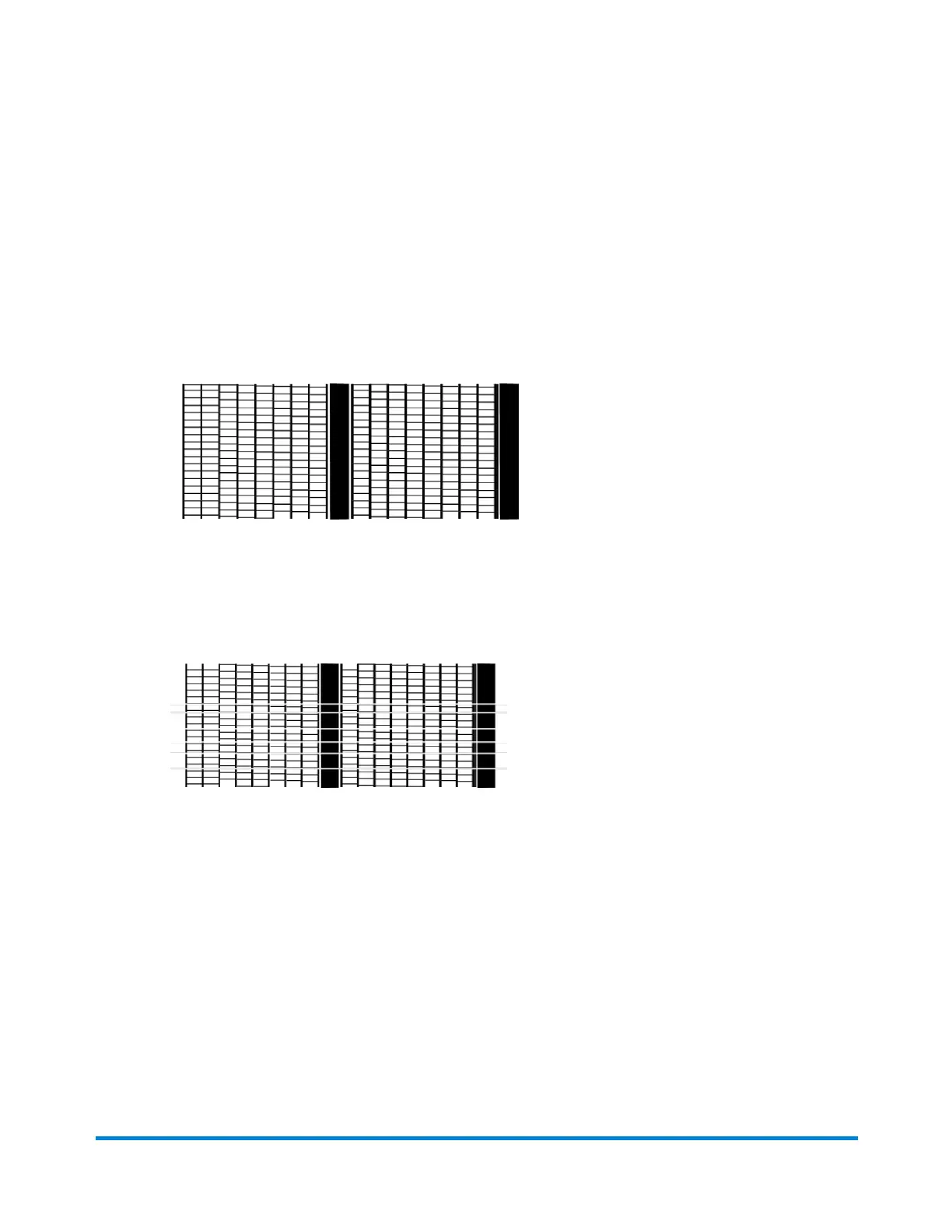
Thetestpatternshouldlooklikethesamplebelow(nomissinglines).Ifitdoesthenpress
Enter/yes.
Good Test Print
l
Ifthetestpatternlookslikethesamplebelow(missinglines),pressNo,andreferto
Cleaning the Printer Nozzles.
Poor Test Print
Cleaning printer nozzles
Ifyougetabadtestprintpattern,cleanyourprintnozzlestotryandcorrecttheproblem.
1. PressMenu.
2. PressReview (down)untilink functions?displays.
Maintenance
Pitney Bowes Operator Guide January 2024 80



 To Next Page