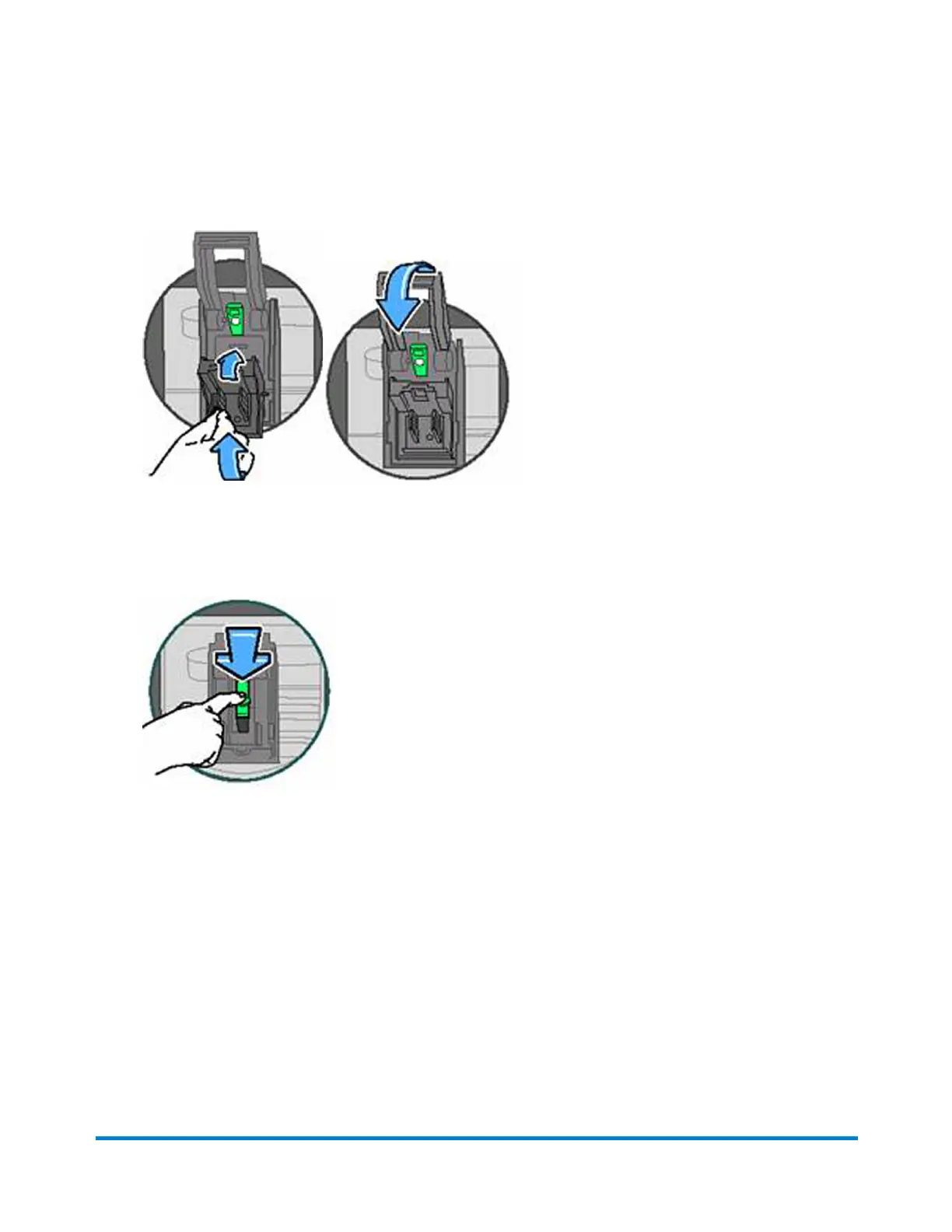
11. Placetheneworcleanedprintheadbackinthemachinebyanglingitbackanddownuntilit
clicksbackintoplace.
12. Replacetheexistinginkcartridgeorinstallthenewonethatcomeswiththenewprinthead.
13. Pushdownoninkcartridgelatchuntilitlocksinplace.
14. ClosethecontrolpanelandpressEnter/yes.
15. Themessage"IMPORTANT-isprinthead/inkinstalled?"appearsinthedisplay.
16. PressEnter/yestoconfirmthereplacement.Thesystemperformsaprintheadinitialization.
Thistakesabout2-3minutes.
17. Whenprompted,insertanenvelope/tapesheettoprint a test patterntoconfirmprintquality.
18. Iftestpatternlooksgood,pressEnter/yes.
19. Ifyoureplacedtheprinthead,placetheoldprintheadintheyellowandwhiteprotectionparts
andreturntoPitneyBowes.
Maintenance
Pitney Bowes Operator Guide January 2024 85



 To Next Page