Internet Telephony PBX System
IPX-2500
Item Explanation
Description Define the VoIP(figure or character).
Protocol Select protocol for outbound route, SIP or IAX2.
Host Set host address (provided by VoIP Provider).
Maximum Channels Set maximum channels for simultaneous call. (Only for outbound
call; “0” = no limitation).
Prefix The prefix will be added in front of your dialed number automatically
when the trunk is in use.
Caller ID This Caller ID will be displayed when user make outbound call.
Note: This function must be supported by local provider.
Without
Authentication
If you don’t need the Authentication when connecting the IP PBX,
please check this option.
User Name User Name provided by VoIP Provider.
Password Password provided by VoIP Provider.
Advanced Options Advanced options for this trunk, e.g. codec, dial plan, etc.
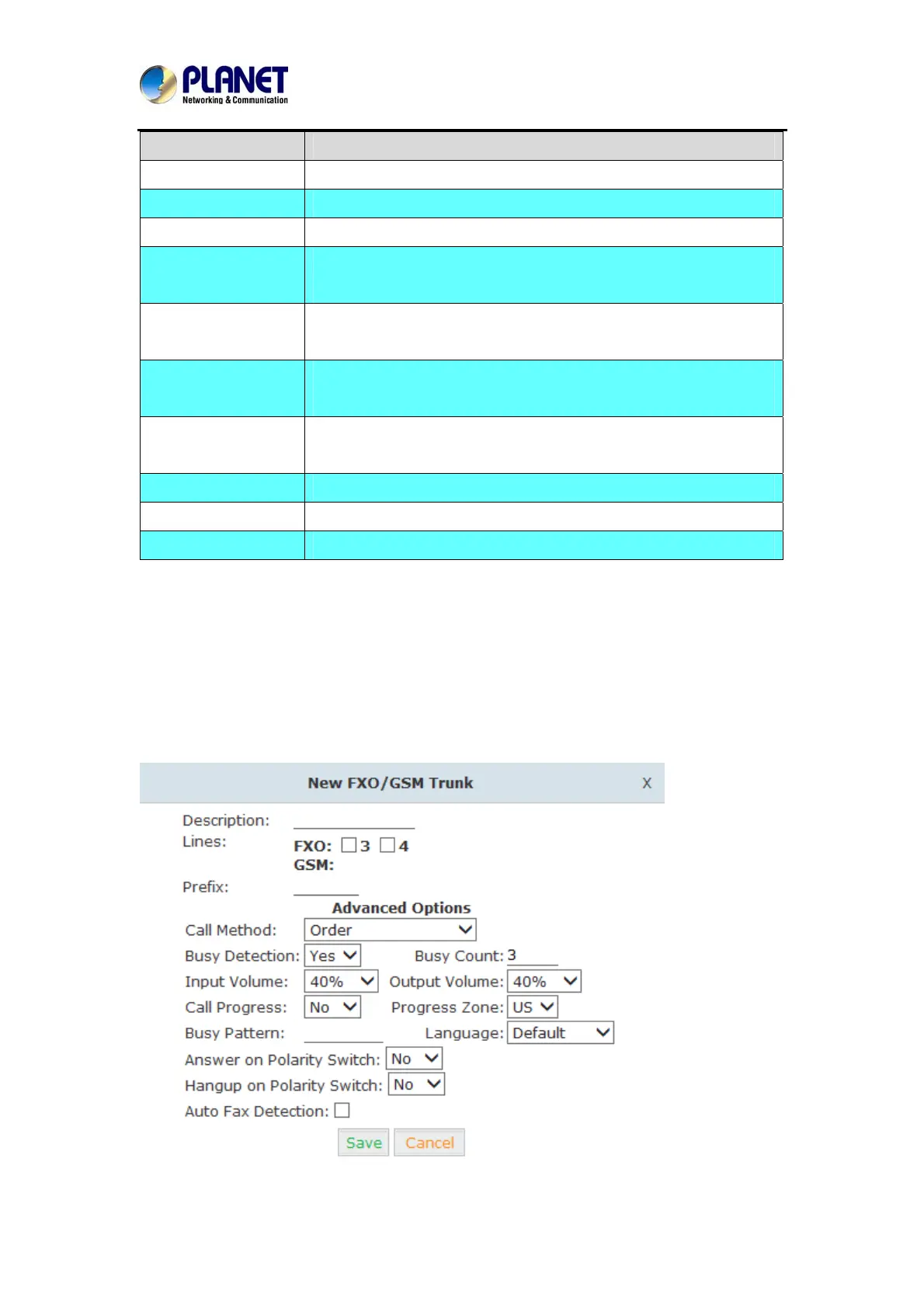
You can configure the Analog / GSM line through PLANET IP PBX. The same analog line can’t
be used in multiple trunks. If you don't have available analog / GSM trunk, you can't set up
trunk.
2) FXO / GSM Trunk
Click【FXO / GSM Trunk】->【New FXO / GSM Trunk】:
29



 To Next Page