Internet Telephony PBX System
IPX-2500
Reference:
Item Explanation
Extension Define an extension for recording.
Call Recording Time Set the time to record.
Inbound Record Check to record inbound calls.
Outbound Record Check to record outbound calls.
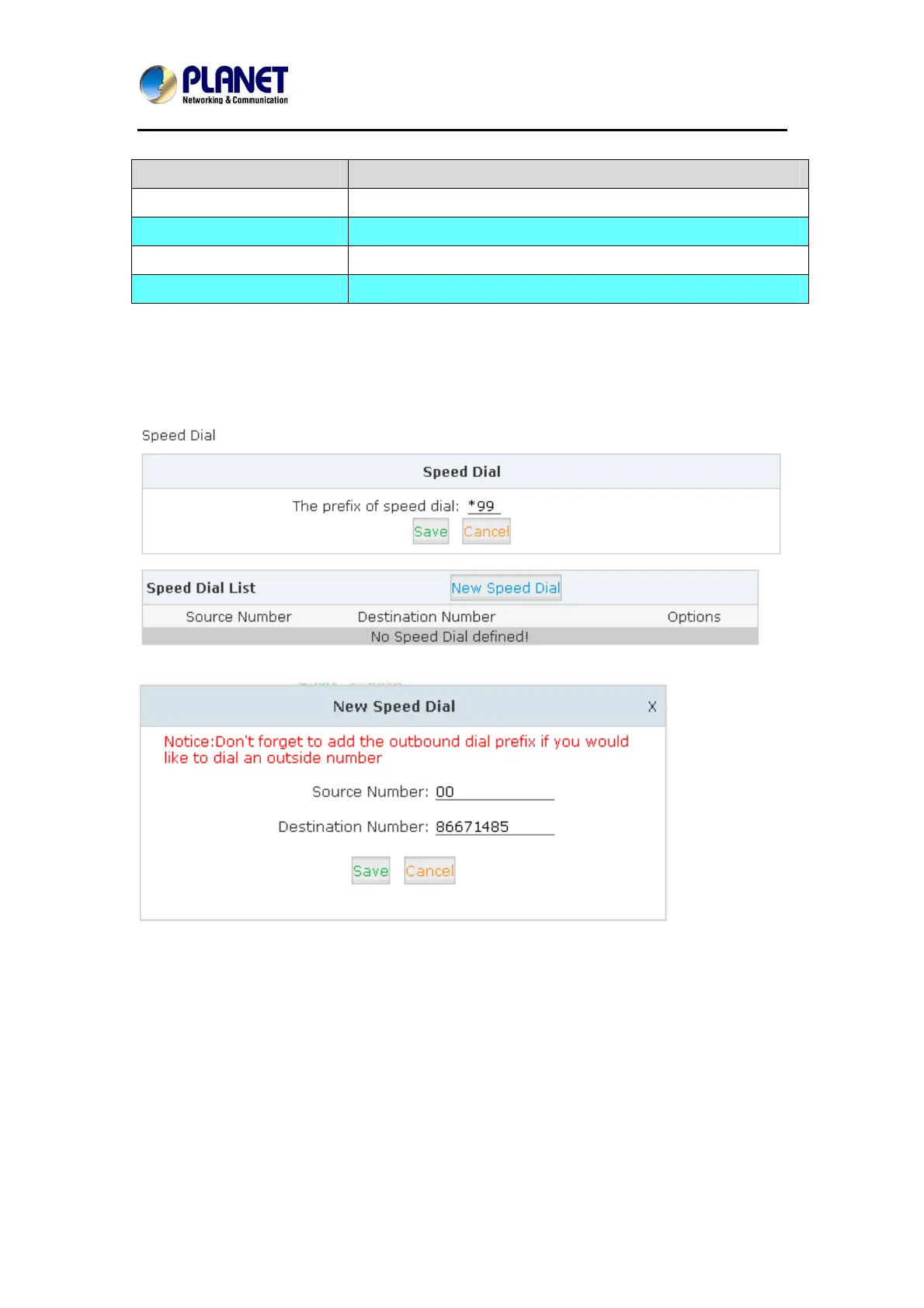
4.10 Speed Dial
Please configure as shown below:
Click【Advanced】->【Speed Dial】->【New Speed Dial】:
E.g. prefix is *99, speed number is 00, destination telephone num
ber is 86671485.
When dialing *9900, the call is going to 86671485 automatically.
65



 To Next Page