Internet Telephony PBX System
IPX-2500
5.5 DHCP server
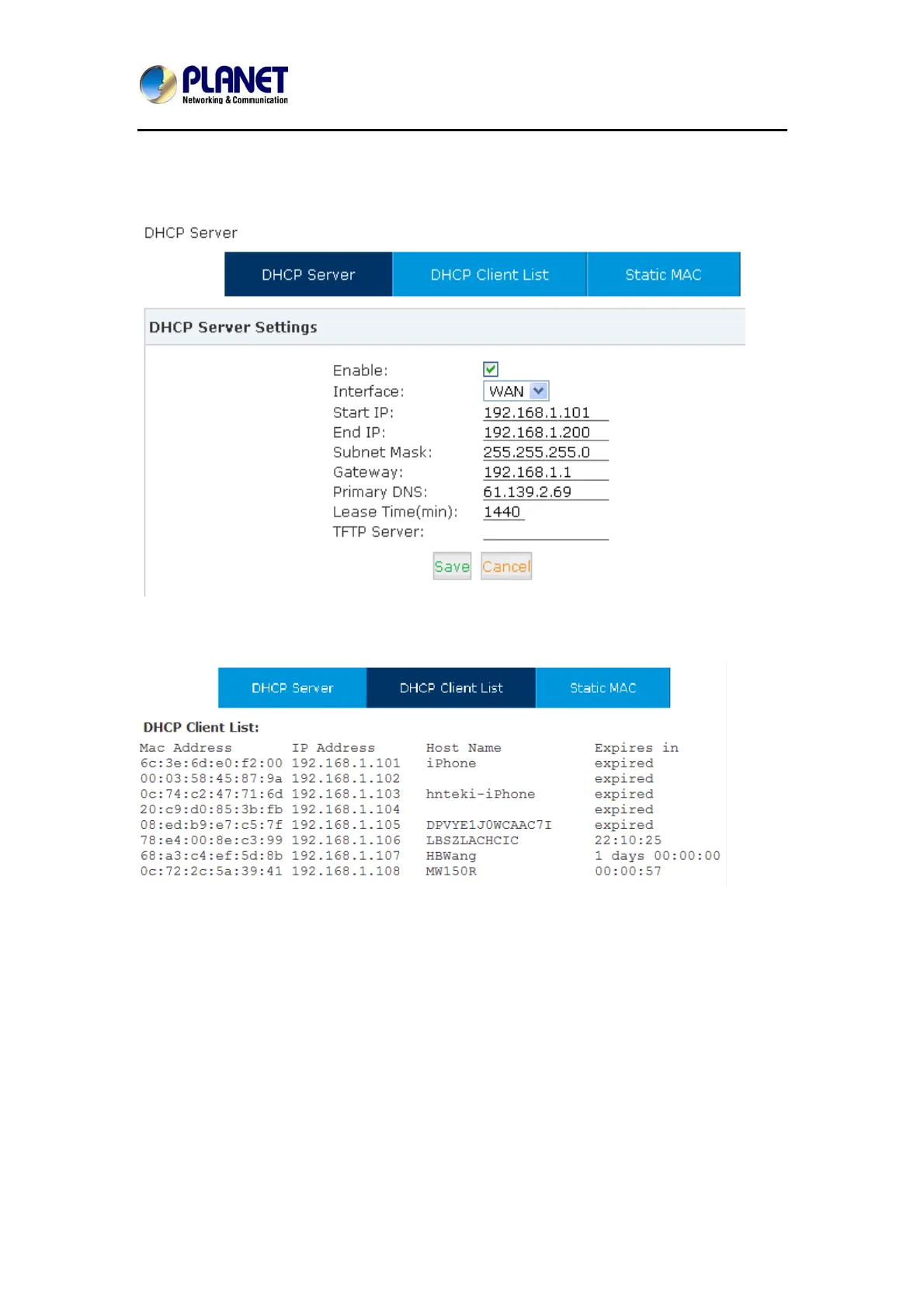
Click【Network Settings】->【DHCP Server】:
Click【Network Settings】->【DHCP Server】->【DHCP Client List】:
This page is used to display DHCP Client address and related information.
When DHCP Server distributes address, the Client’s MAC address is associated with the IP
address, and then the device will get the same IP address every time.
Click【Network Settings】->【DHCP Server】->【Static MAC】->【New Static MAC】:
78


 To Next Page