Internet Telephony PBX System
IPX-2500
Record Format Set the format for recording files. (GSM / WAV only)
Default Settings for New User Check to enable the default settings.
Extension Preferences Set the rule for extensions.
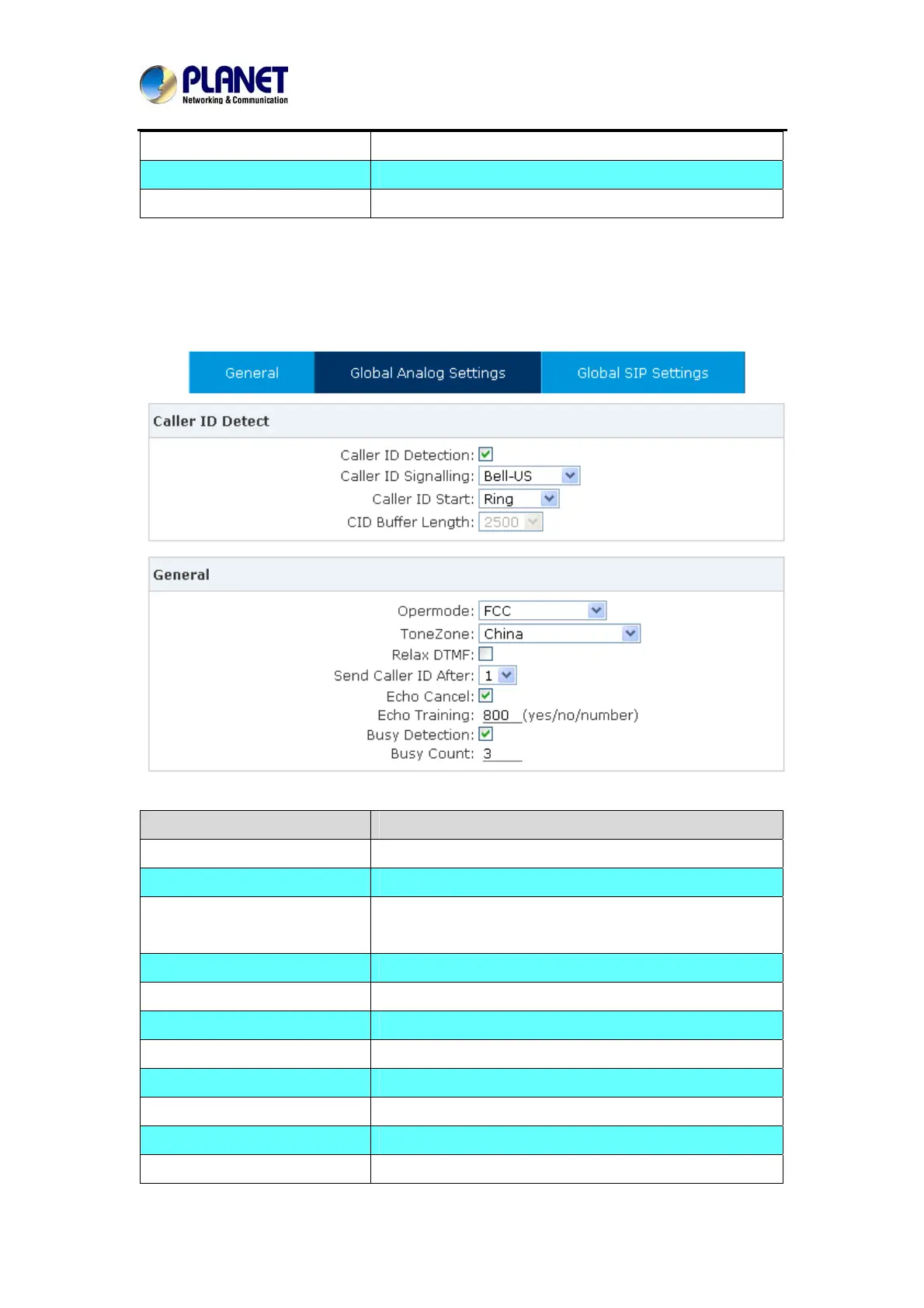
4.1.2 Global Analog Settings
Click【Advance】->【Options】->【Global Analog Settings】:
Item Explanation
Caller ID Detection Enable/Disable Caller ID Detection
Caller ID Signaling Select the mode of Caller ID Signaling.
Caller ID Start Ring--Caller ID start before ring.
Polarity--Caller ID start when polarity reversal starts.
CID Buffer Length Default CID Buffer Length
Opermode Set the Opermode for FXO/GSM Ports.
ToneZone Select the ToneZone in your country.
Relax DTMF Enable/Disable Relax DTMF inspection.
Echo Cancel Enable/Disable Echo Cancel
Echo Training Set Echo Training (default unit: ms)
Busy Detection Enable/Disable Busy Detection.
Busy Count Count the Busy Detection. It will be active when enabling
53



 To Next Page