Internet Telephony PBX System
IPX-2500
4.15 IP Phone Provision
When you need many IP Phones, please record the MAC, extension number, and user name
of each phone according to the format (please take reference of the auto provision script file
model for details). Then import the format file. Once the phone is connected to the local
network, it will get the extension number and password automatically.
There are two operation methods to fulfill this function. Please see details as shown below:
Enable DHCP service
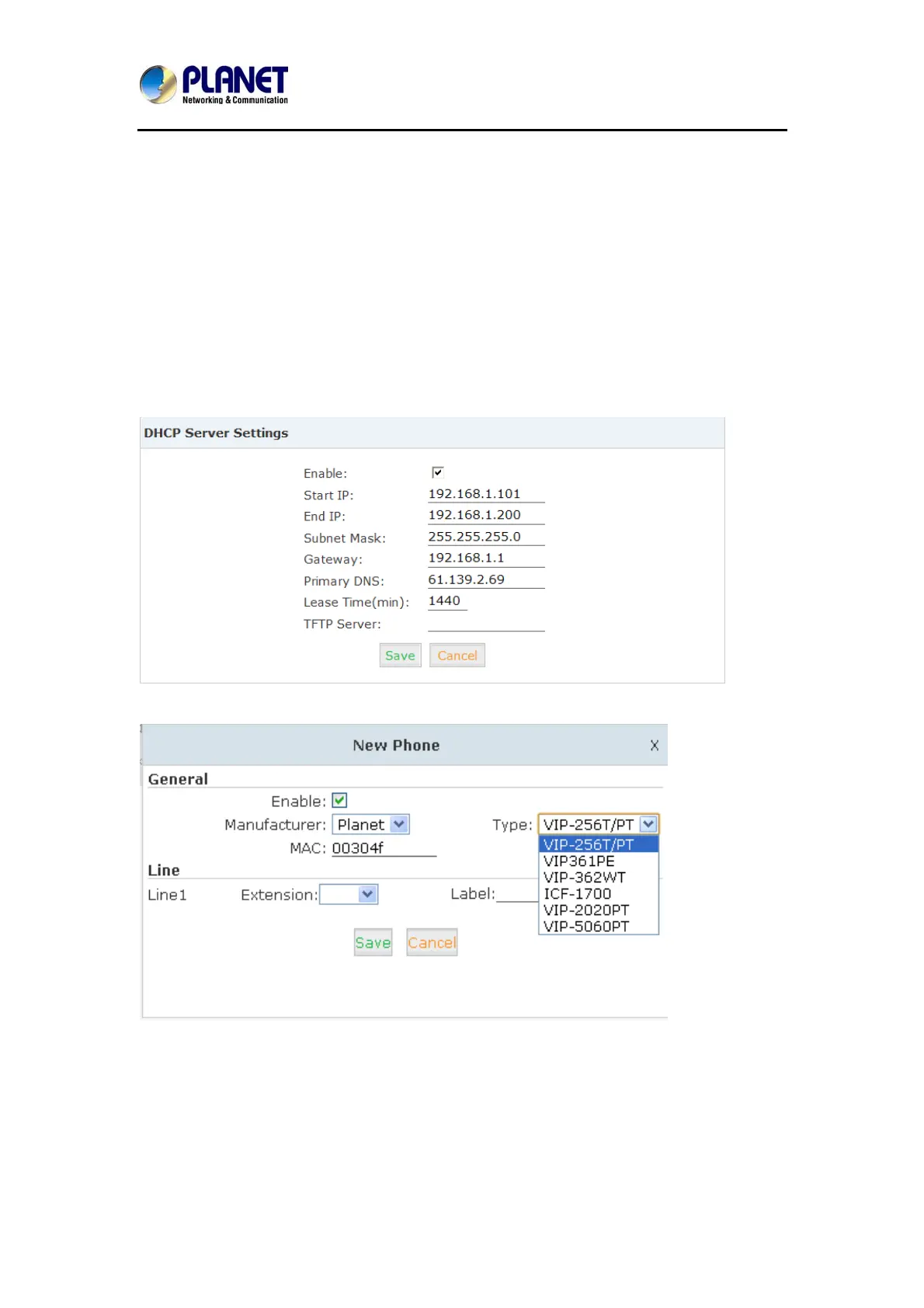
Click【Network Settings】->【DHCP Server】, enable DHCP Server in the dialog as shown
below:
Then Click【Advanced】->【Phone Provisioning】->【New Phone】:
Enable Phone Provisioning in【Basic】, select the IP Phone manufacture, input MAC of the
phone, and select the extension for provisioning.
71



 To Next Page