Internet Telephony PBX System
IPX-2500
4.11 Smart DID
Smart DID: After extension user makes an outbound call, the call is ringing back to Planet IP
PBX, and directed to the one who made the last call. Please configure it as shown below:
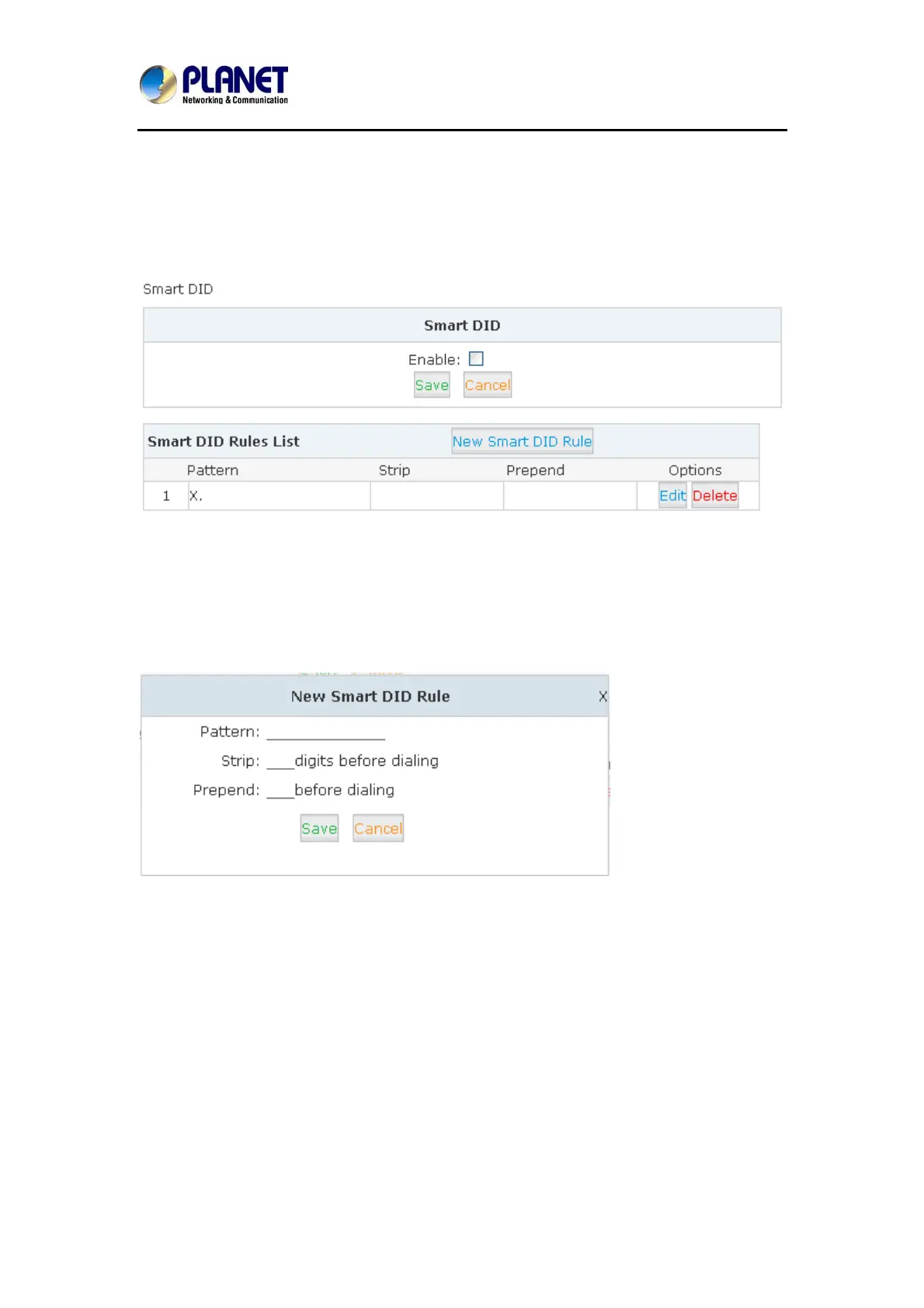
Click【Advanced】->【Smart DID】:
Check “Enable” and “Save” to make this function activates.
Click【New Smart DID Rule】to display the following diagram:
Input the pattern and define how many digits need to be striped or prepend, and then click
“Save”--“Activate”.
4.12 Call Back
When user makes calls by the callback number to Planet IP PBX, the call will be hung up
automatically. Then the PBX will call back this number and forwarded to define destination
after the call is connected. Please configure it as shown below:
Click【Advanced】->【Callback】:
66



 To Next Page