Internet Telephony PBX System
IPX-2500
4.4 Email to Fax
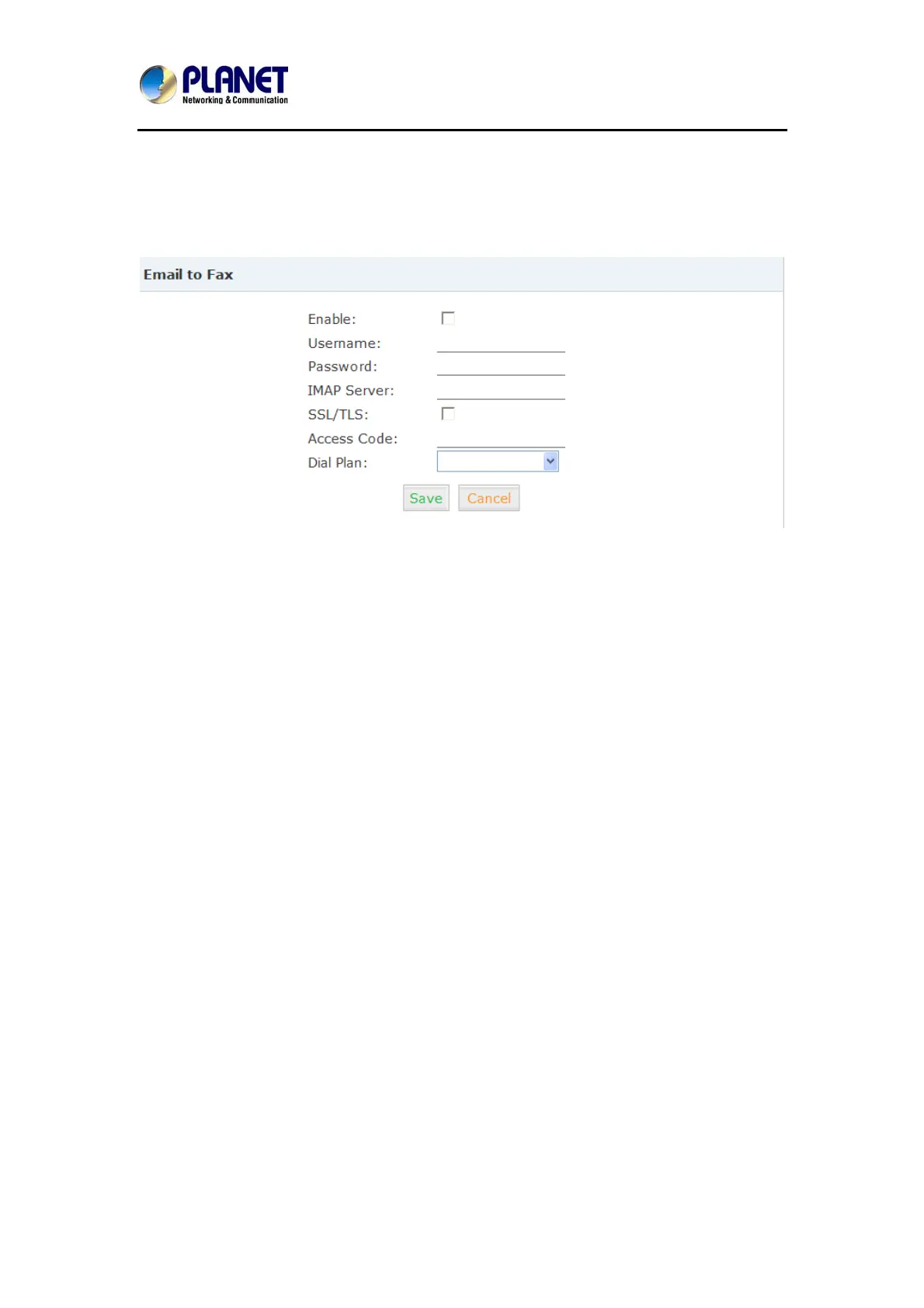
Users can send fax by Email. Please configure as shown below.
Click【Advanced】->【Email to Fax】
Check “Enable”, input user name, password and IMAP Server(server format: imap.XX.com),
select the Dial Plan and then “Save” and “Activate”.
Practical Case:
Send a fax to telephone number 86671485: In Dial Plan 1, there is prefix “9” before the
telepho
ne number; you need to input the 【Access Code】
: 986671485 and take it as the
subj
ect when sending Email. Then the fax will be sent by Email as attachment.
If you need to dial the extension when sending fax, e.g. fax number:
86671485 ext.515, you
need to u
se the 【Access Code】
: 986671485-515 as subject.
4.5 Music Settings
Management for music on hold, music on ring back, music on call queue…
Click【Music Settings】 to display the dialog as below:
60



 To Next Page