Internet Telephony PBX System
IPX-2500
7.8.2 TFTP Upgrade
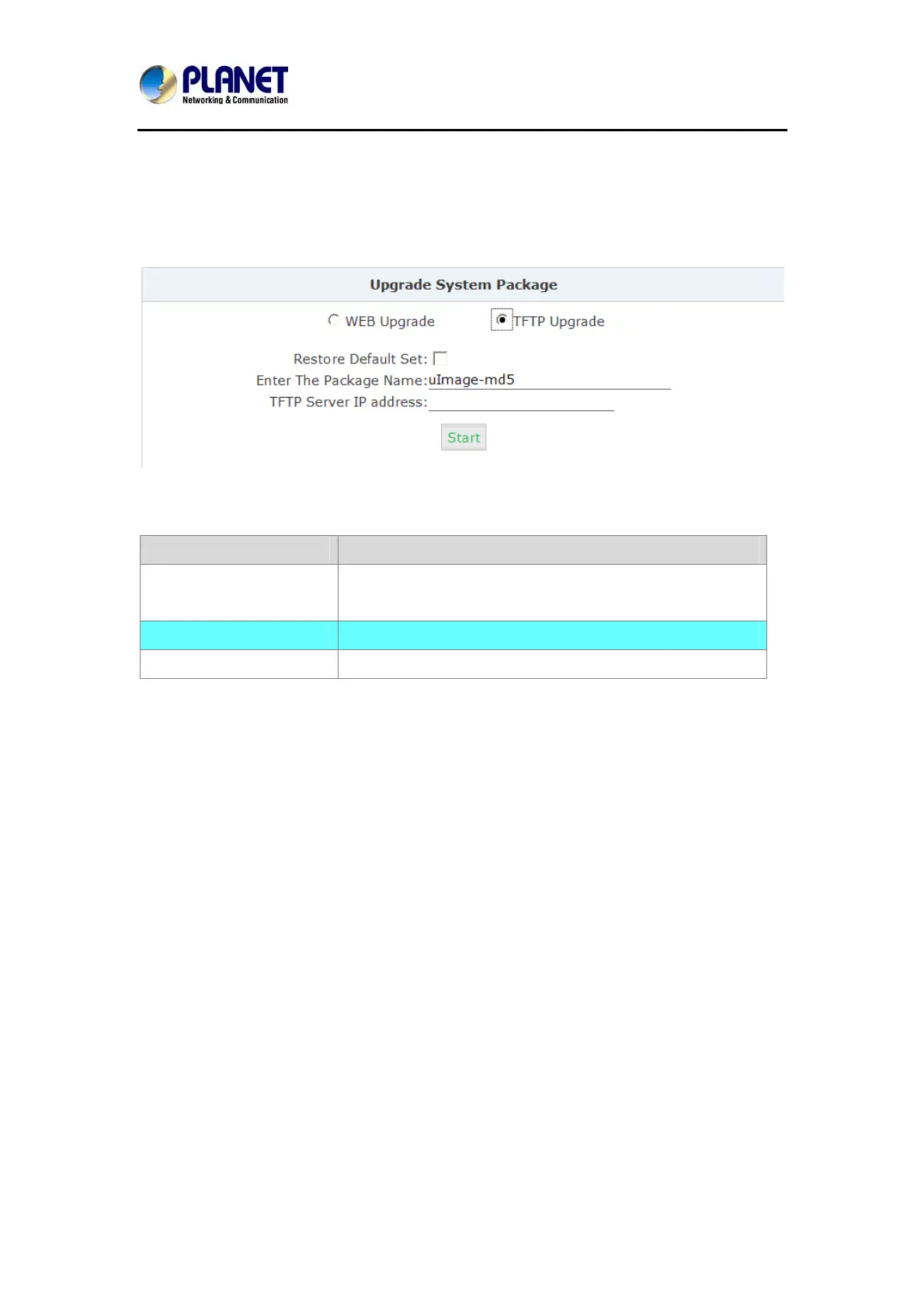
Click【System】->【Upgrade】->【TFTP Upgrade】:
Reference:
Item Explanation
Restore Default Set System will restore to factory defaults after checking this
option.
Enter The Package Name Enter the package name for upgrading.
TFTP Server IP address Enter your TFTP server IP address.
7.9 Hot Standby
Hot Stanby ——this function is used to backup and share configuration file and regular data on
two IPX-2500 units (Master & Slave) each other in local network. In case the system the
Master Unit crashes, Slave Unit will automatically start to work in order instead Settings:
89



 To Next Page