Internet Telephony PBX System
IPX-2500
Item Explanation
SIP Register Failed Times Allowed failure time for register attempts.
Block times How long will be limited, when you Beyond the number of
register failure.
Register Time Out Retry registration calls at every 'x' seconds (default 20)
Register Attempts Number of registration attempts before we give up; 0 =
continue forever
4.2 VoiceMail
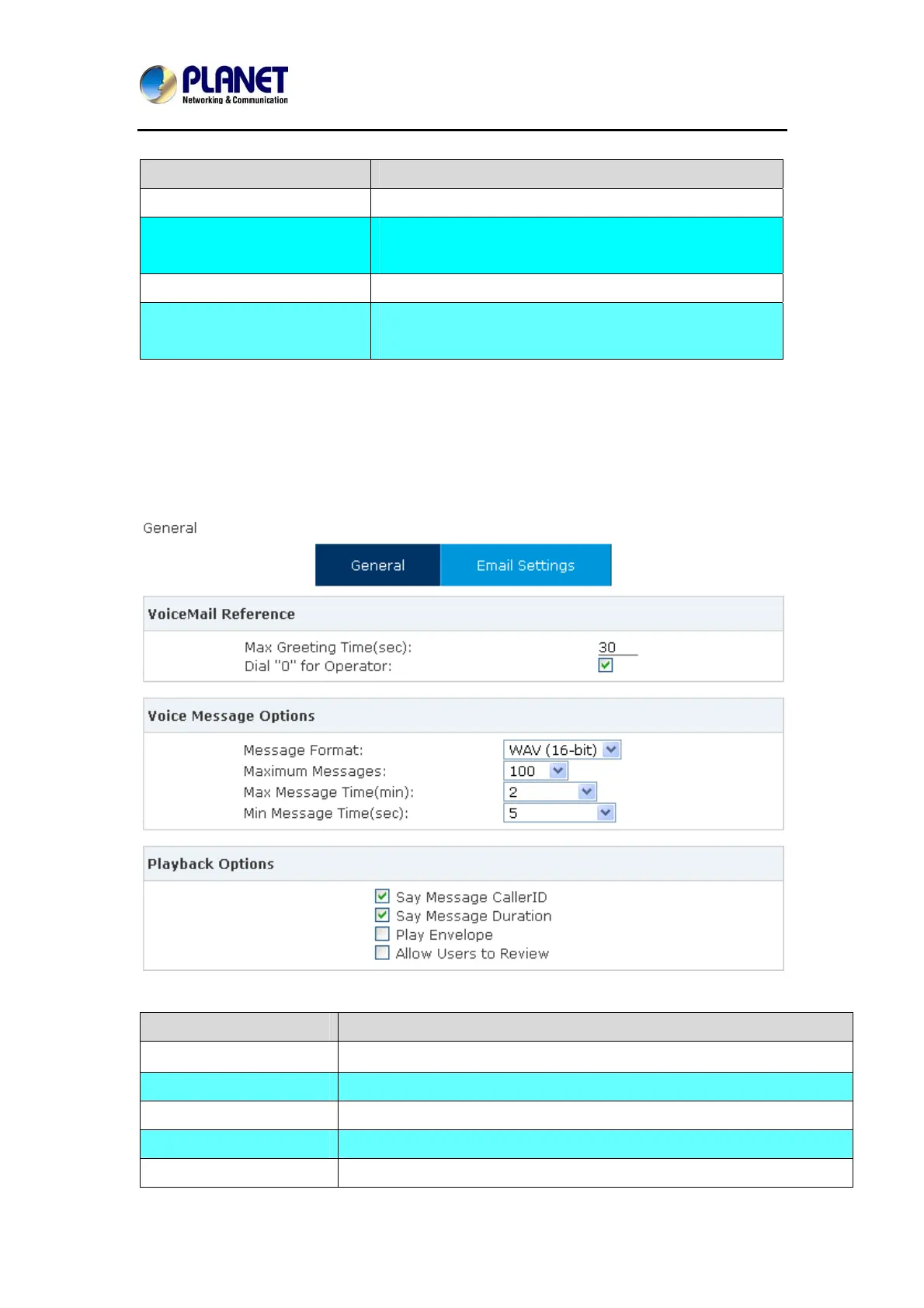
Details configuration on Voice Mail: Voice Mail Reference/ Voice Message Options/ Playback
Options. If you need to send message by mail to your defined mailbox, you must configure
SMTP and Email model. Click【Voicemail】to display the dialog as shown below:
Item Explanation
Max Greeting Time(sec) Maximum Greeting Time
Dial "0" for Operator Dial "0" to cancel the voicemail and forward to Operator.
Message Format Save the voice message as this format, WAV (16-bit) or Raw GSM.
Maximum Messages Maximum messages to be allowed to leave.
Max Message Time(min) Maximum Time for each message to be allowed to leave.
57



 To Next Page