Internet Telephony PBX System
IPX-2500
Min Message Time(sec) Minimum Time for each message. The message will be deleted
automatically if the time is less than the minimum message time.
Say Message Caller ID Checking this option, Caller ID will be played when user login email to
receive the voice message.
Say Message Duration Checking this option, the message duration will be played before playing
the voice message.
Play Envelop Envelop includes date, time and caller ID.
Allow Users to Review Check this option to allow users to review the voice message.
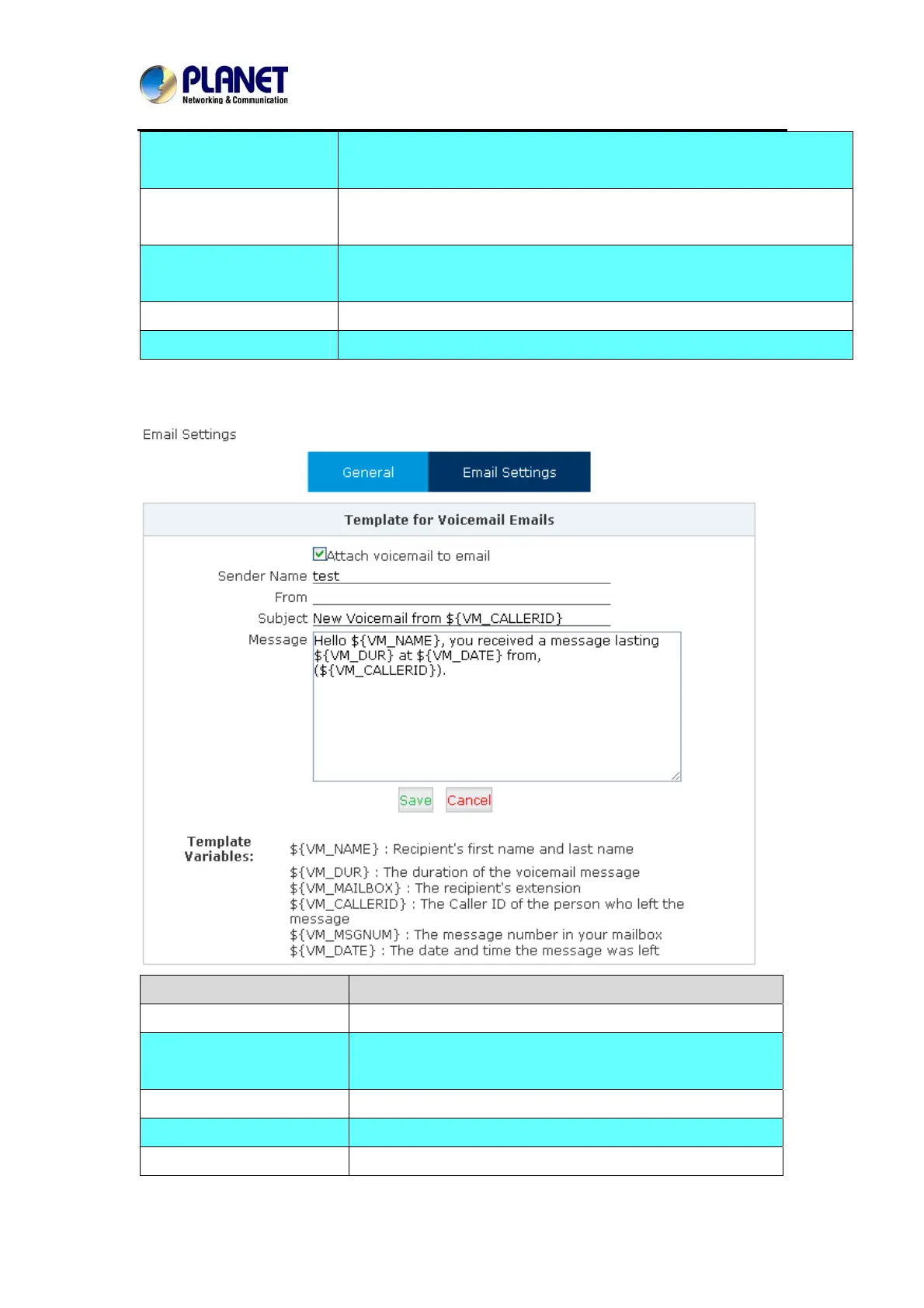
Email Settings
Item Explanation
Attach voicemail to Email The voicemail will be sent as attachment to the user’s Email.
Sender Name The sender’s name will be displayed when you receive the
Email.
From Mailbox to send email
Subject Subject of the Email.
Message Input the Email template.
58



 To Next Page