Internet Telephony PBX System
IPX-2500
7.6 Backup
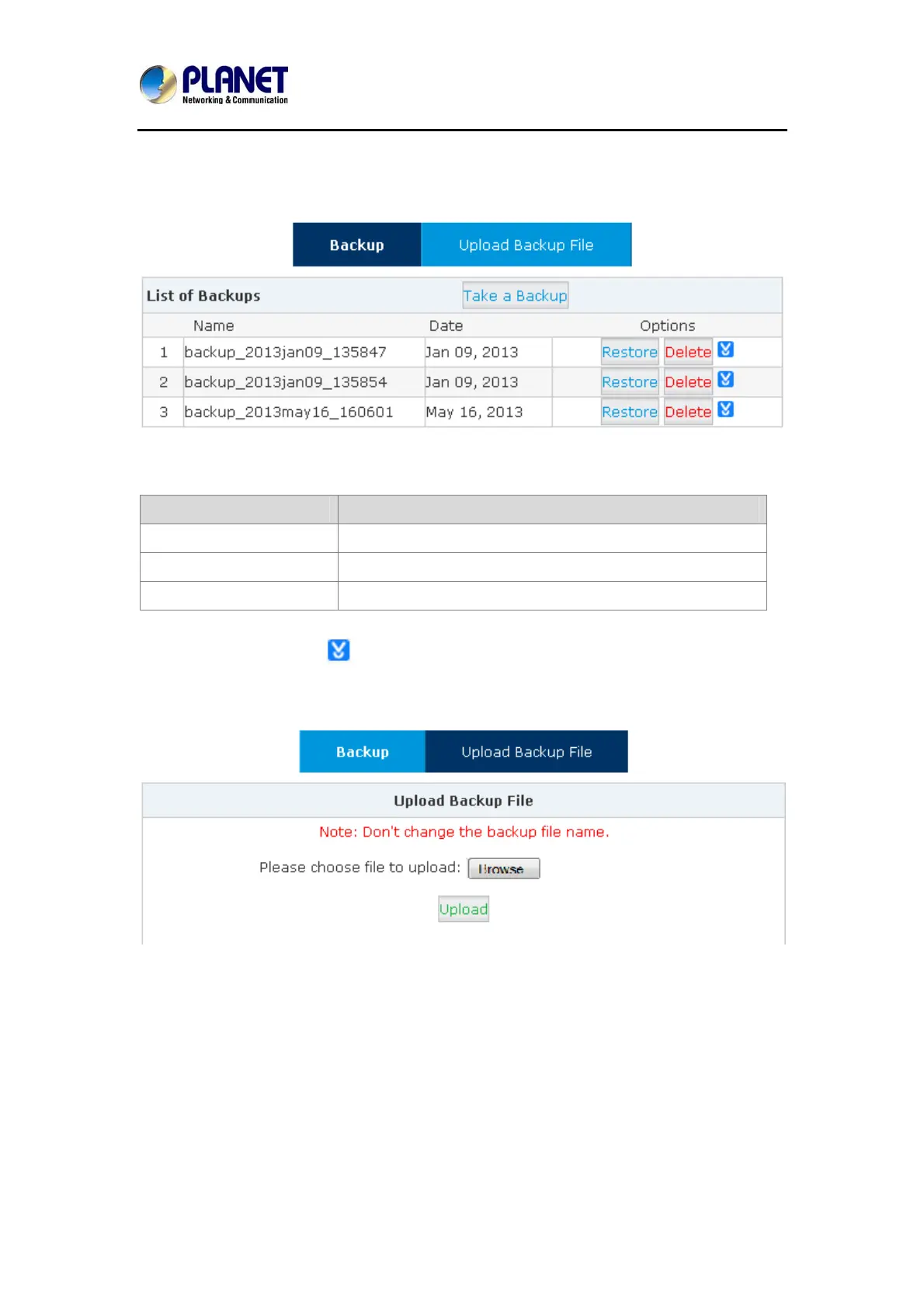
Click【System】->【Backup】
Reference:
Item Explanation
Take a Backup Take a backup of the current system configuration.
Restore Restore system to the specified backup configuration.
Delete Delete specified backup file.
Click the download button “
” to download the specified backup file and manage locally.
Click【Upload Backup File】to upload the backup file here.
Click【browse】to select the local backup file, and click【Upload】to upload the backup file to
system.
7.7 Reset & Reboot
If you need to reset the system to factory default or reboot, please click【System】->【Reset &
Reboot】:
87



 To Next Page