Internet Telephony PBX System
IPX-2500
3.4 Inbound Call
3.4.1 Inbound Routes
When a call is made from outside, you want to forward this call to an extension or IVR. This
Chapter will introduce you how to deal with the inbound calls.
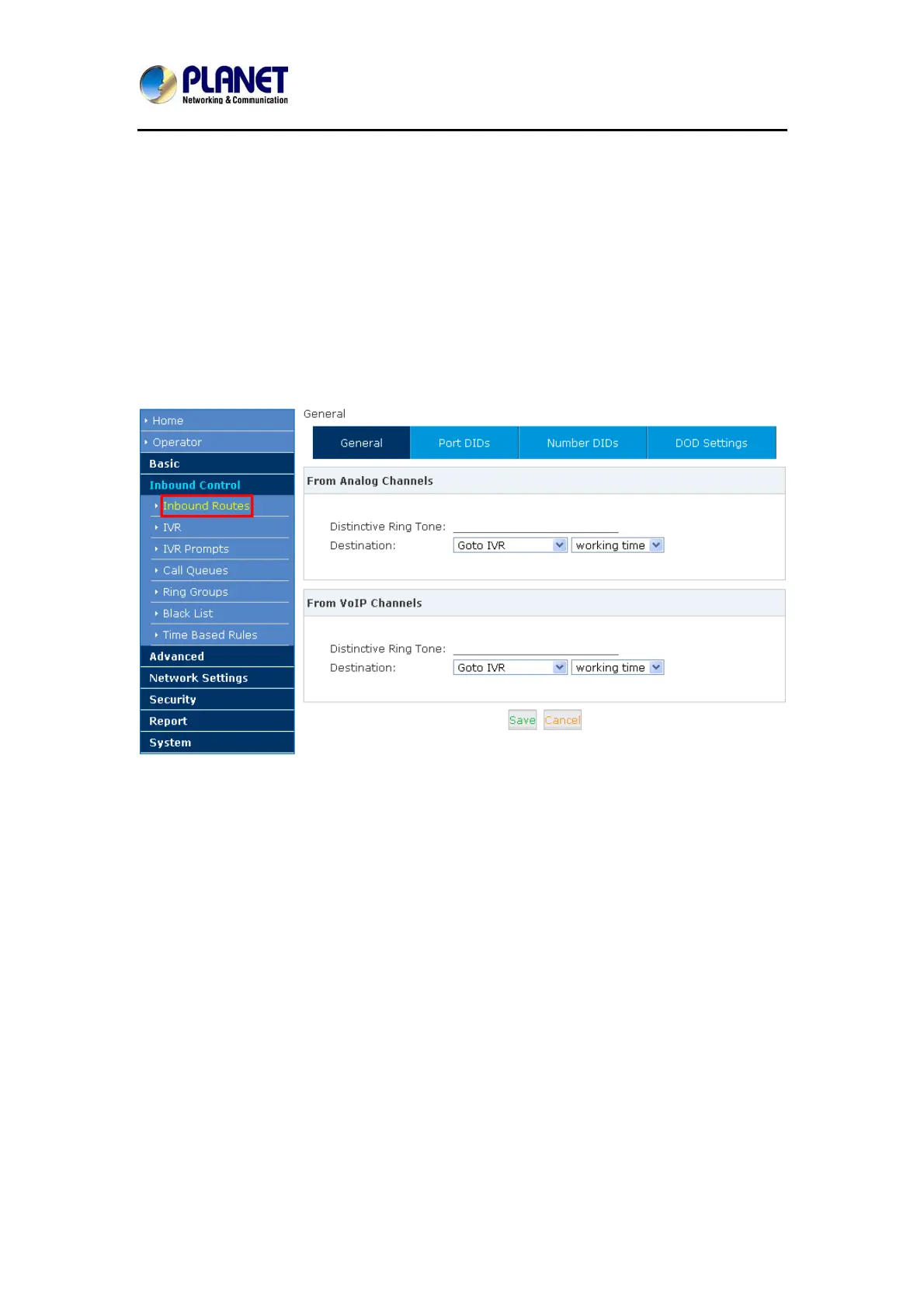
Please configure it on this page:【Inbound Routes】
General
Distinctive Ring Tone: mapping the custom ring tone file, e.g. set distinctive ring tone as
“External”, the phone will play this ring tone when receiving the call. Note: The phone must
support such feature as well.
When incoming calls come from outbound line (FXO / GSM, VoIP), the calls can be accessed
to Extension User, Call Queue, Conference, IVR, etc. You can choose freely based on your
condition.
Port DIDs
If user wants to make the incoming call from the outbound line (FXO / GSM trunk) access to
the specified extension user, call queue, conference or IVR, please configure it here:
Click【Port DIDs】->【New Port DIDs】:
32



 To Next Page