Internet Telephony PBX System
IPX-2500
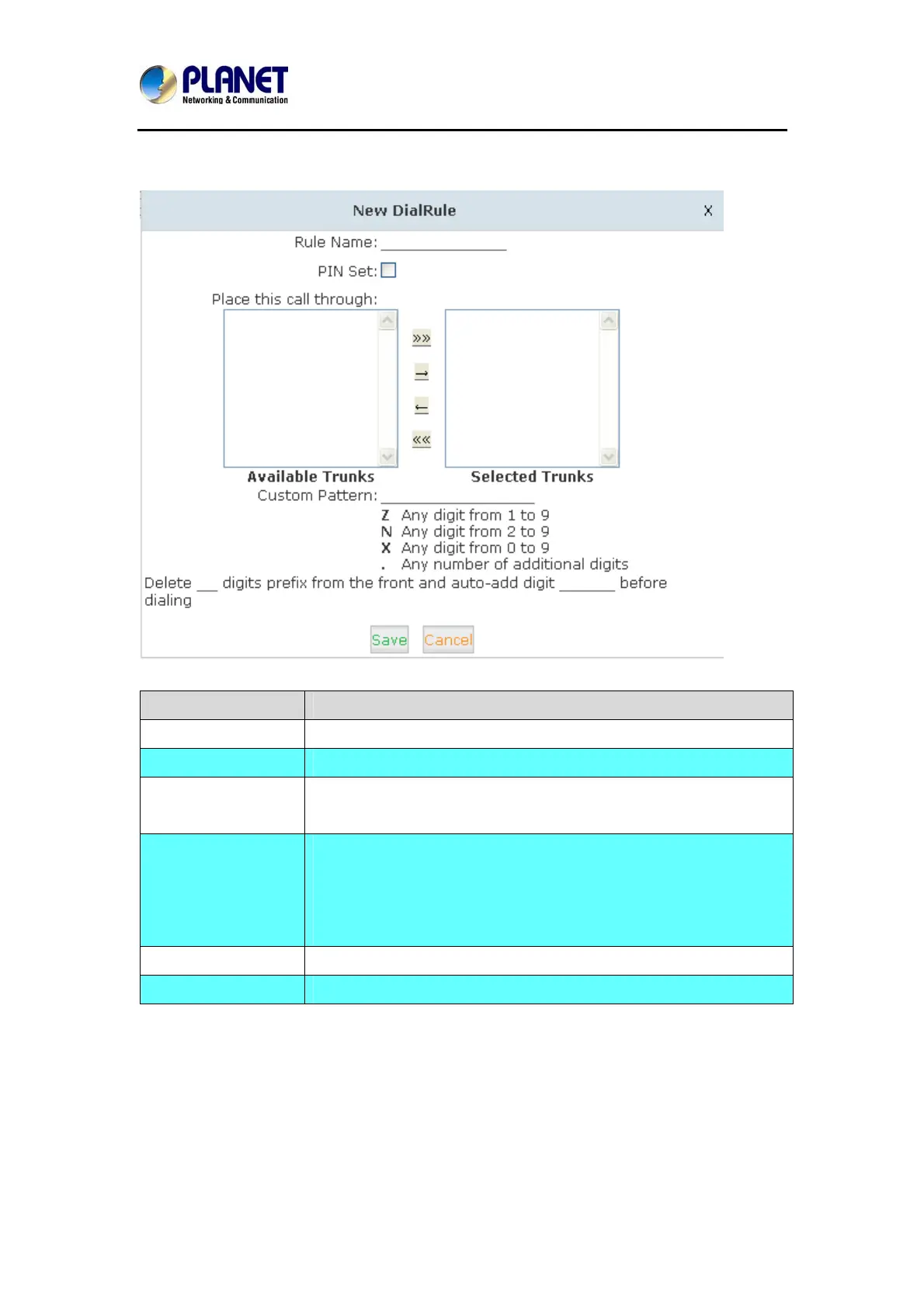
User can create dial rule for dial plan on this page:
Item Explanation
Rule Name Define the name for the dial rule.
Pin Set Input this Pin when you use this dial rule.
Place this call
through
Select a trunk for this dial rule
Custom Pattern
N any figure from 2 to 9
Z any figure from 1 to 9
X any figure from 0 to 9
. One figure or multi-digit figures
Delete[ ]digits prefix If one digit prefix be deleted, when dial 12345, 2345 will be sent.
Auto-add digit[ ] If figure “1” is added,123451 will be sent when dialing 12345
31



 To Next Page