Internet Telephony PBX System
IPX-2500
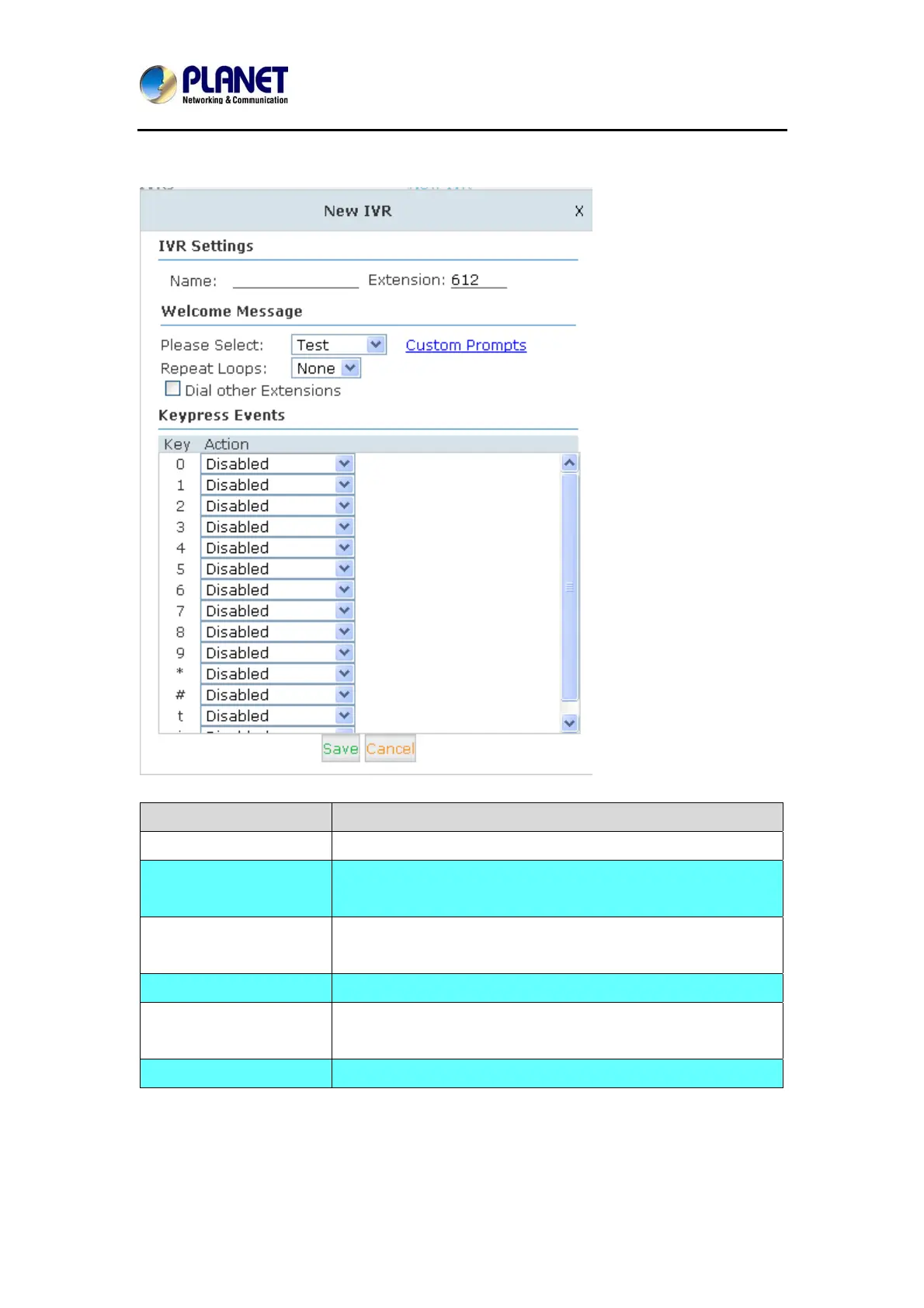
Click【New IVR】to creates a new IVR:
Item Explanation
Name Set a name for the IVR
Extension If you want to listen to the IVR by dialing extension, please
input an extension Number.
Please Select Select IVR audio file, please configure in this page:
【IVR Prompts】
Repeat Loops Loop times to repeat playing the IVR prompt.
Dial Other Extensions Allow caller to dial other extensions besides the ones listed
below.
Key Press Events Each digit will be related to the actions defined in the blank.
35



 To Next Page