Internet Telephony PBX System
IPX-2500
new participant is joining the conference.
Record conference Recorded conference format is WAV.
Quiet Mode If this option is checked, all the participants in the conference
can hear only, but it is not allowed to speak.
Leader Wait Wait until the conference leader (administrator) enters the
conference before starting the conference.
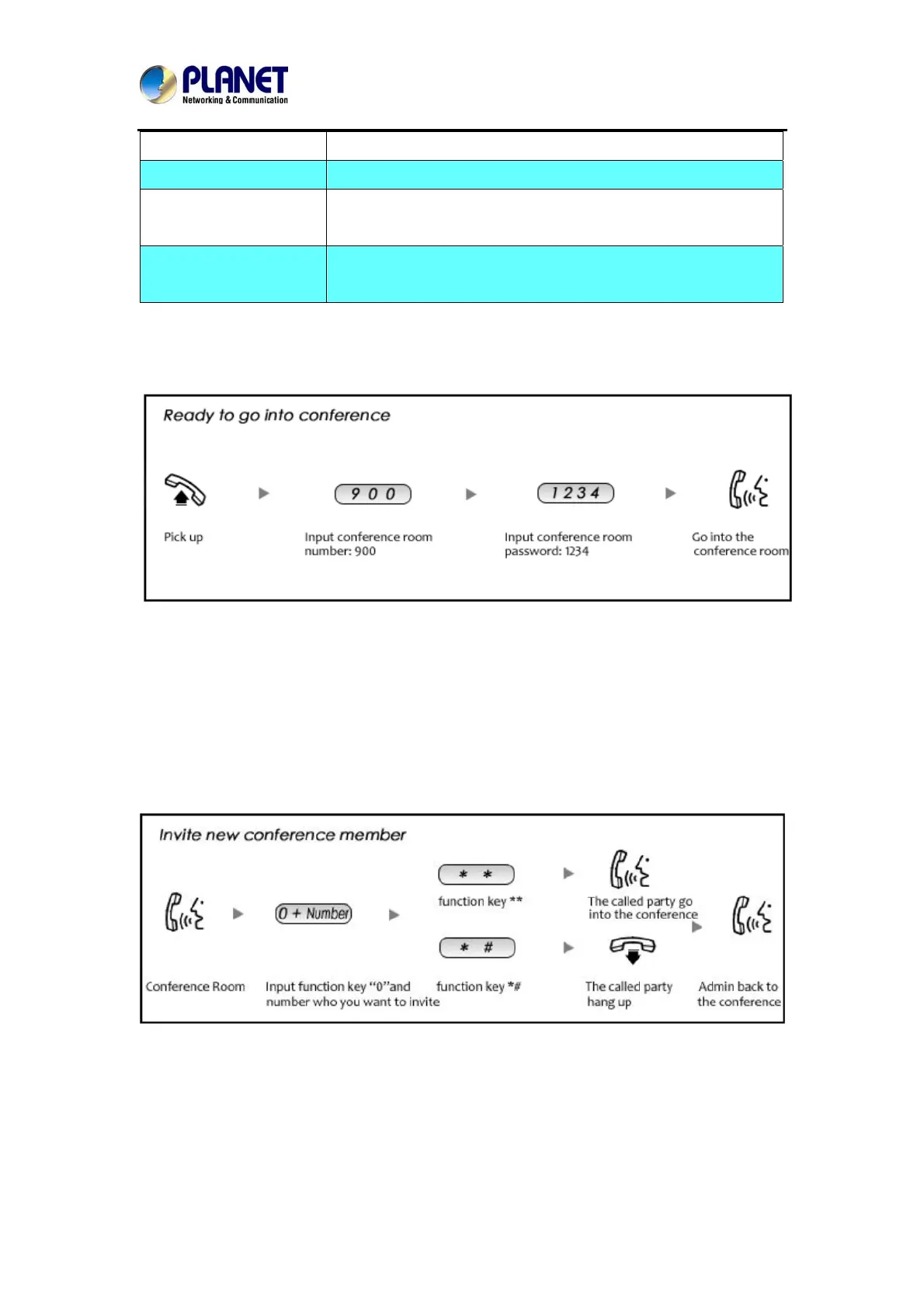
Please check the following diagram to learn:
Go to conference:
In the conference, admin can add new participant (extension user or external number) to the
conference.
In the conference, the administrator can invite new guest (extension user or external number)
to the conference. (Default password for admin is 2345)
Learn how to invite new guest to the conference as the diagram is shown below:
43



 To Next Page