14 SETTINGS
96 Planmeca ProOne User’s Manual
• QA exposure (P2530)
If required, you can take a QA exposure to check the
image quality of the X-ray unit.
Refer to Planmeca Publication Number 10016248 (Image
Quality Monitoring Instructions for Planmeca Digital X-ray
Units) for a detailed description on how to take a QA
exposure.
Exit the
Testing programs (P2500)
display by touching the
green check mark button in the bottom right corner.
14.2.6 Imaging without PC (P2600)
This option will be shown on the display only if a USB
memory stick is connected to the X-ray unit. When a USB
memory stick is plugged in, images can be saved on the
memory stick or on the computer.
A USB memory stick must be plugged into the USB port by
a service technician only. Contact your service technician
for help if you need to use a USB memory stick.
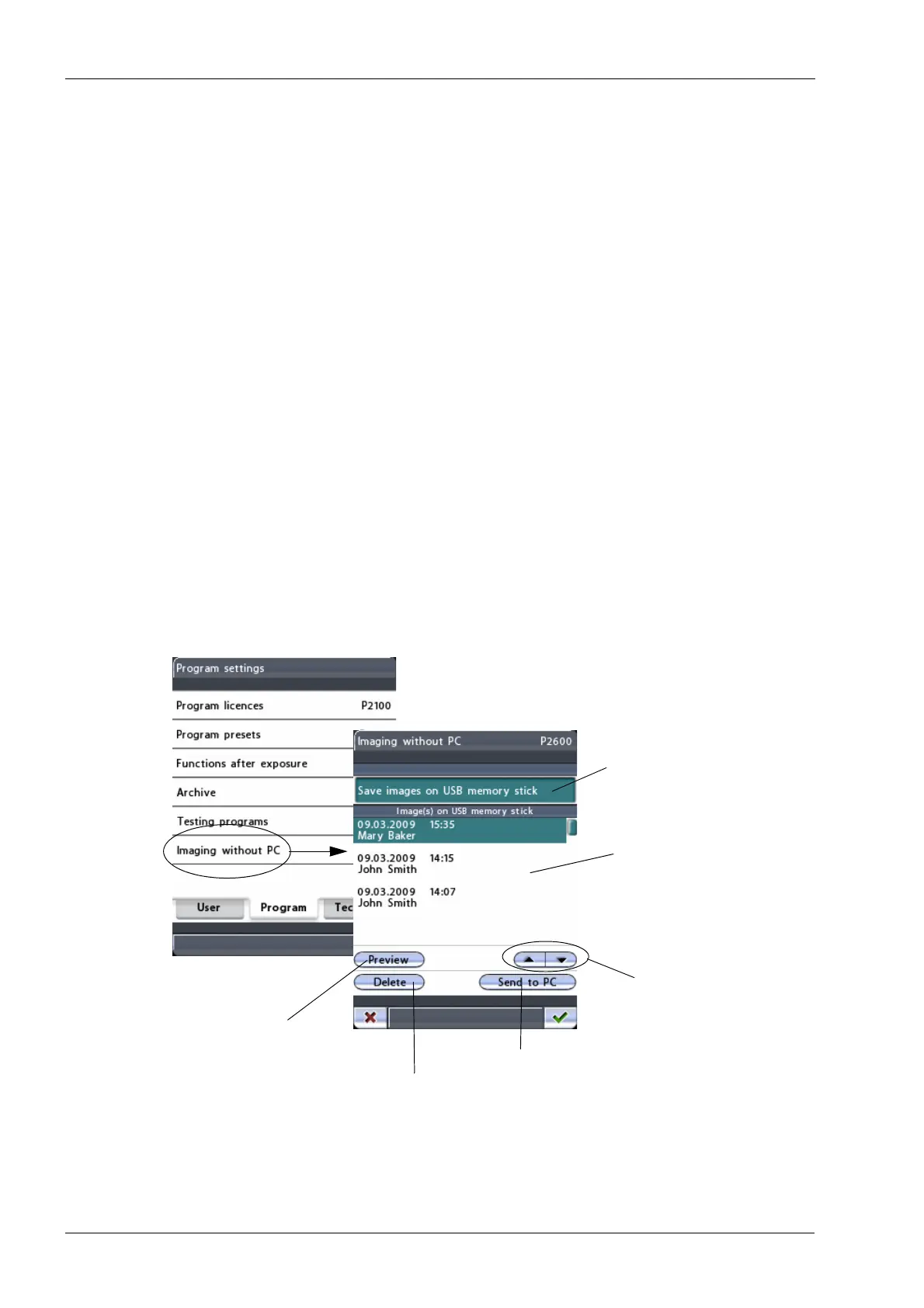
Select the option
Imaging without PC (P2600)
on the
Program settings
display. The
Imaging without PC
(P2600)
display will appear.
Scroll up/down to
Send selected image to Romexis
Show selected image
Delete selected image from USB memory stick
Green -> Save on USB
White -> Save on PC
Image list
select image from list
in preview window













 To Next Page