14 SETTINGS
User’s Manual Planmeca ProOne 77
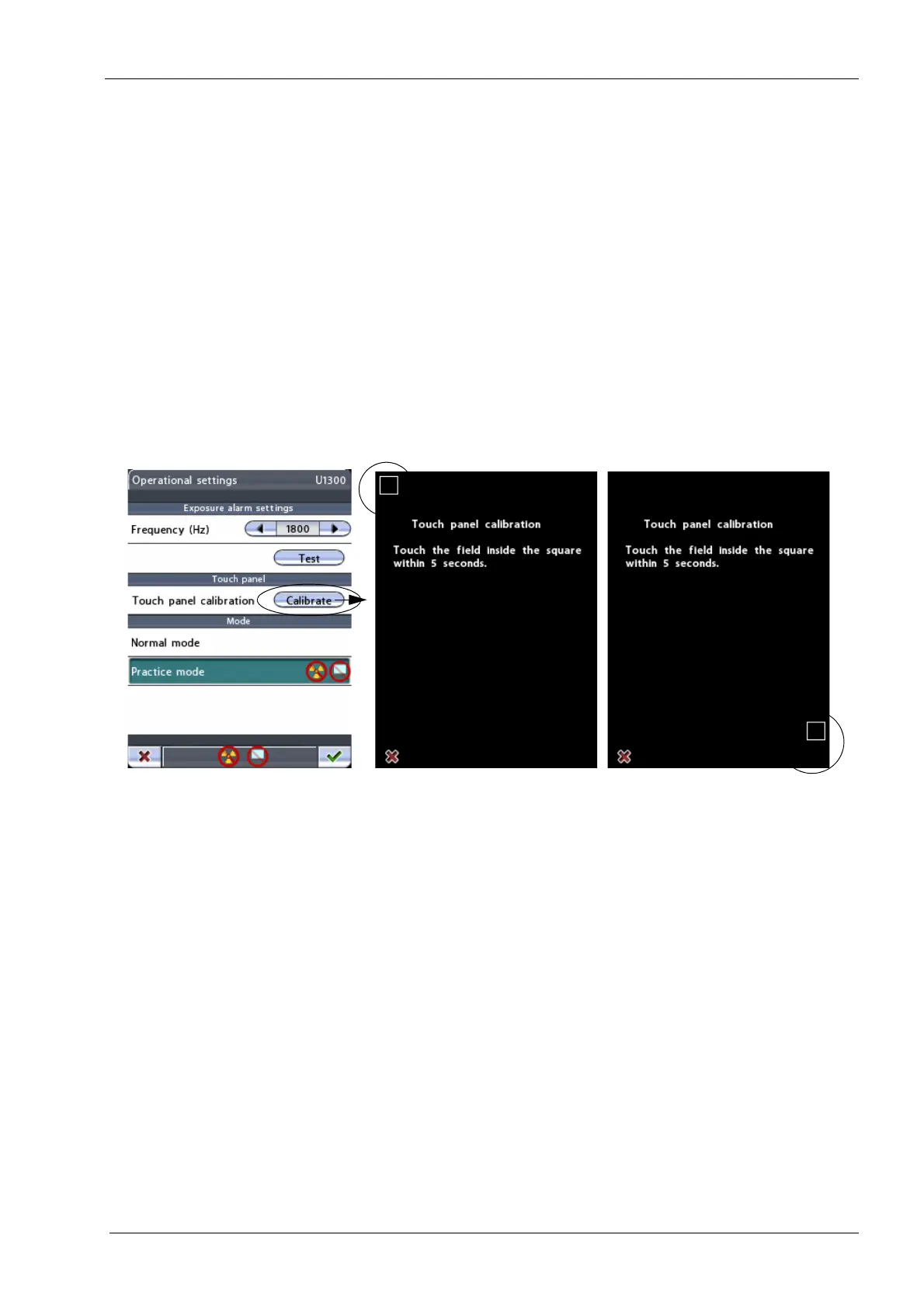
• Touch panel
Touch the
Calibrate
button to calibrate the touch panel.
Touch panel calibration adjusts the panel to respond to
the pressure level of your finger touch.
A black calibration display with a white square in the top
left corner will appear. Touch the square to “teach” the
panel the pressure of your individual finger touch and to
make it react rapidly to this pressure level. Another black
calibration display with a white square in the bottom right
corner will appear. Again touch the square. Note that you
have to touch the square within five seconds as the
calibration procedure will be cancelled once this time limit
has expired.
To cancel the calibration procedure, touch the red cross
button in the bottom left corner of the display.
First touch here...
...and then here














 To Next Page