14 SETTINGS
88 Planmeca ProOne User’s Manual
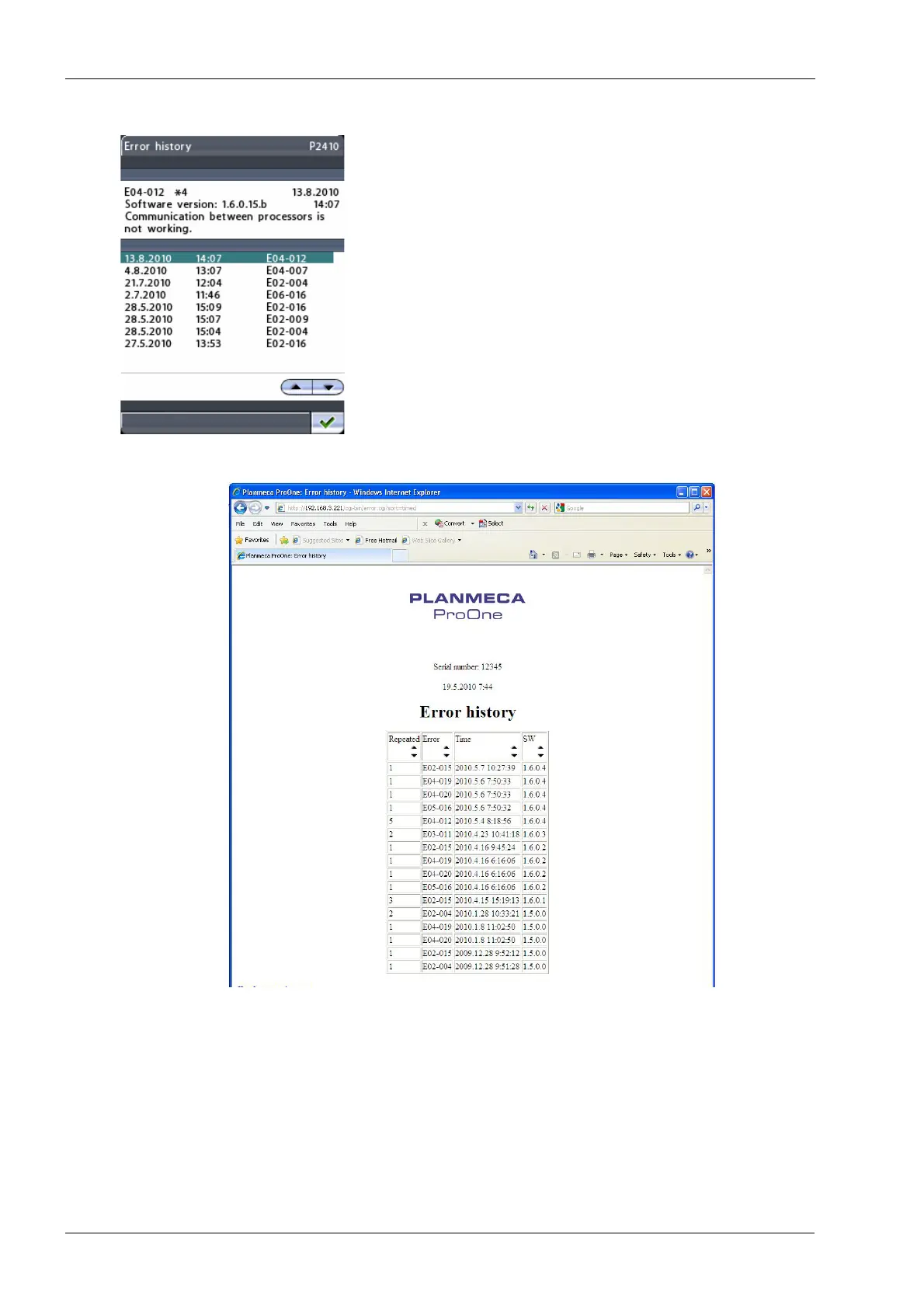
• Error history (P2410)
Touch the
Error history
field to view the error history. All
the errors of the X-ray unit are listed here, including the
error code, description of the error, as well as the date
and time when the error occurred.
Error history web page
The error history can also be viewed with a web browser
(e.g. Internet Explorer) of the computer connected to your
X-ray unit.
Open the web browser and enter the IP address of your
X-ray unit into the address bar. You can find the IP
address on the control panel display
Network settings
(1400) (
Spanner icon > User tab > Network settings > IP
address). On the main page select
Error history.
The
following screen opens.
The error history page contains a table listing the error
codes reported by the X-ray unit. The table can be
arranged by columns in ascending or descending order by
clicking the arrow buttons.














 To Next Page