14 SETTINGS
90 Planmeca ProOne User’s Manual
• Self diagnostics (P2510)
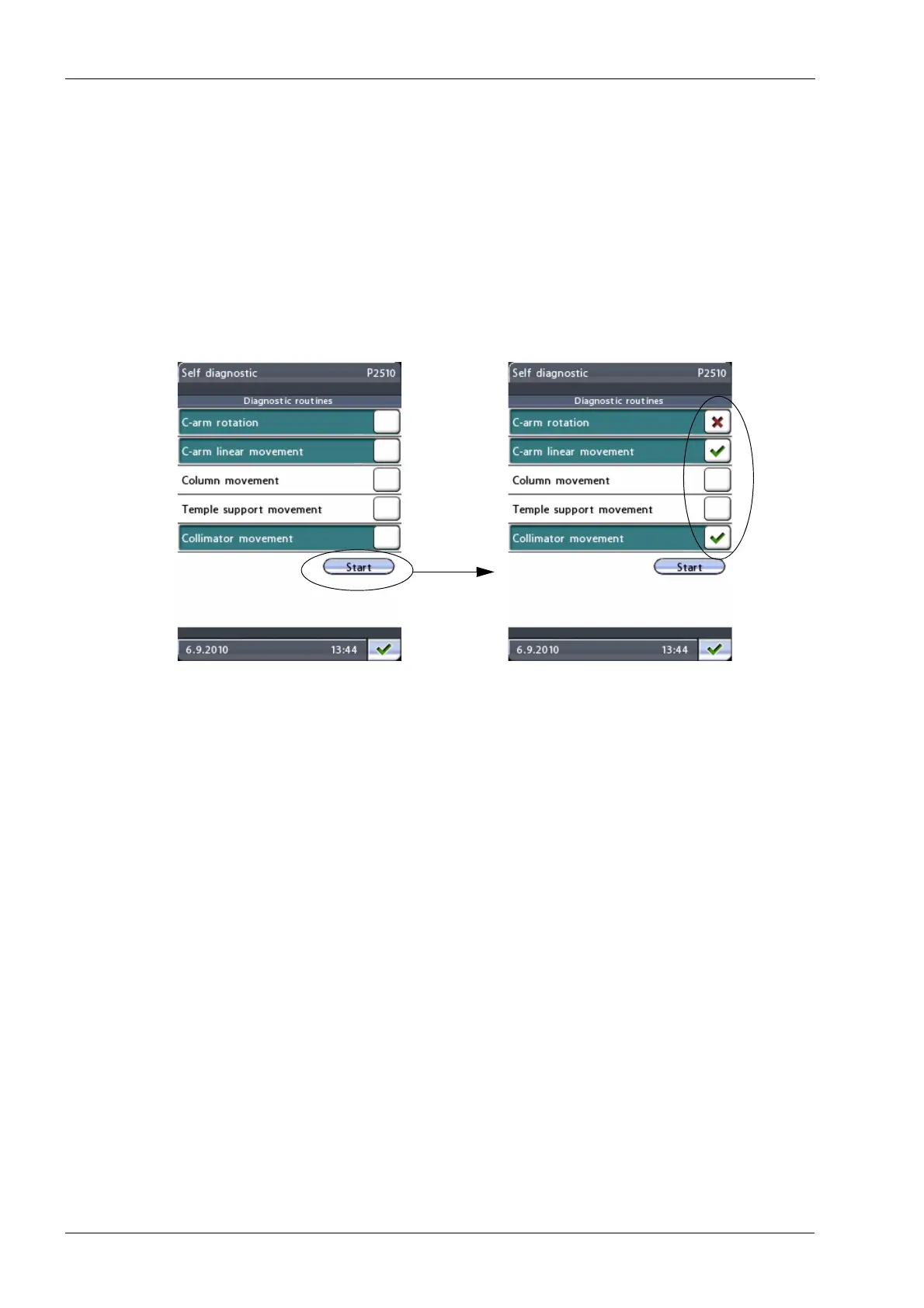
If required, you can test that the movement motors and
limit sensors of the X-ray unit function correctly.
On the
Testing programs
display, select
Self diagnostics
(P2510).
The
Self diagnostics
display (P2510) will be
shown. First select the function(s) that you wish to test.
The selected function(s) will be highlighted.
Then select
Start
. The testing program starts and the C-
arm, column, temple supports and/or collimator start
moving. The test results will be displayed as follows:
green check mark = pass, red cross = fail.
Functions to be tested selected
Test results shown














 To Next Page