INSTALLING THE PYLON AND ARM ACCESSORIES
100 Planmeca Sovereign
Installation manual
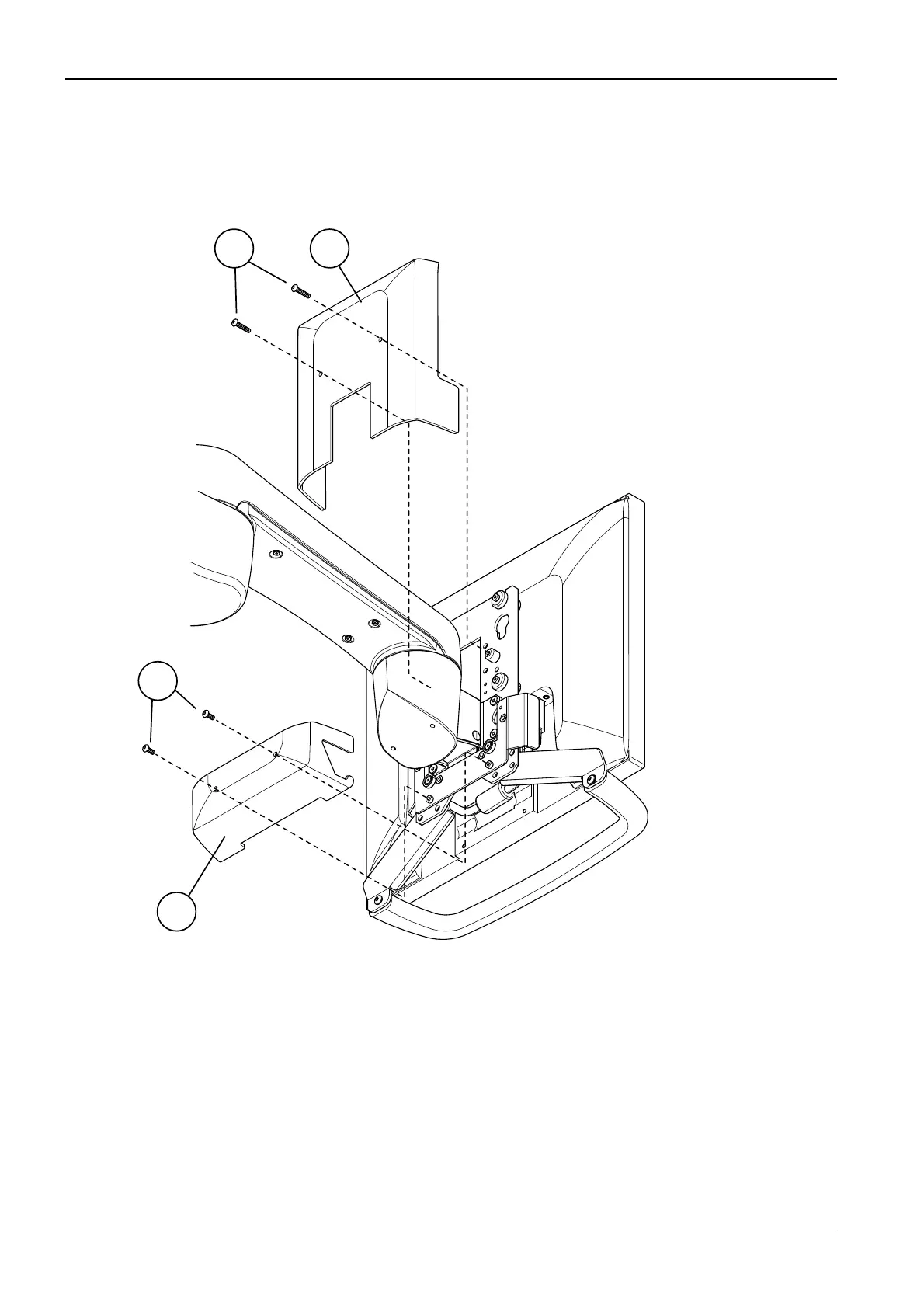
Planmeca white monitor: attaching the covers and connecting the cables
Place the upper cover to its position (1) and secure tentatively it with two attachment screws
(2) using a 3 mm Allen key. Place the lower attachment cover (3) to its position and secure it
with two attachment screws using a 3 mm Allen key (4). Fit the covers to their positions and
tighten the four attachment screws.
Route the cables into the cuspidor.
Connect the power cable to the cable coming from the UPSU PCB.
12
3
4
S107_1.eps










 To Next Page