9.1.2 Preparing Planmeca Romexis
Steps
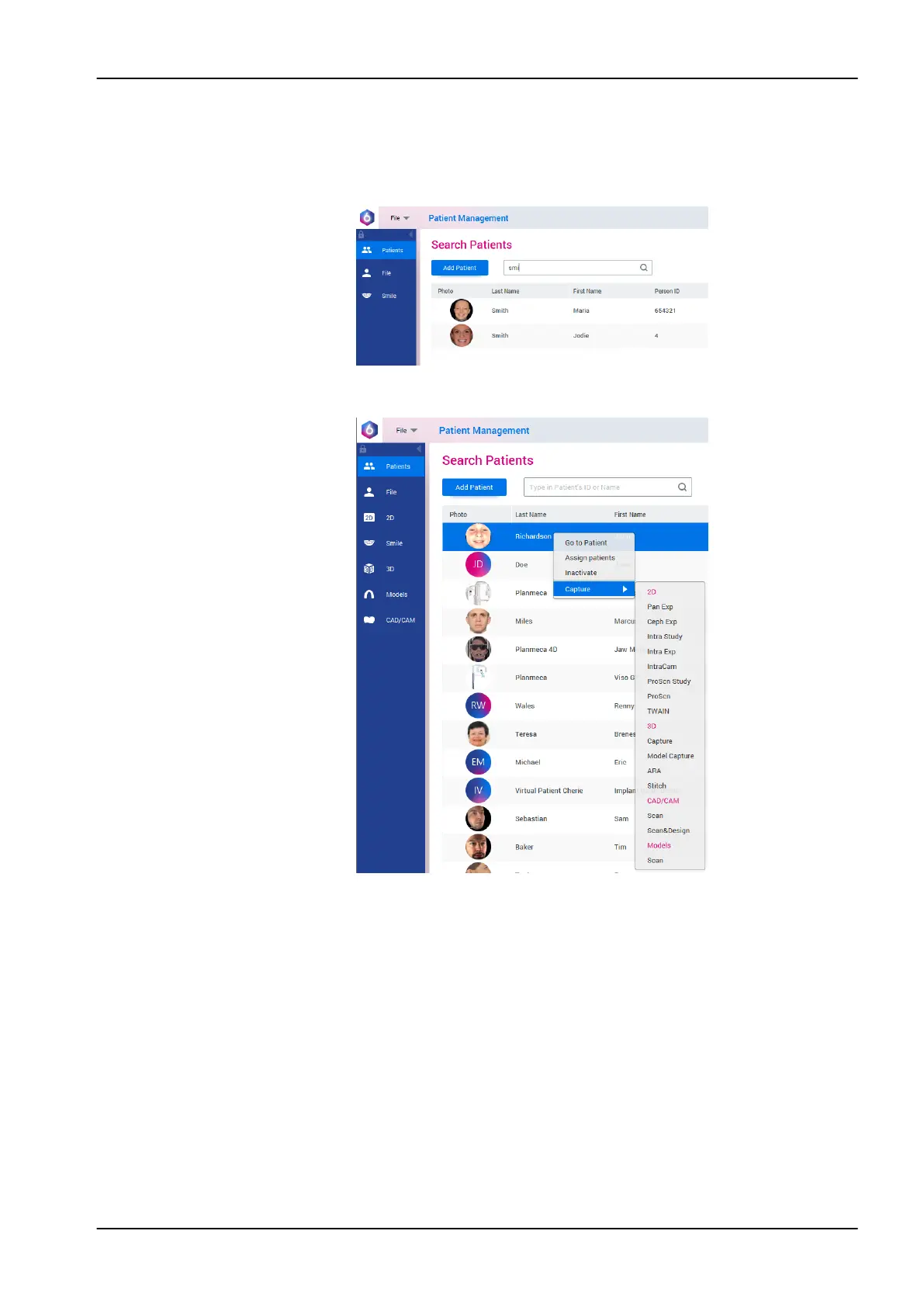
1. Select the patient.
2. Right-click on the patient and select Capture followed by Pan Exp for 2D
exposure or Capture for 3D exposure.
Refer to the Planmeca Romexis 6 User’s Manual for details on Romexis
functions.
9.2 Preparing patient
Ask the patient to remove any spectacles, hearing aids, dentures, hairpins,
and personal jewellery such as earrings, necklaces and piercings as these
can produce shadows or reflections in the image. The patient should also
remove any loose items of clothing (e.g. scarf, tie) that might get caught in
the arm structures of the X-ray unit.
NOTE
High contrast objects, such as gold teeth or amalgam, may cause artefacts
in the image.
Place a protective lead apron over the patient’s back if required.
9 Before exposure
User's manual Planmeca Viso 33












 To Next Page