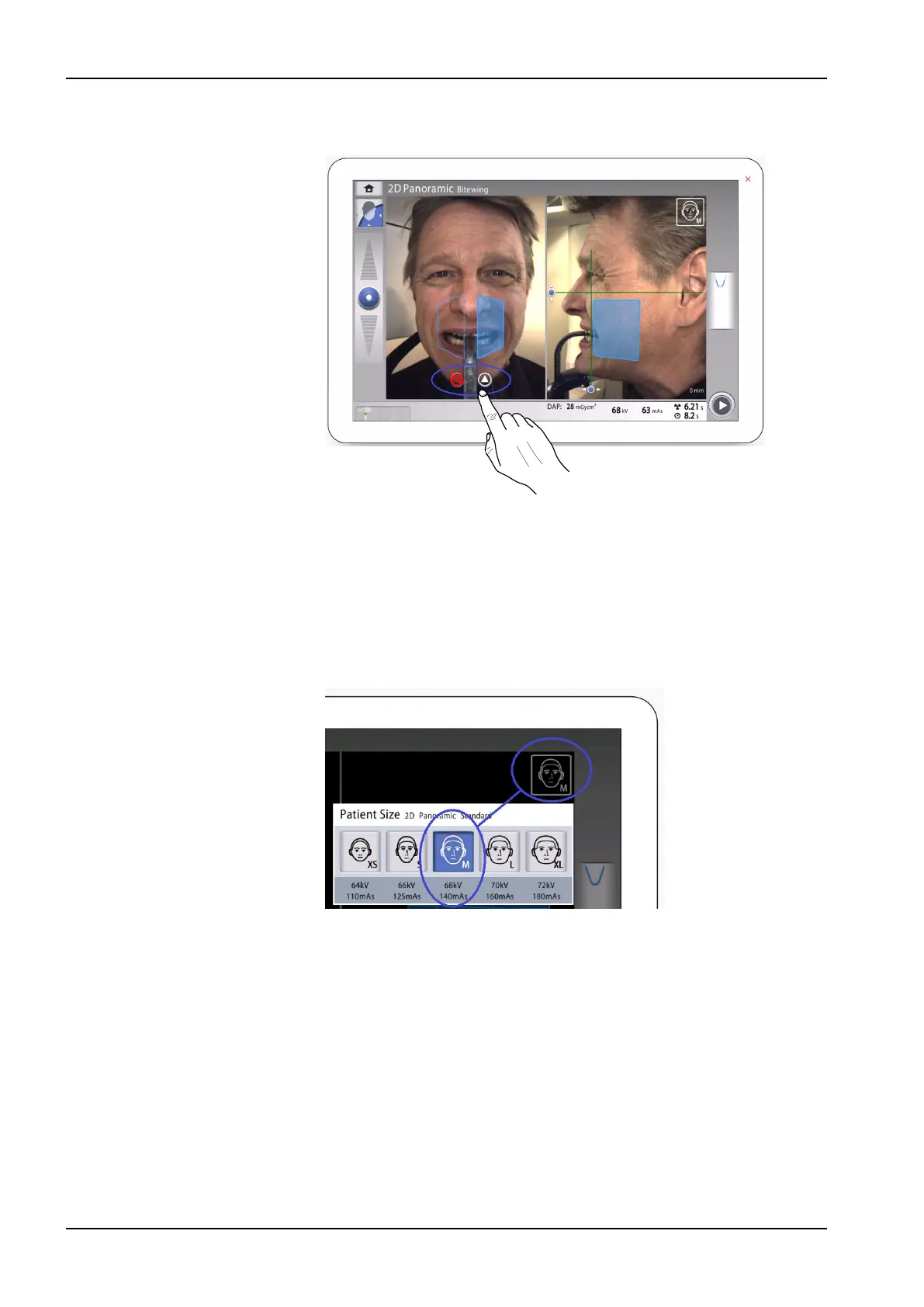
10. If 2D Panoramic Bitewing program is used, select the active exposure
areas by using the buttons on the touch screen.
11. Check that the midsagittal plane light and the Frankfort plane reference
line are still correctly positioned.
Reposition them if necessary.
10.4 Selecting patient size
Steps
1. Use this button to select the patient size:
• XS = Child
• S = Small adult
• M = Medium-sized adult
• L = Large adult
• XL = Extra large adult
The preset exposure values are shown below the patient sizes.
NOTE
Selecting child patient (XS) will automatically reduce the exposure area.
10 2D exposure
42 Planmeca Viso User's manual












 To Next Page