EasyManua.ls Logo

Pogo Automatic - Troubleshooting Alerts and Conditions; Expired Cartridge; Open Expiration Alerts; PC Mode; Battery Recharge Alerts

Pogo Automatic
88 pages
Print Icon
To Next Page IconTo Next Page
To Previous Page IconTo Previous Page
Loading...
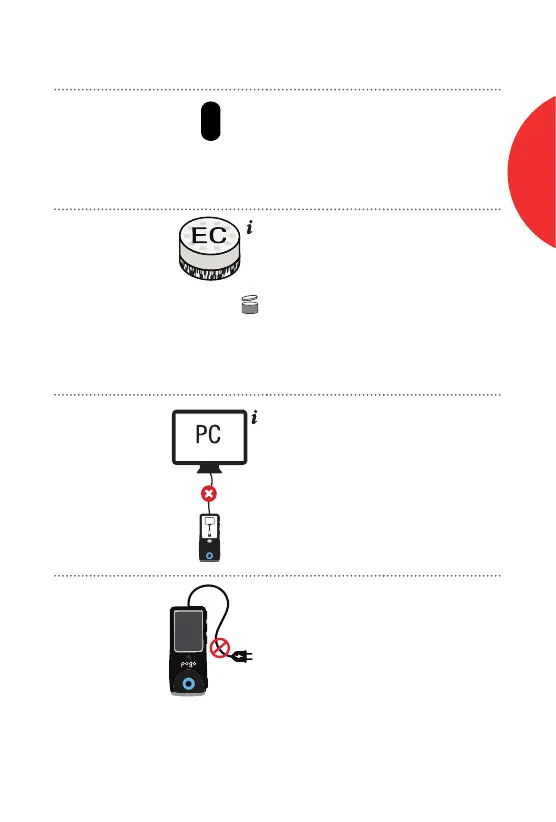
Codes What It Means What to Do
Expired
Cartridge
Alert
Test cartridge is
past the "Use by"
date.
Insert new test
cartridge.
Open
Expiration
Alert
Test cartridge has
expired past the
open expiration
date.
(X = the # of days
from the time the
cartridge foil cup
was opened. The
meter will display
this as a number.)
Insert new test
cartridge.
PC Mode
Alert
Power button
pushed with cable
connected to
computer.
Unplug meter from
PC before starting
a test.
Batteries
are not
Rechargeable
USB port is for
data tranfer only.
DO NOT attempt
to recharge meter
using USB Port.
Xd
PC
77
Customer Support 1-855-IMI-POGO (464-7646) • www.presspogo.com
E
C
TROUBLESHOOTING

Table of Contents

Other manuals for Pogo Automatic

Related product manuals