26
Chapter 3 The Control Panel
The Control Panel
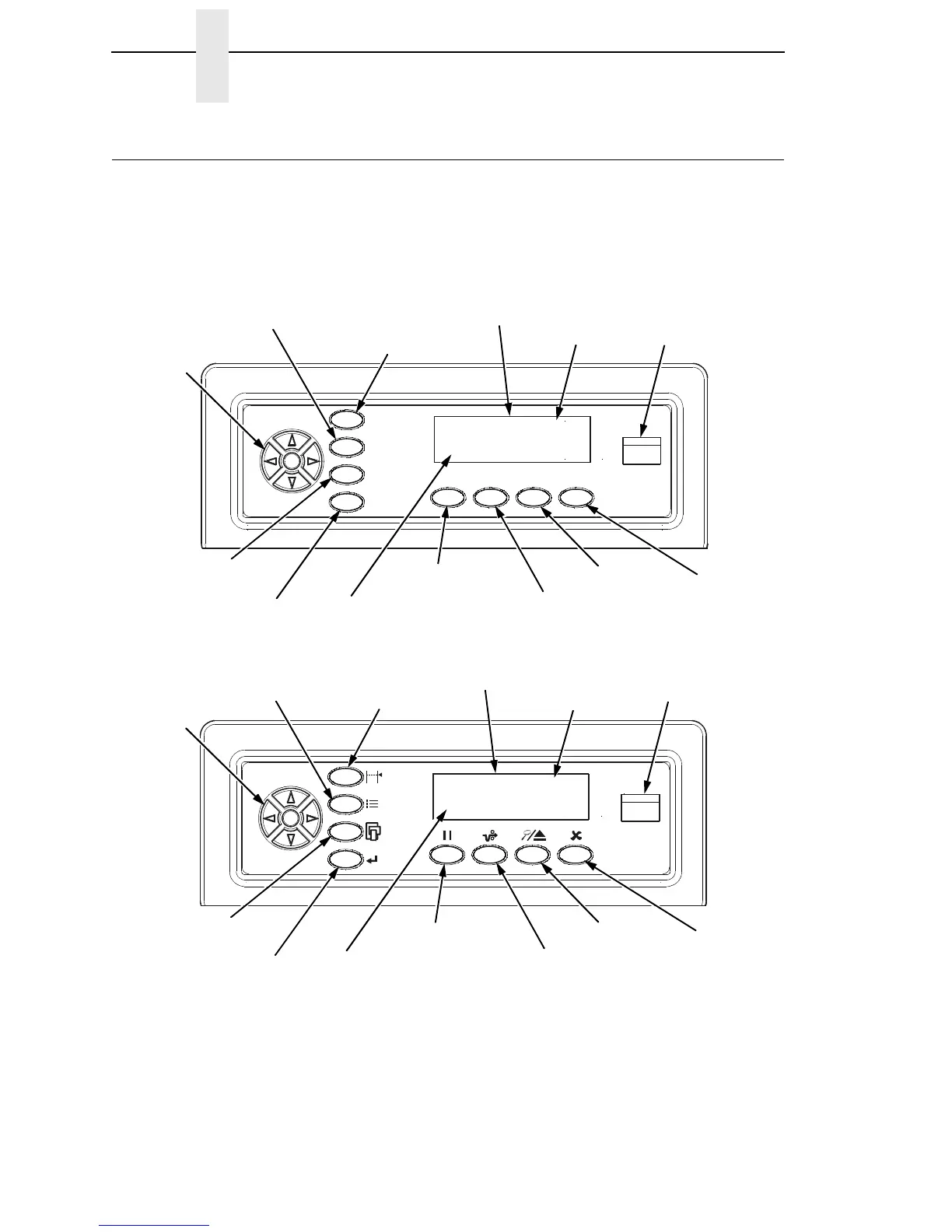
Figure 5 shows the keys, displays, and indicators as they appear on the
control panel. The following section provides the descriptions, and functions
of the control panel keys.
Key combinations are indicated with the plus (+) sign. For example, “Press
+
” means to press the key and the key at the same time.
Figure 5. Control Panel
SET TOF
PRT CONFIG
JOB SELECT
ENTER
ON LINE/CLEAR
PAPER ADVANCE
VIEW/EJECT
CANCEL
Message Display
Status Indicator
Circular
Pad
ONLINE <PGL>
RIBBON LIFE 100%
Emulation
Ribbon Life
Indicator
183452a
SET TOF
PRT CONFIG
JOB SELECT
ENTER
ON LINE/CLEAR
PAPER ADVANCE
VIEW/EJECT
CANCEL
Status Indicator
Circular
Pad
ONLINE <PGL>
RIBBON LIFE 100%
Emulation
Ribbon Life
Indicator
Message Display













 To Next Page